Measuring Master icon

Measuring Master

1.9.4 for Android
2.8 | 500,000+ Installs | Reviews

Robert Bosch Power Tools GmbH

Description of Measuring Master

*** Measuring Master won’t be updated any longer. Please download “MeasureOn” if you’re using a Bosch laser range finder. If you’re using a Bosch thermal camera, please install “Bosch Thermal”. GIS 1000 C Professional owners can use "Bosch Thermal" starting 08/2021. ***
BOSCH Measuring Master – All measurement data in one app
Compatible devices:
The laser range finders GLM 50 C Professional, GLM 100 C Professional & GLM 120 C Professional
The thermal camera GTC 400 C Professional (not available in all countries)
The thermodetector GIS 1000 C Professional (not available in all countries)
You have a PLR laser rangefinder? Just download the app "PLR measure & go".
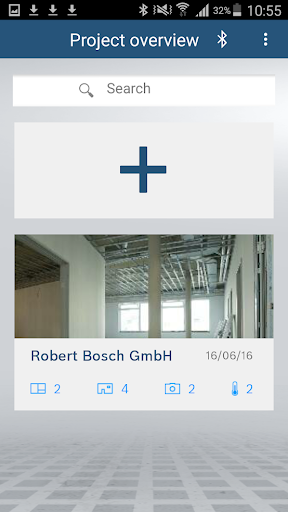
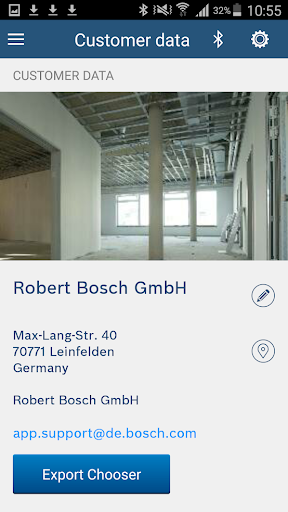
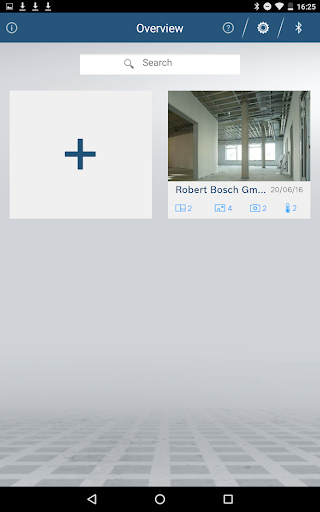
Measuring Master is a multifunctional app that enables you to document and manage site measurements, floor plans and temperature measurements all in one place.
The app is especially suitable for architects, painters, floorers, heating installers and electricians, all other tradespeople can also benefit from its comprehensive functionality. Measuring Master enables you to increase the productivity and efficiency of your day-to-day work.
Main functions:
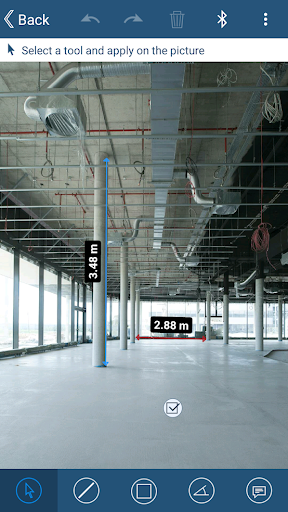
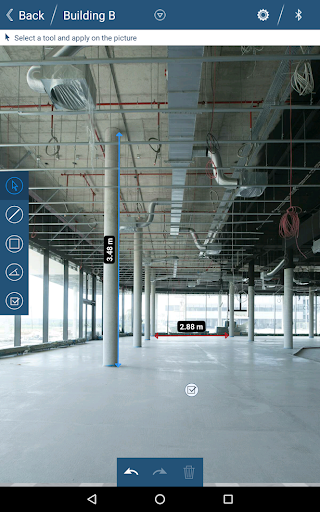
- Picture mode: Measured values can be transferred directly to pictures
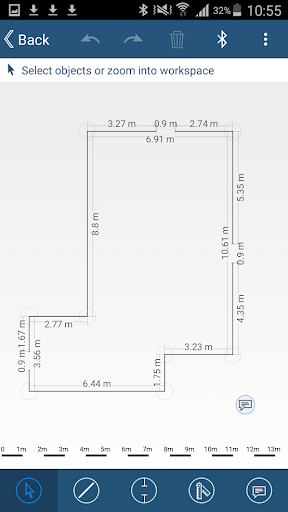
- Quick Sketch: Quickly create simplified sketches that can later be adopted into detailed floor plans
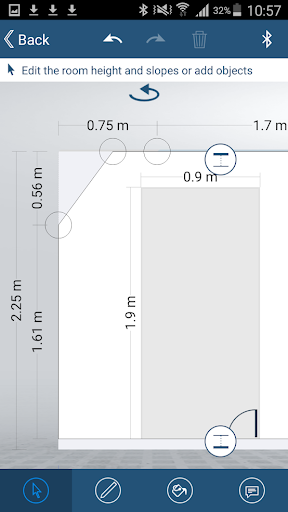
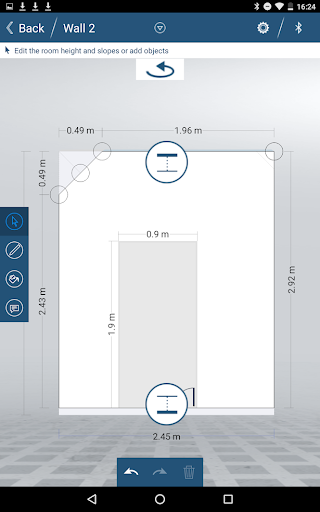
- Detailed Plans: Floor plan creation including wall view, room height, roof slope and area calculation
- Wall View: Document wall dimensions including roof slope, room height and objects
- Area calculation
- Thermal image:Display of thermal images from the GTC 400 C Professional (not available in all countries)
- Temperature documentation: Temperature measurements such as surface temperature, humidity, room temperature, average surface temperature, dew points and emissivity values can be transferred directly to pictures (not available in all countries)
- Notes, to-do’s and audio memos

Information

  • Category:
    Productivity
  • Latest Version:
    1.9.4
  • Updated:
    2021-07-14
  • File size:
    13.4MB
  • Requirements:
    Android 4.3 or later
  • Developer:
    Robert Bosch Power Tools GmbH
  • ID:
    com.bosch.measuringmaster
Reviews
  • avatar
    Better stick to pen and paper than to try to use this for a sketch; on a mobile phone, the keyboard keeps popping up inside the app, it's very difficult to connect/edit walls in quick sketch mode if you need more complicated shapes and occasionally there are some connectivity issues with the device.
    2020-09-22 03:11
  • avatar
    Useless , cannot find it with bluetooth on either my Samsung s9 plus , or galaxy tablet, software support unexistant , and not easy to find solutions to the connectivity
    2020-08-07 09:52
  • avatar
    User unfriendly interface. Would be handy to set a drawing scale, draw a line and have it scaled automatically when adding the length. Have been working on a drawing for over one hour, App crashed and all data was lost. Maybe add a save button or better store data automatically while drawing.
    2020-07-14 12:35
  • avatar
    Useless piece of junk. On-screen keyboard pops up erratically. Interface is not intuitive.
    2020-07-05 02:53
  • avatar
    In theory this app sounds impressive. In reality it is the most infuriating and impractical app iv ever used. The task of drawing a simple floor plan of a sitting room or similar is tedious and ridiculously time consuming. The import feature stinks. You import a file as nothing more than a backround image. You can't interact or select any items from the import. I would of thought you could import a foor plan in .dwg or .pdf , and from that import you could conduct a simple as-built survey
    2020-07-04 05:07
  • avatar
    useless at best. keyboard keeps popping up uninvited. can't scale view easily keeps reverting to original scale or scales miles out so room is tiny. Even a simple square room with door and window takes ages due to poor unintuitive input methods. no measurements shown other than wall lengths. If you try and enter them they don't snap to items. so have to enter values manually, Then values all overlap so unreadable, even on export. Makes the Bluetooth function completely pointless.
    2020-06-16 07:16