MSI GAMING APP icon

MSI GAMING APP

1.1.0 for Android
4.8 | 100,000+ Installs | Reviews

MSI(Micro-Star INT'L CO., LTD.)

Description of MSI GAMING APP

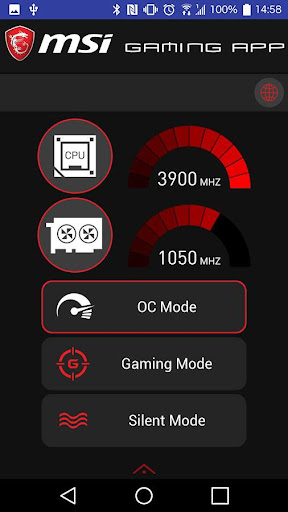
The MSI Gaming App allows for one-click performance profiles that unlock extra performance for gaming or keep your card silent during light use.
OC Mode
Maximum Performance through higher clock speeds and increased fan performance
Gaming Mode
The best balance between in-game performance and silence
Silent Mode
The best environment for minimal fan noise
Requirements :
Gaming APP 6.2.0.03

What's New with MSI GAMING APP 1.1.0

Version: 1.1.0 Build Date: 2017/12/28
Description:
1. Modify icon for style effects.
Requirements :
Gaming APP 6.2.0.46


Information

  • Category:
    Entertainment
  • Latest Version:
    1.1.0
  • Updated:
    2018-01-21
  • File size:
    2.6MB
  • Requirements:
    Android 4.0.3 or later
  • Developer:
    MSI(Micro-Star INT'L CO., LTD.)
  • ID:
    com.msi.gamingapp
  • Available on:
Reviews
  • avatar
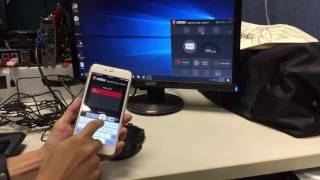
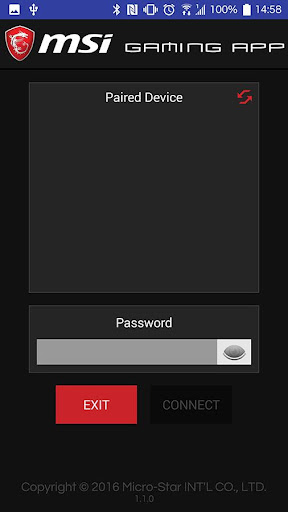
    This app does work. Make sure your phone and PC are connected to the same Wifi. Open up MSI gaming app on your PC. Tap the world symbol in the upper right corner and set your own PC name and password. Open up the MSI gaming app on your phone and give it permission to access. Your PC should be listed. If not hit refresh. Tap your PC name and enter the password that you set. This will work on motherboards that came with the MSI gaming app. If you denied app permissions on your phone it won't work.
    2020-11-01 05:06
  • avatar
    Doesn't do anything.
    2020-09-03 02:57
  • avatar
    No idea how to connect . Tried Bluetooth WiFi but how to pair or connect ?😕
    2020-08-08 08:40
  • avatar
    Doesn't work
    2020-07-14 06:54
  • avatar
    Doesn't work. Quite sumply does not connect to computer. I tried to get it to work but there is no way to connect to computer as it simply does not detect it.
    2020-06-21 04:30
  • avatar
    Couldn't make it work.
    2020-06-12 01:37