
Lock and Sleep icon

Lock and Sleep

1.0 for Android
3.8 | 5,000+ Installs | Reviews

Tejas Jadhav

Description of Lock and Sleep

**No advertisements**
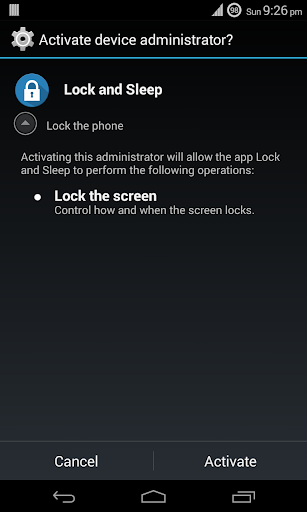
This app uses the Device Administrator permission. It is required to enable locking your phone through the app.
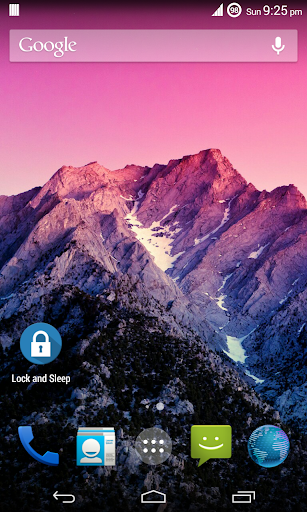
Hardware power button of our devices soon wear out because of excess use. To minimize the use of the power button, this app does half the work. It locks the phone when the app starts. But, still you need to use the power button to unlock your phone.
This app is battery friendly as kills itself when the phone locks. So, no need to worry about excess battery consumption as this app does not run in the background.
How to uninstall
To uninstall this app, open Settings » Security » Device administrators » Lock and Sleep and select Deactivate. Then, you can uninstall this app normally.

Information

  • Category:
    Productivity
  • Latest Version:
    1.0
  • Updated:
    2014-08-17
  • File size:
    36.5KB
  • Requirements:
    Android 2.2 or later
  • Developer:
    Tejas Jadhav
  • ID:
    vu.de.tejasjadhav.lockandsleep
  • Available on:
Reviews
  • avatar
    Ahahah...its works for my oppo android...my on off button not function anymore...but with this app i cam turn off(sleep) and to open my phone i just need double click my phone becouse my phone can open by duble click on screen
    2020-05-08 06:51
  • avatar
    Baaaad
    2019-06-21 12:09
  • avatar
    Cant unistall plz help
    2018-06-17 05:49
  • avatar
    does not work,cannot deactivate or delete DO NOT USE how do I deactivate it please respond.
    2014-11-15 11:20
  • avatar
    Good
    2014-08-17 11:25