#LiveDroid: Wireless WebCam icon

#LiveDroid: Wireless WebCam

1.0.1 for Android
3.2 | 100,000+ Installs | Reviews

Dream-Droid

Description of #LiveDroid: Wireless WebCam

If you don't have any web camera, but you do have an android device, you can convert it in to a web camera in just few easy steps.
• A WiFi connection (both your phone and computer need to be connected to the same WiFi network)
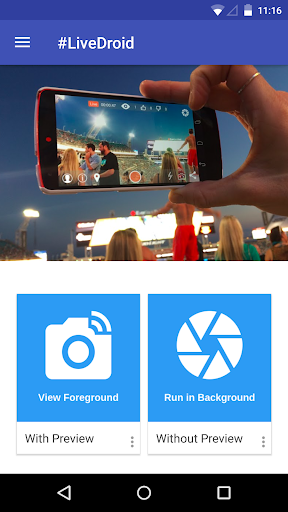
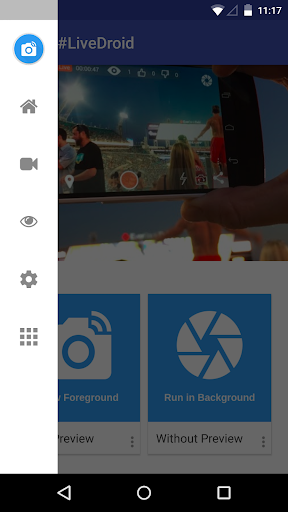
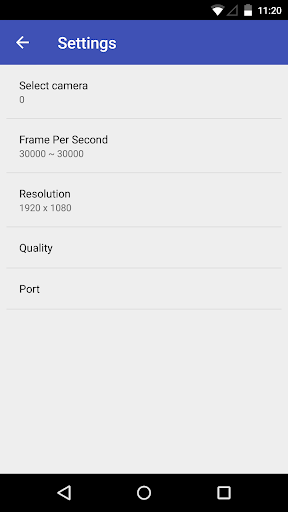
• Open the app on your Android phone and tweak the settings to fit your needs. You can adjust things like resolution, quality, the orientation, which camera you're using and the maximum frames per second. Once you're happy with the set up go and tap start server.
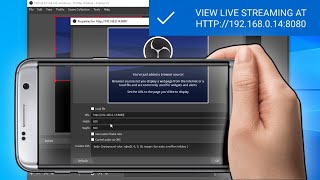
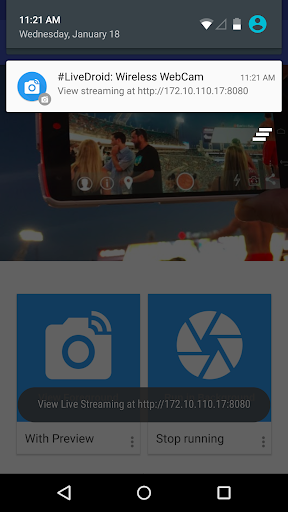
• An IP address will show up at the notification of your phone. Go to this address in either Chrome or Firefox and select the "Use browser built-in viewer" option. Your browser should now show the video feed from your phone.
Feel free to send your feedback to us! support@dreamdroid.net46.net
Developed by :
Akshay Chopde
Google :
https://google.com/ AkshayChopdeOfficial
Website :
http://www.dreamdroid.tk
Twitter:
https://twitter.com/imAkshayChopde
LinkedIn:
https://www.linkedin.com/in/akshaychopde

What's New with #LiveDroid: Wireless WebCam 1.0.1

Bug fixes and performance improvements

Information

  • Category:
    Tools
  • Latest Version:
    1.0.1
  • Updated:
    2017-03-04
  • File size:
    5.8MB
  • Requirements:
    Android 4.1 or later
  • Developer:
    Dream-Droid
  • ID:
    com.dreamdroid.livedroid
  • Available on:
Reviews
  • avatar
    Trash app. Unable to do anything with settings in the free version. Get IP Camera instead. MUCH better software from that one.
    2020-10-03 08:58
  • avatar
    Needs autofocus or manual focus support. If we are able to adjust the focus within OBS using the 'interact' function, it would be great.
    2020-07-22 03:24
  • avatar
    Why the perms for access to contacts? Other than that it works as expected.
    2020-06-28 01:55
  • avatar
    Half the app doesn't work. And how do I actually *use* the stream on my pc then??
    2020-06-19 12:07
  • avatar
    There are too many people talking about 15fps, no, get lost. anything under 24fps is simply not good enough and options below 24fps shouldn't be an option. There is no 60fps option, and when i set it to 24 or 30, which would be fine... it changes back to 15 straight away. That makes this app unusable for me. At the very least, 24fps or 30fps should be default.... who uses 15fps? that produces entirely unusable footage lol get rid of this low frame rate rubbish.
    2020-05-31 03:47
  • avatar
    The app works very well. Nothing better is available.
    2020-05-13 05:27