
Lipikaar Sanskrit Keyboard icon

Lipikaar Sanskrit Keyboard

4.0 for Android
3.9 | 10,000+ Installs | Reviews

Lipikaar Keyboards

Description of Lipikaar Sanskrit Keyboard

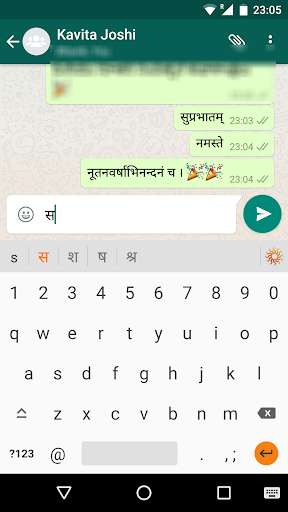
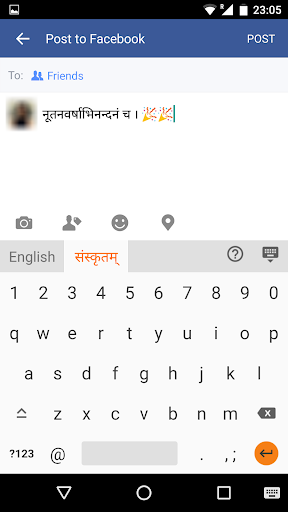
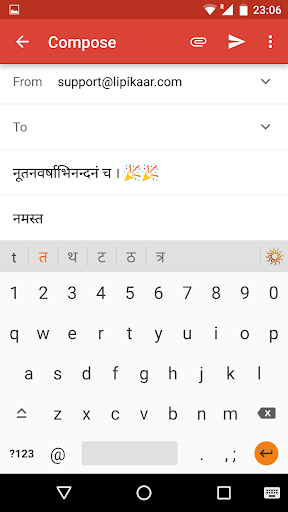
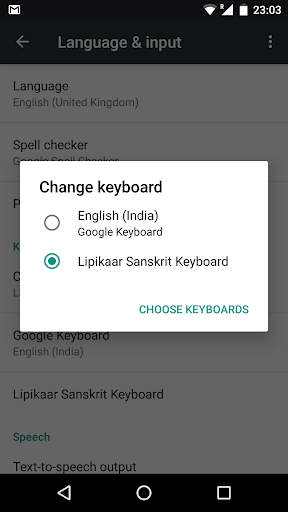
Now you can send emails, post Facebook updates and send messages on Whatsapp in Sanskrit using the Lipikaar Sanskrit Keyboard.
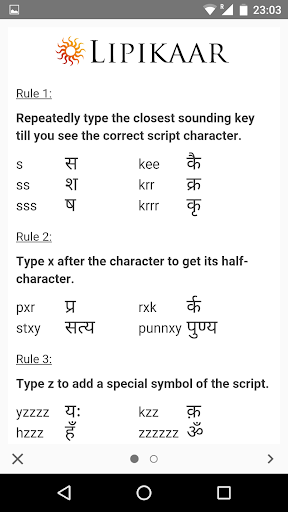
How to type in Sanskrit(संस्कृतम्) with Lipikaar:
Rule 1:
Repeatedly type the closest sounding key till you see the correct Sanskrit script character.
s = स ss = श sss = ष
krr = क्र
krrr = कृ
Rule 2:
Join two characters by typing x between them.
pxr = प्र
rxk = र्क
stxy = सत्य
Rule 3:
Type z to add a special symbol of the script.
z = ं zz = ़ zzz = ँ zzzz = ः
For more details:
http://bit.ly/1mYNP6G
Features:
- No memorizing key positions. Simple and intuitive typing in Sanskrit using regular English (QWERTY) keyboard.
- No fluency in English is required. Lipikaar encourages users to think in their language.

Information

  • Category:
    Tools
  • Latest Version:
    4.0
  • Updated:
    2016-07-27
  • File size:
    2.5MB
  • Requirements:
    Android 3.0 or later
  • Developer:
    Lipikaar Keyboards
  • ID:
    com.lipikaar.android.keyboard.sanskrit
  • Available on:
Reviews
  • avatar
    Excellent..& easy to type
    2020-07-08 08:35
  • avatar
    Easy to chat in WhatsApp
    2020-06-06 01:33
  • avatar
    Not impressive. Keep freezing all the time. Cannot use number keyboard. As the numbers are pressed it freezes
    2020-04-01 11:01
  • avatar
    Very Good... I like it so much. but please upadhmaniy visarg symbol add in keyboard
    2020-03-22 08:35
  • avatar
    not seeing tutorial
    2020-03-18 05:30
  • avatar
    very good and easy..
    2019-08-30 01:57