LOCKY Unlock more easily and quickly.
★ #1 App lock in over the world.
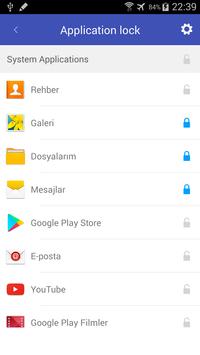
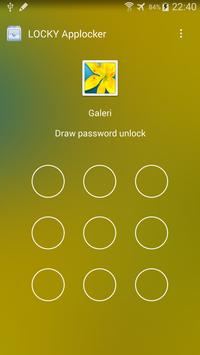
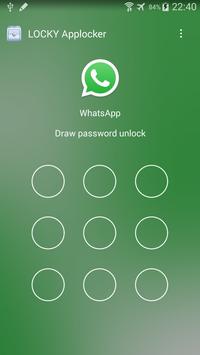
☞ LOCKY AppLock can lock Facebook, Whatsapp, Gallery, Messenger, Snapchat, Instagram, SMS, Contacts, Gmail, Settings, incoming calls and any app you choose. Prevent unauthorized access and guard privacy. Ensure security.
☞ LOCKY AppLock can hide pictures and videos. Hidden pictures and videos are vanished from Gallery and only visible in the photo and video vault. Protect private memories easily. No pin, no way.
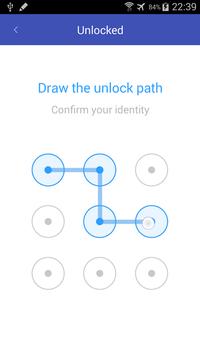
☞LOCKY AppLock has random keyboard and invisible pattern lock. No more worry people may peep the pin or pattern. More safe!
★ With AppLock, you will:
Never worry about parents check your Snapchat, Musical.ly, Facebook or Instagram
Never worry about friends borrow your phone to play games with mobile data again!
Never worry about a workmate gets your phone to look the gallery again!
Never worry about someone reads private data in your apps again!
Never worry about kids mess up Settings, send wrong messages, paying games again!
Lock Facebook, Whatsapp, Gallery apps with password and prevent the apps from being exposed by snooper!
LOCKY AppLock can lock apps, photos, videos and other private data with password lock or pattern lock. LOCKY AppLock is a free app lock and privacy guard to prevent intruders & snoopers from peeping at your private data, hide sensitive photos and videos by encrypting your Gallery, keep children or snoopers away from messing up your settings, deleting important things or making in-app purchase. Customize app lock settings as you want, more secure and smart to lock all privacy in one small LOCKY AppLock.
---FAQ---
1)How to change password?
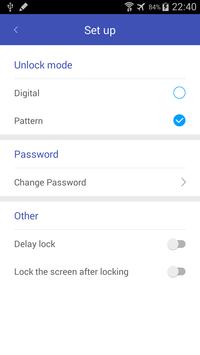
Open LOCKY AppLock, Menu, Settings
2)I hide LOCKY
AppLock icon, how to open LOCKY AppLock now?
There are two ways to open it:
1. Enter #password in your dial pad, and tap call button.
3)How to stop other people uninstall LOCKY AppLock?
Please enable Advanced Protection in Protect of AppLock, so nobody can uninstall or kill LOCKY AppLock without password. You can disable Advanced Protection when you don't want it.
4)How to uninstall LOCKY AppLock?
After you enable Advanced Protection, nobody can uninstall LOCKY AppLock without password. If you want to uninstall it, please disable Advanced Protection first.
---Features---
• Lock apps with password lock, pattern lock
• Photo vault, hide pictures
• Video vault, hide videos
• Well designed Themes
• Customized background, select a favorite picture
• Default profiles: Unlock all, Guest
• Customized Profiles: set different locked app groups, change lock quickly
• Time Lock: auto-lock/unlock according to time
• Location Lock: auto-lock/unlock according to location
• Hide AppLock icon
• Advanced Protection: prevent AppLock being killed by task killer
• Random keyboard: prevent people peeping pin code
• Fingerprint、Force stopped cover
• Lock switch (WiFi, Bluetooth, mobile data, sync)
• AppLock widget: enable/disable AppLock with one tap
• Quick lock switch: Lock/unlock in notification bar
• Lock incoming calls
• Lock system settings to prevent a mess by kids
• Lock Google Play to prevent buy games
• Allow a brief exit: no need password, pattern again within set time
• Prevent uninstalling apps
• Low memory usage.
• Power saving mode to save battery
Feel free to send your feedback to us! williamjames7834[at]gmail.com
- bugs fixed

9Apps 4.9