


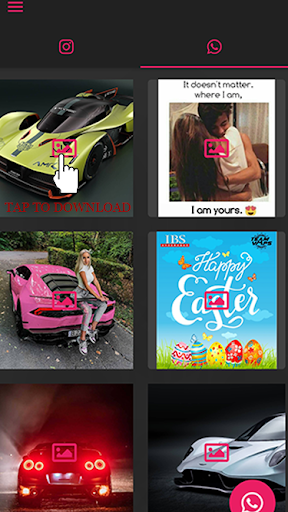
Easy to download videos and images from Instagram & WhatsApp.
Allow you to download Instagram, WhatsApp photos & videos in HD quality, allowing you to see them anytime, anywhere.
Install Image & Video Downloader for Instagram WhatsApp to start downloading videos & Status.
How to download Videos and Images in Instagram
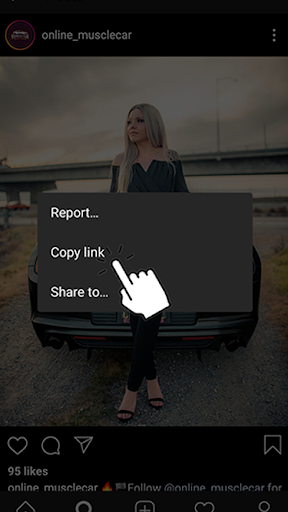
1. Open Instagram and Copy link you want download
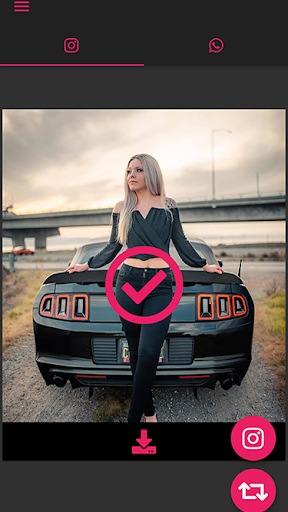
2. Open Media Downloader app you will find the list of Media
3. Press the download button for particular Media you want to download. That's it!
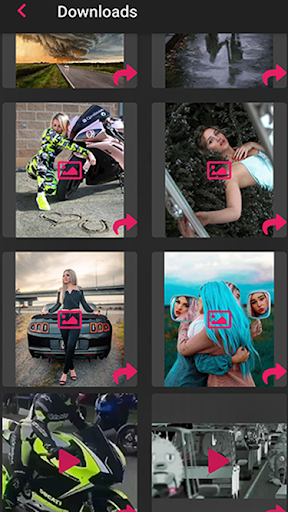
4. You can find the
downloaded files in 'downloades screen' in the App bar.
Downloads folder: /storage/emulated/0/Media Saver/
How to download Status & Images in WhatsApp
1. Navigate to WhatsApp tab and click on file you want to download
2. You can find the downloaded files in 'downloads screen' in the App bar.
Downloads folder: /storage/emulated/0/Media Saver/
That's it. You're done.
Disclaimer:
* Please get the permission from the owner before you repost videos or photos
* We are not responsible for any intellectual property violation that results from an unauthorized repost of a video or photo
* This app is not affiliated with Instagram and WhatsApp.
Initial release





9Apps 4.9














