Image Converter - JPG PNG TIFF WEBP PSD RGB BMP icon

Image Converter - JPG PNG TIFF WEBP PSD RGB BMP

1.3 for Android
3.3 | 10,000+ Installs | Reviews

DLM Infosoft

⚠️ You need 9Apps App to install .XAPK File. How to install XAPK?

Description of Image Converter - JPG PNG TIFF WEBP PSD RGB BMP

Image Converter - An application to convert images into various image formats
Steps to use:
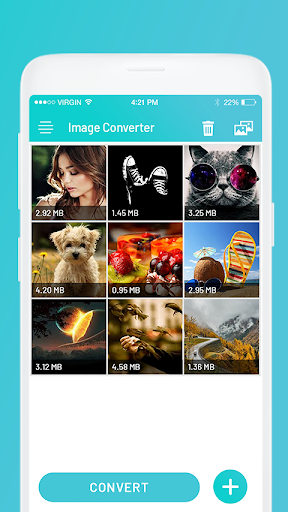
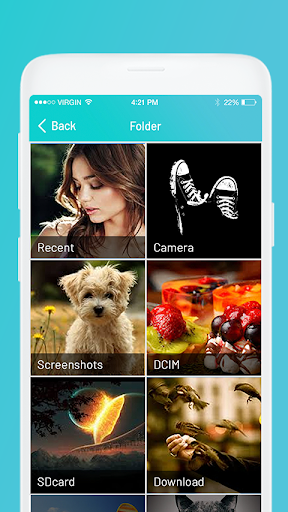
1. Select image/images from gallery with icon.
2. Click on Convert.
3. Select output format from the list. This will create new images with specified format.
4. View list of all newly created images.
5. Share image(s) directly from list.
Supported output image formats:
JPG, JPEG, PNG, WEBP, BMP, TIF, TIFF, PSD and RGB

What's New with Image Converter - JPG PNG TIFF WEBP PSD RGB BMP 1.3

- Bug Fixes

Information

  • Category:
    Productivity
  • Latest Version:
    1.3
  • Updated:
    2020-06-19
  • File size:
    10.9MB
  • Requirements:
    Android 5.0 or later
  • Developer:
    DLM Infosoft
  • ID:
    com.dlminfosoft.imageconverter
  • Available on:
Reviews
  • avatar
    Worthless on android. Adds are major impediment
    2020-10-01 10:52
  • avatar
    1) Could u let we filter OUT the final file format when selecting files? I dont want it to convert again webp to webp and lose quality (I use 80%). 2) So, i convert all photos to webp and move them back to original folder, and delete original ones, but.. when converting, could you touch the new file DATETIME with the original one? So we dont lose that information when sorting them? 3) the default transparent color is cyan??? Should be neutral black. 4) could you keep the last settings we used?
    2020-09-19 01:27
  • avatar
    Arey jbbrjass app
    2020-06-09 07:29
  • avatar
    Converted my JPG image to PNG format. Exact output what I required. Smooth and does what it says. Thanks 😊
    2020-05-13 04:40
  • avatar
    Sira app
    2020-04-24 05:13
  • avatar
    Could not find the download on my PC
    2020-04-07 04:55