Android devices are designed to work all the time, even when you do not use them! Hibernation Manager helps you to save battery when you do not use your device. When the screen goes off, it hibernates your processor (CPU), settings and even applications to save your battery power.
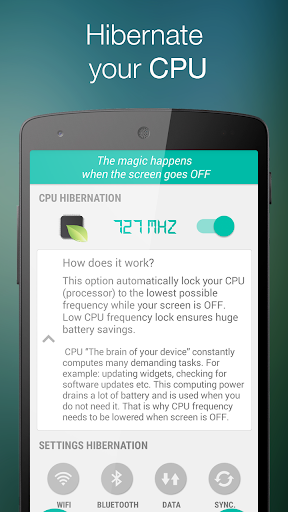
CPU hibernation
(for root users)
CPU hibernation automatically sets CPU (processor) to the lowest possible frequency and voltage which ensures huge battery savings.
CPU “The brain of your device” constantly computes many demanding tasks. For example: updating widgets,
checking for software updates etc. This computing power drains a lot of battery and is used when you do not need it. That is why CPU frequency needs to be lowered when the screen is OFF.
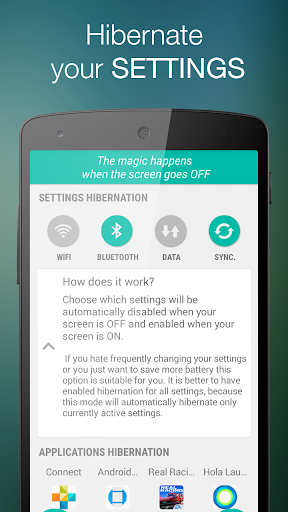
Settings hibernation
Choose which settings will be automatically disabled (hibernated) when your screen is OFF and enabled when your screen is ON.
If you hate frequently changing your settings or you just want to save more battery, this option is suitable for you. It is better to have enabled hibernation for all settings, because this mode will automatically hibernate only currently active settings.
You can apply settings hibernation to: wifi, mobile data (APN), bluetooth (BT)
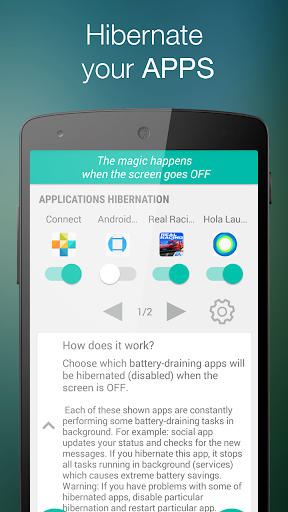
Applications hibernation
Choose which battery-draining apps will be disabled (hibernated) when the screen is OFF.
Some of your installed apps are constantly performing some battery-draining tasks in background. For example: social app updates your status and checks for the new messages. If you hibernate this app, it stops all tasks running in background (services) which causes extreme battery savings. The hibernation is more effective than task killer or any other memory cleaner.
Battery Widget
Battery widget allows you to control Hibernation Manager right from your home screen.
Warning: If you have problems with some of hibernated apps, disable particular hibernation and restart particular app.






9Apps 4.9