

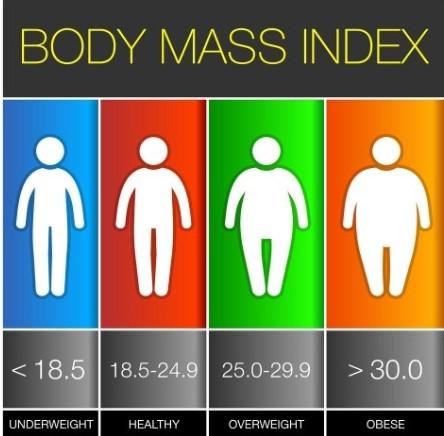
There are four features in this app.
You
will be dis played
in any app. If you want to go on a specific
app
You have to press the top circular
button. Then where you want to go first , you
can go there .
If you are on ''water consumption'' app then
follow the instructions.
Basically what the app means is you will type
the number of glasses and press the ''LITRES''
button and you will get
the value of how much you are drinking in one day.
If you are going to ''BMI CHART''
You should enter your weight and height and press
''Body Mass Index'' and you will get your answer. If
your going to ''HW converter''
then you have to type your weight and height and switch on the switch in the middle
and BOOM! answer
has appeared . If you are going to 'Heart Rate'' you have to press the start button and count your Pulse in 10 seconds . Once 10 secs are over and during that time you were counting your pulse , after that you have to set your heart rate on the slider.
Once you have done that you have to press
''Calculate BPM''
Answer!
:)






9Apps 4.9













