Head Tracker for OpenTrack icon

Head Tracker for OpenTrack

1.0.8 for Android
4.5 | 10,000+ Installs | Reviews

Tovinst

Description of Head Tracker for OpenTrack

Attention! To work correctly, you need an accelerometer and compass.
Control the camera with the help of head movements in popular flight simulators.
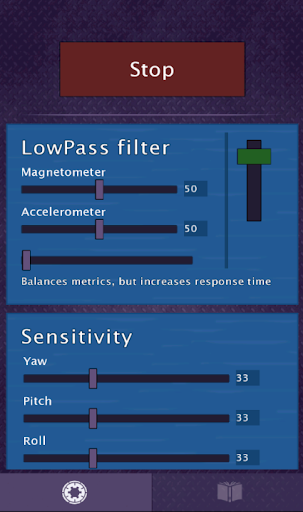
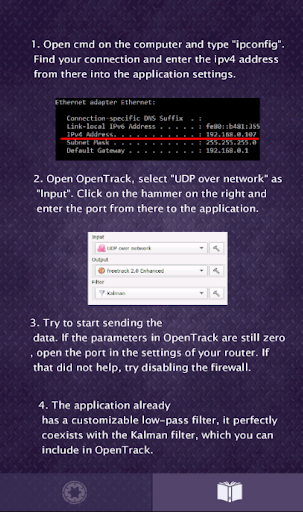
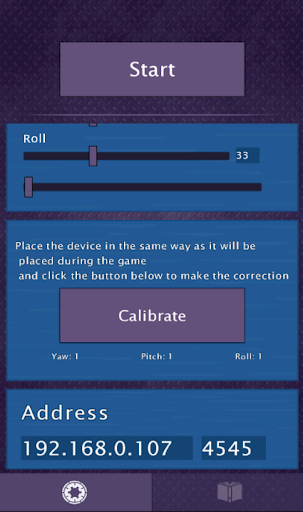
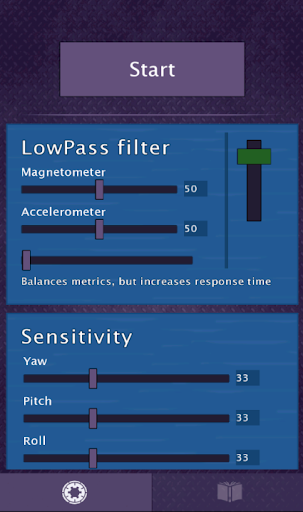
The application sends finished data directly to OpenTrack via Wi-Fi, has a built-in adjustable filter for smoothing movements, adjustable sensitivity for individual axes, and saving the current configuration. The instruction in the application.

What's New with Head Tracker for OpenTrack 1.0.8

Fixed errors when running on new versions of Android.

Information

  • Category:
    Tools
  • Latest Version:
    1.0.8
  • Updated:
    2018-12-03
  • File size:
    6.9MB
  • Requirements:
    Android 4.4 or later
  • Developer:
    Tovinst
  • ID:
    com.suzzwke.game
  • Available on:
Reviews
  • avatar
    This only works if you strap the phone to your head!
    2020-10-17 10:12
  • avatar
    I dont really use it for opentrack but it is why i got it. I personally use it with matlab, and its very easy to read its udp data which is fantastic for my sanity. 4 stars because i wish it had more sensors to choose from and it usually stops after a few seconds when the screen is off the app looses focus
    2020-09-24 12:16
  • avatar
    What does this even mean "Attention! To work correctly, you need an accelerometer and compass."? I can't get this to work. Does it use the front or back camera? Do you need to use IR points or does it just use head tracking? Extremely lacking in information to set up. It connects but there is no image of your head transferred to open track. If I move my phone the octopus head moves but that's about it.
    2020-09-13 01:00
  • avatar
    Pretty cool works like a charm, a debug option would be cool to see values on real time
    2020-09-10 11:23
  • avatar
    Would not let me input the port number either when started or stopped. IP address goes in ok but the "port" field is greyed out.
    2020-09-09 08:23
  • avatar
    It works okay. There's some of drifting but still usable. The sliders to adjust the settings in app are not resposive sometime. Thank you.
    2020-09-08 02:30