Link: Connect Your Boat icon

Link: Connect Your Boat

4.1.0 for Android
4.5 | 100,000+ Installs | Reviews

Navico GoFree

Description of Link: Connect Your Boat

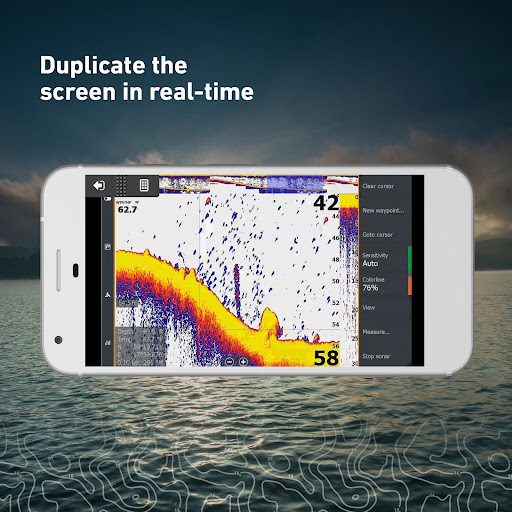
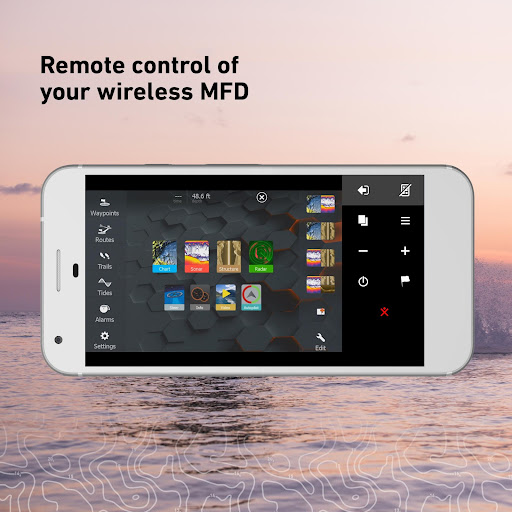
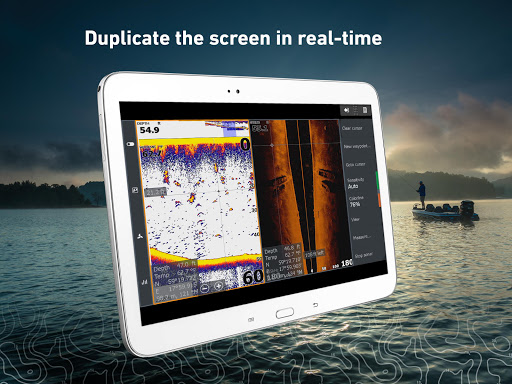
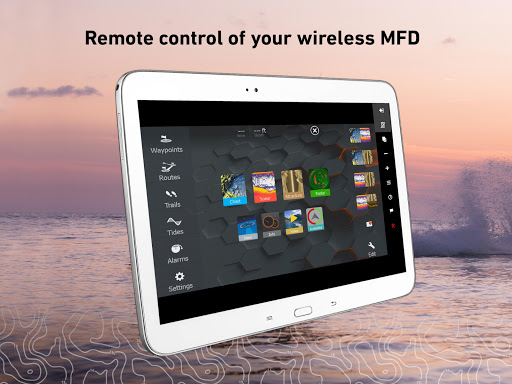
The Link app gives you remote control of Wi-Fi enabled Simrad, Lowrance, or B&G multifunction displays from your smartphone or tablet. Link lets you select any Wi-Fi enabled display on board, duplicates the screen in real-time on your mobile device, and puts control of most display functions at your fingertips.
Work with charts, sonar, and radar, control your on-board entertainment system, view data from connected engines and instruments, and much more. With Link, you’re constantly connected to your boat’s key systems from anywhere on board – making it easier to plan trips, fish, sail, handle maintenance, and otherwise make the best of your time on the water.
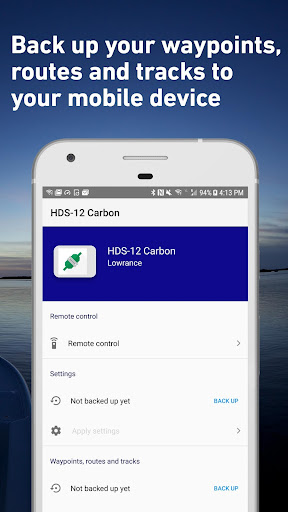
Link also gives you the ability to wirelessly back up and restore waypoints, routes, tracks, and display settings directly to your mobile device. This makes it easier than ever to protect your valuable boating data against loss or theft, and to keep your backups up-to-date with zero hassle.
The Link app is compatible with Simrad NSS evo3, NSS evo2, NSO evo2, and GO series displays; Lowrance HDS Carbon, HDS Gen3, HDS Gen2 Touch, and Elite Ti fishfinder/chartplotters; and B&G Zeus³, Zeus², and Vulcan sailing chartplotters. Displays without built-in Wi-Fi require an additional WiFi-1 module. To enable the Link app, a free software update may be required for your display.
Link is designed to work with Android devices running Android 4.4 or above.
Should you experience issues with the Link app, we would recommend that you download the Simrad, Lowrance, or B&G apps which benefit from the latest upgrades.

What's New with Link: Connect Your Boat 4.1.0

Added support for the NSO evo3S MPU and Zeus3S GH MPU devices.
Also improved auto discovery of devices on your vessel's network.

Information

  • Category:
    Maps & Navigation
  • Latest Version:
    4.1.0
  • Updated:
    2020-08-23
  • File size:
    32.2MB
  • Requirements:
    Android 4.4 or later
  • Developer:
    Navico GoFree
  • ID:
    com.navico.gofree
Reviews
  • avatar
    V4.1.0(44) screen works with my B&G Zeus 2 and android 9.0 Samsung Galaxy S5e but get jarbled rhs of screen and colour misalignment 'double vision's effect. Frustrating. My old £20 Nokia worked no problems!
    2020-10-11 02:18
  • avatar
    10-05-20 Downloaded the Link Connect Your Boat app to use my older PAD2 model MC764LL/A running ISO version 9.3.6 to mirror the screen on my Lowrance HDS7Gen3 Chartplotter. To say the least I was VERY DISAPPOINTED. Trying to get the Link Connect Your Boat app to sync up with the Lowrance unit by clicking the (Remote) icon would not connect and kept giving me several different error messages. If you could ever get it to sync up it seems to work as advertised. Question: How to get past the error messages and get the app linked up with the Lowrance unit. Answer: If I received an error message I would return to the app screen that displayed the (Remote Control) icon. On the Left Panel is has an Icon (Add Devices Manually) on my screen is displayed (Ad...ually) which stood for (Add Devices Manually) 1: I clicked on that icon which displayed another screen. I then clicked on the (Back) icon on the top left of the displayed screen. 2: Then I clicked again on the (Remote Control) Icon to sync the app to the Lowrance unit. Sometimes it would auto sync as expected and other times it would give you another error message. If it gave me another error message, I would just repeat steps 1 and 2 unit it would finally sync to the lowrance unit. Usually 2 to 3 times is all that is necessary. So far this sequence has not failed me. I intend to take the boat out this week and hope all works well on the water. Hope this information will help some other user. I would have thought my now the software developer would have fixed this BUG.
    2020-10-05 06:36
  • avatar
    Doesn't work well. Connecting phone is a convoluted process. Wifi/bluetooth which one?
    2020-09-15 03:06
  • avatar
    This app is brilliant, and I can't understand the negative reviews - this app works just like a remote desktop for my B&G Vulcan 7 chartplotter, and does so perfectly and reliably. I've been using this app for a year now, and I've only found two shortcomings. Firstly, two-finger zooming isn't supported - i.e. you pinch and "unpinch" to zoom in and out, but have to use the + and - buttons at the bottom of the display. Secondly, the resolution seems to be locked to the same as that of the chartplotter, but this is understandable really, and my Vulcan is still nevertheless easier to read and clearer using my 10" tablet than it is with its own 7" screen.
    2020-07-24 10:20
  • avatar
    I'd like it a lot more if you guys could work out how to use it with my Google Pixel 2 XL. Does not work. It's a glitch in this phone's wifi system. A majorly popular phone, because otherwise one of the best. Google, Lowrance, somebody needs to fix. Works great on the iPad Pro. Just updated my review - no updates in 2 years!
    2020-06-13 02:20
  • avatar
    the app works well...but...setup does not show up in any manual. you have to enable ipserf on your simrad unit for it to be recognized by your phone or tablet. The app works fine once you figure that out..... One notable exeption (which is why I gave only four stars) I found is when I tried to cast the screen on my cellphone to a Roku TV. Did not work very well because of how the link app appears to be doing screen writes on my phone....would be nice if the techies could fix that one..
    2020-06-02 06:17