
Geeklink Smart icon

Geeklink Smart

1.5.6 for Android
3.4 | 5,000+ Installs | Reviews

Geeklink Intelligent Technology Co.,Ltd

Description of Geeklink Smart

Geeklink Smart App is a simple and easy-to-use smart home phone app that brings you a comfortable, fun, and intelligent life experience through human interaction between apps and smart hardware.
New APP Features:
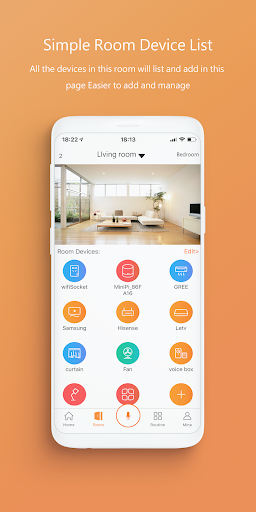
1, based on the family's structure, the operation is simple and smooth, easy to use.
2, based on family control expansion, multi-host coordination, to achieve a wider area of smart coverage.
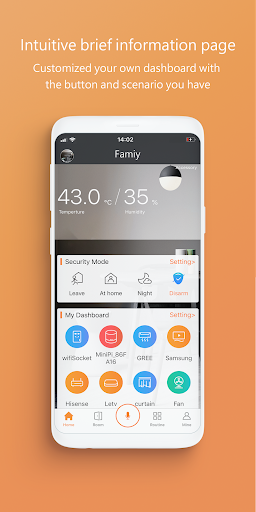
3, simple and effective home security, divided into four modes of going out, going home, night and disarming.
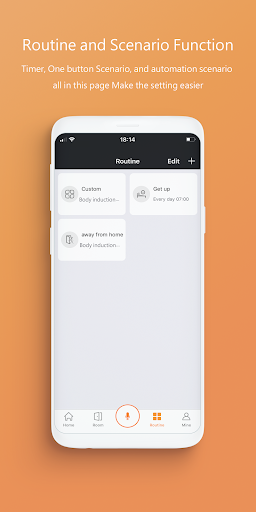
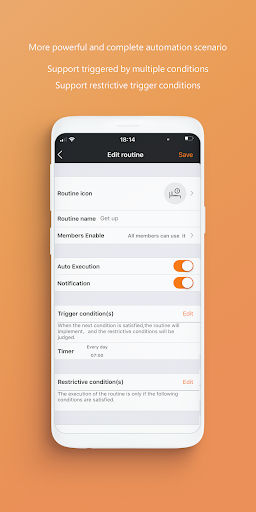
4, All scenes are integrated, support multiple start conditions, and support multiple restrictions.

What's New with Geeklink Smart 1.5.6

Bug fixes and performance enhancements.

Information

  • Category:
    Tools
  • Latest Version:
    1.5.6
  • Updated:
    2021-03-04
  • File size:
    95.8MB
  • Requirements:
    Android 4.4 or later
  • Developer:
    Geeklink Intelligent Technology Co.,Ltd
  • ID:
    com.geeklink.newthinker
  • Available on:
Reviews
  • avatar
    Best
    2020-09-10 02:41
  • avatar
    app is smooth and good but alexa is not linking with geeklink account so I can't use alexa. when I enter username and password of geeklink account in alexa for linking accounts when I press login button nothing happens. I tested it with 2 smart phone. MI9 and Moto x. please fix this
    2020-04-04 05:48
  • avatar
    Google home integration stopped working a couple of days ago and devs don't care
    2020-03-22 08:30
  • avatar
    Have the older Thinker from this company and works perfectly. Downloaded this new version of the app, but it doesn't support the 433mhz rf function that the Thinker app and old app has. Could you include this feature?
    2020-01-18 10:40
  • avatar
    Hi added geeklink in google home found 16 devices and added only 2 devices to the device list, how to add the remaining 14 devices to the list and there is no way to add scenes to the device as it’s not flexible or doesn’t work as intended still in the device, the intercom does not work changing the sensitivity of the motion detector and the volume change in the intercom does not work through the application
    2019-11-19 12:27
  • avatar
    This is brilliant. Very cost effective and cheap. Can add it to google home and Alexa as well. (For those who havent figured out.. Add Google Home app, link Geeklink, sign into account and voila. For Alexa, goto add skills, geeklink)
    2019-08-18 11:04