Garden Organizer: Manager & Planner icon

Garden Organizer: Manager & Planner

1.2.1 for Android
2.9 | 50,000+ Installs | Reviews

AzaDev

Description of Garden Organizer: Manager & Planner

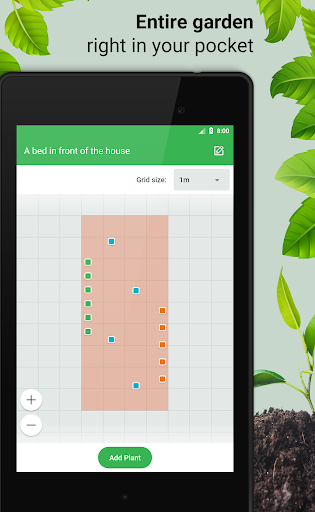
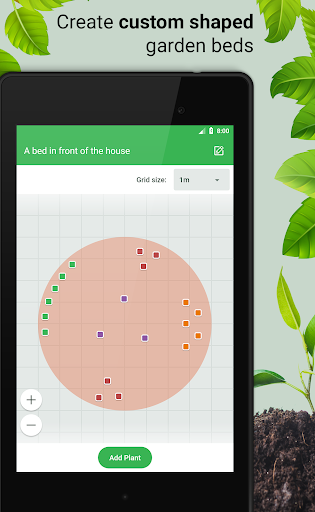
This is a new garden management app! Locate your plants on virtual garden beds. Add comments. The entire garden in your phone! No need to create plastic markers and put them into the ground. You'll never forget what cultivars you have planted, where, and when.
HOW TO USE
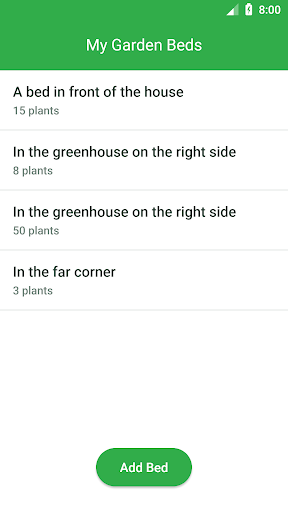
1. Create a list of your vegetable beds.
Just press «
Add Bed
» and set its dimensions.
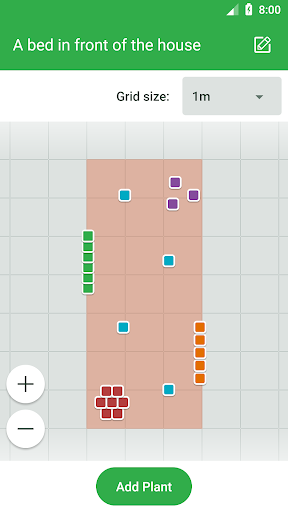
2. When the beds are created you can place plants on them.
– Open a bed and click «
Add Plant
».
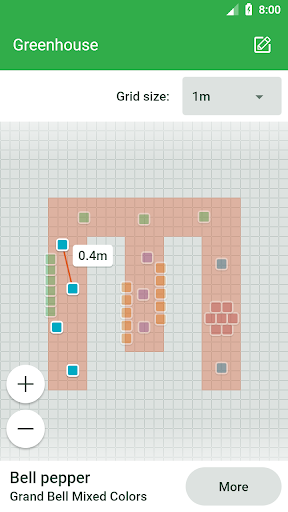
– Click the bed scheme to add markers.
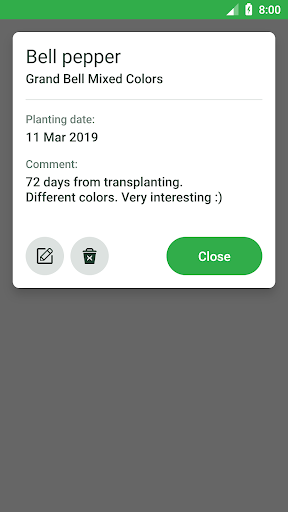
– Press «Proceed» to fill the details about the plant (name, cultivar, planting date, etc.).
Done!
From now you have all detailled information about the gerden right in your pocket.

Information

  • Category:
    Lifestyle
  • Latest Version:
    1.2.1
  • Updated:
    2020-01-04
  • File size:
    2.0MB
  • Requirements:
    Android 4.0.3 or later
  • Developer:
    AzaDev
  • ID:
    azadev.garden.organizer
  • Available on:
Reviews
  • avatar
    I love this app. Its great way of keeping up with whats in each bed
    2020-08-21 02:21
  • avatar
    It does basic things for layout but it could be so much more. I'd happily pay for a pro version or subscribe to get things like: upload photos of the plant, separate upload for care instructions & receipt (useful because most garden centres guarantee for 1 winter). Different shape and size of markers to allow scaling of plant. Could show current size and expected spread. Notifications/reminders for watering, fertilizing. Ability to add garden features like rocks, berms, fountains and grass.
    2020-05-27 01:46
  • avatar
    Not for me
    2020-05-06 08:45
  • avatar
    Honestly nothing here I can't do with a pen and paper
    2020-04-29 01:44
  • avatar
    I felt bad for the developer using this app.
    2020-04-24 04:10
  • avatar
    Uninstalled even after purchasing pro version. It says you can add various details about the plant, unfortunately all you can see in the brackets is all you can add, no etc. I wanted to add custom size bed, here I needed to purchase pro version. Assuming that there will be more features, I purchased. But nope, that's all there is. In my opinion it is better to write all this down in notepad, as this will give you more options to add. Defo not what I was looking for.
    2020-04-23 02:32