Galaxy Buds  Manager icon

Galaxy Buds Manager

4.1.22092751 for Android
3.8 | 1,000,000+ Installs | Reviews

Samsung Electronics Co., Ltd.

Description of Galaxy Buds Manager

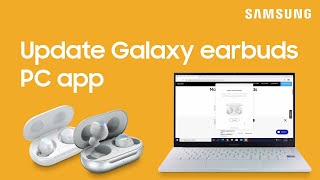
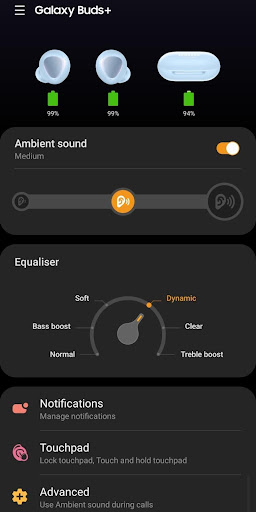
The Galaxy Buds Manager allows you to use features such as device settings and status view when connected to a Galaxy Buds device.
This application does not work alone because this is a component of the Galaxy Wearable application.
The Galaxy Wearable application has to be installed first for the Galaxy Buds Manager application to operate normally.
※ Please allow the permissions of the Galaxy Buds Manager in Android Settings to use all the features in Android 6.0 or later.
Settings > Applications > Galaxy Buds Manager > Permissions
※ Access rights information
The following permissions are required for the app service. For optional permissions, the default functionality of the service is turned on, but not allowed.
[Required Permissions]
- Phone: Purpose of checking the version update information of the device
- Storage space: Purpose of storing music in external storage to use music transmission function
- Schedule: Purpose of checking schedule contents for using voice notification function
- Contact: Purpose for checking contact information when receiving a call to use voice notification function
- SMS: Purpose for confirming SMS contents for voice notification
[Optional Permissions]
-None
If your system software version is lower than Android 6.0, please update the software to configure App permissions.
Previously allowed permissions can be reset on Apps menu in device settings after software update.

Information

  • Category:
    Tools
  • Latest Version:
    4.1.22092751
  • Updated:
    2022-04-27
  • File size:
    13.5MB
  • Requirements:
    Android 7.0 or later
  • Developer:
    Samsung Electronics Co., Ltd.
  • ID:
    com.samsung.accessory.popcornmgr
  • Available on:
Reviews
  • avatar
    Galaxy buds + volume reduced since last update R175XXU0ATH7. Please fix. Yes I have cleaned them...
    2020-10-20 07:51
  • avatar
    Yeah, this app doesn't work on my Huawei Mate 9. The Buds+ are paired but the app can't connect to my Buds so I can't control the Buds. What's the point of this app then?
    2020-10-19 03:03
  • avatar
    It's a great app to use with the earbuds.👍👍👍
    2020-10-14 11:48
  • avatar
    it doesn't let you use the app or Bluetooth device unless you upgrade the app.. which is about once a week
    2020-10-14 09:21
  • avatar
    Just after two months of purchase of galaxy buds + , left side (L) buds is discharging very fast but right side(R) holds the charge as expected at some point of time charging on unit is : L - 35% R - 87% Charging case : 70% If any samsung guy is seeing then resolve this issue it can't be battery capacity issue i just brought the brand new buds+ 2 months ago(12 Aug 2020), maybe push some updated firmware to fix this issue
    2020-10-14 02:33
  • avatar
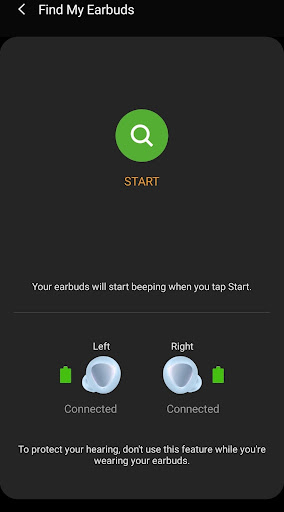
    Works great and the find my buds feature is very helpful. It would be really nice to be able to find the buds when they are in their case also, as that is when I usually can't find them.
    2020-10-13 06:54