
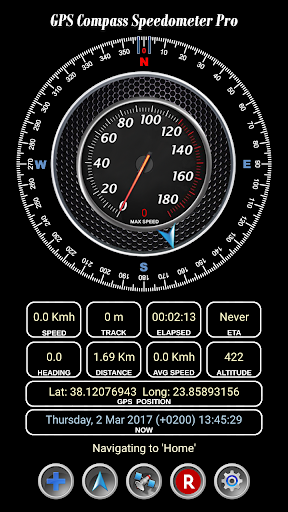
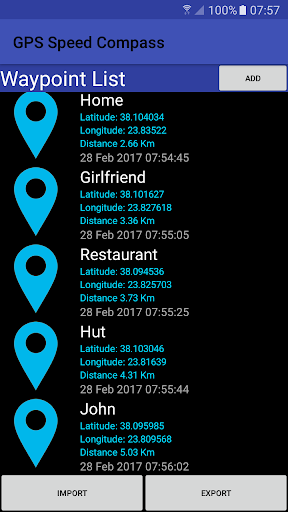
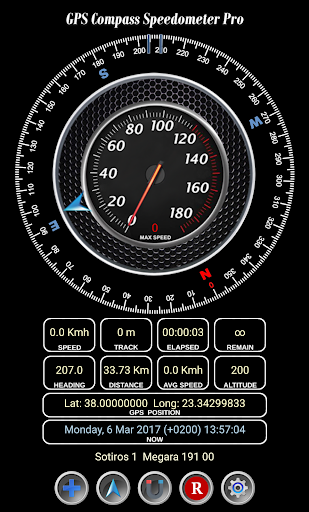
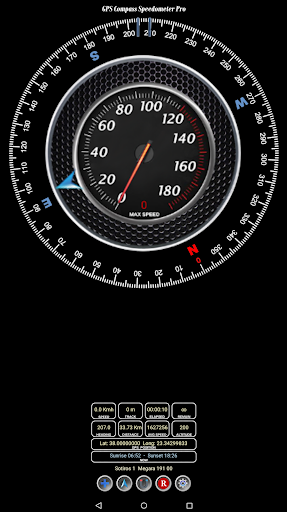
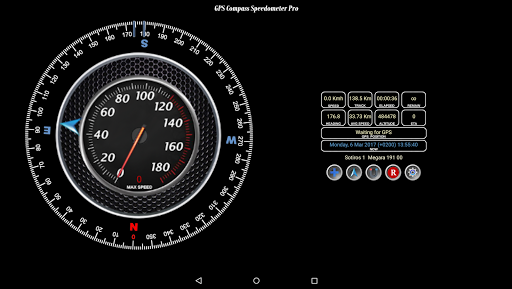
GPS Compass Speedometer Lite knows your heading, location, track distance, ETA etc. and can navigate you to saved waypoints easily. The power of this app is that you get almost all the functionality and information in one screen. This makes it easy to use while driving for example. To save more than 5 waypoints and have the ability to import waypoints from a tag delimited file please buy the Pro version (New lower price).
GPS Compass Speedometer Lite provides:
- Compass heading. Magnetic or GPS mode.
- Arrow showing bearing to destination.
- Current, average and maximum speed.
- Track distance which is the traveled distance since last reset.
- Elapsed time since last reset.
- ETA (Expected Time of Arrival) and remaining time to reach destination.
- Distance i.e. remaining distance to destination.
- Current position in Latitude-Longitude decimal format.
- Current Date and Time as well as Sunrise and Sunset times.
- Address at current location.
- Option to switch between Metric and Imperial units.
- Ability to save up to 5 waypoints and navigate to them.
- Ability to navigate to a point selected on a map.
Short manual
------------------
' ' Button
Press: Add Waypoint to list (up to 5 waypoints. Get the Pro version for more)
Long press: Mark current location as home
Arrow Button
Press: Open Waypoints to select destination etc.
Long press: Navigate to home
Middle Button
Press: Swap between magnetic and GPS heading
Long press: Listen to 'Thank you'
'R' Button
Press: Reset Max Speed
Long press: Reset Track and Time
Wheel Button
Press: Swap between Metric/Imperial units
Long press: Turn 'Moving Away' announcement ON/OFF
If your clipboard supports the 'Share' function as in newer phones you can navigate to any location by sharing Lat, Long as text:
-Select the Lat,Long text
-Tap 'Share' and choose the GPS Compass Speed Lite icon
NOTE: Import and export is through waypoints.txt in the following folder,
Internal Storage/Android/data/com.existon.gpscompasslite/files/GPSSpeedCompass
If you uninstall the app this file will be deleted so please backup beforehand.
Some improvements
Updates for new Android compatibility
Get the PRO version for even supersonic speeds and 1800kmh scale.


![Fix Compass Calibration Issues on Android [How-To] screenshot 2](https://i.ytimg.com/vi/-Uq7AmSAjt8/mqdefault.jpg)




9Apps 4.9













