Force Rotation icon

Force Rotation

1.0.1 for Android
3.9 | 5,000+ Installs | Reviews

Zebra Technologies

Description of Force Rotation

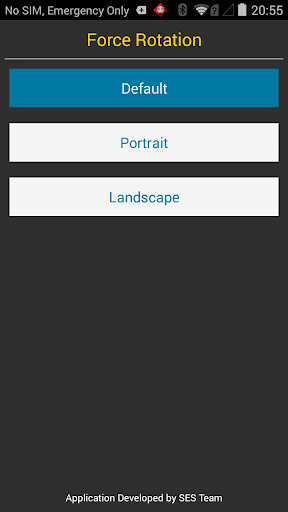
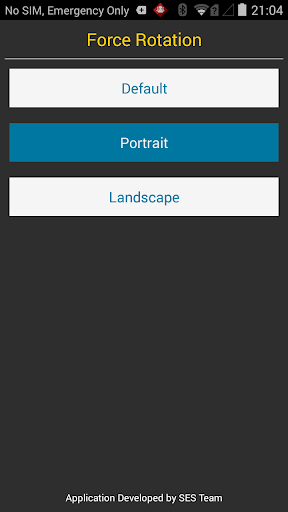
The Application allows the rotation of the device to be set to either
Default - The standard setting configured by the Settings or Application
Portrait - Fixes the rotation to Portrait regardless of any other settings
Landscape - Fixes the the orientation to landscape

What's New with Force Rotation 1.0.1

Fixed permission issue in M

Information

  • Category:
    Tools
  • Latest Version:
    1.0.1
  • Updated:
    2016-06-08
  • File size:
    26.0KB
  • Requirements:
    Android 4.1 or later
  • Developer:
    Zebra Technologies
  • ID:
    com.symbol.tools.ses.forcerotation
  • Available on:
Reviews
  • avatar
    Neat small simple app which just works. My HTC hub 5G don't have rotation setting and proximity sensor. Some app forced themselves to portrait mode, like netflix youtube music etc. I wanted to do force landscape. It just have 3 buttons and works perfectly. Unlike other apps which runs as service and force you to watch lots of ads.
    2020-04-02 11:05
  • avatar
    Landscape is upside down on Nexus 7 (2013)
    2019-01-07 01:32
  • avatar
    My screen is cracked so i cant use the top half it would be nice to allow it to rotate AFTER i leave the app
    2018-03-22 01:46
  • avatar
    You must add all types of rotations
    2017-07-09 08:34
  • avatar
    The best. Absolutely loves it
    2017-06-26 01:38
  • avatar
    The app work but made my hardware mouse unable to tap on some apps and popup buttons in my Shield TV because it draws on top of other apps, blocking many buttons, so it is bad developed. Once uninstalled everything went back to normal.
    2017-02-24 05:44