
Fluke Connect icon

Fluke Connect

1.26.6.731 for Android
3.0 | 100,000+ Installs | Reviews

Fluke Corporation

Description of Fluke Connect

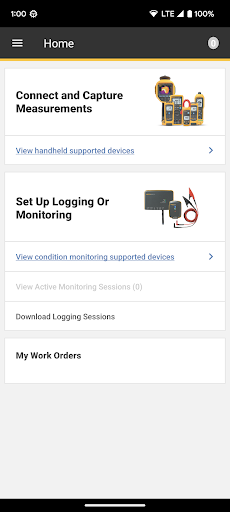
Fluke Connect™ is a software tool designed to digitally collect, store and view measurements from Fluke wireless test tools and condition monitoring sensors. Fluke Connect is designed to help troubleshoot problem equipment, build successful maintenance programs, and maximize uptime.
View the list of Fluke tools compatible with Fluke Connect: https://www.accelix.com/wp-content/uploads/2021/06/6013449a-en-FC-Tool-List-no-Condition-Monitoring-1.pdf
View the list of phones supported by Fluke Connect: https://success.accelix.com/articles/fluketools/Fluke-Connect-Android-Supported-Phone-1-26-11-2019
Use the Free Fluke Connect Measurements features to:
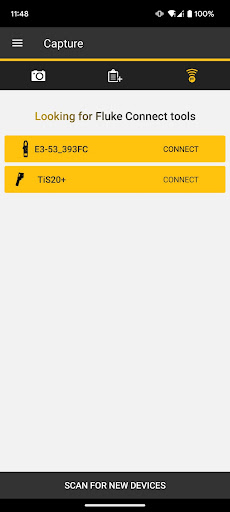
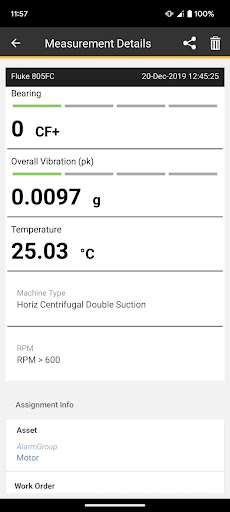
- Capture mechanical, electrical and thermal measurements from over 80 wireless-enabled Fluke tools
- Save equipment measurements to the cloud and reference them any time from your smartphone, tablet or desktop
- Share measurements with colleagues via text or email to collaborate in real time with a ShareLive™ video call
Unlock additional capabilities with Fluke Connect Assets:
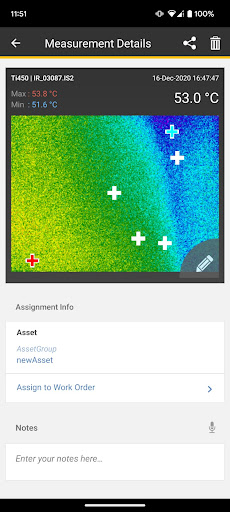
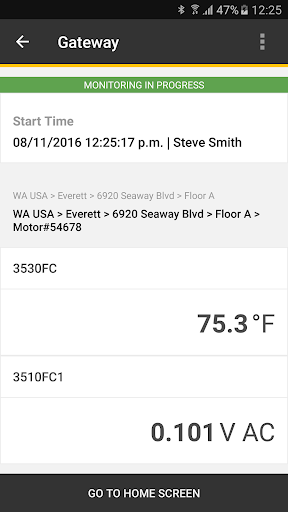
- Assign measurements to specific assets in your facility
- Create a work order directly from your handheld device or desktop
- More easily identify where preventive actions are needed by viewing an asset’s status over time
- Visualize multiple measurement types assigned to an asset
Fluke Connect Condition Monitoring with Fluke Condition Monitoring sensors
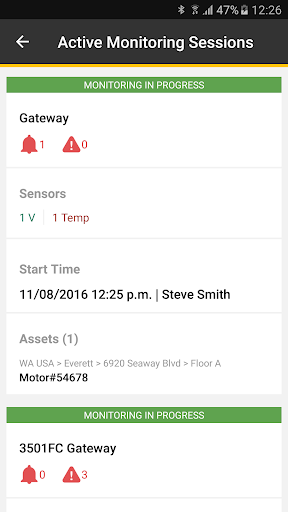
Monitor and analyze how your critical equipment is performing remotely and in real-time on your computer or mobile device. Fluke Connect Condition Monitoring software receives continuous real-time data from your Fluke Condition Monitoring sensors.
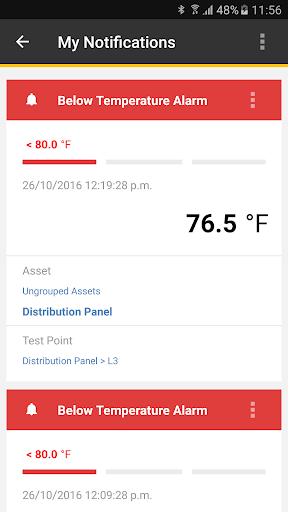
- Receive real-time alarms on your mobile device when measurements are outside of standard and custom threshold
- Correlate historical trends and track current conditions to detect faults and decrease unplanned downtime
- Establish a measurement baseline so you can quickly identify & troubleshoot faults

What's New with Fluke Connect 1.26.6.731

Various bug fixes and improvements
Information

  • Category:
    Productivity
  • Latest Version:
    1.26.6.731
  • Updated:
    2023-09-27
  • File size:
    72.4MB
  • Requirements:
    Android 5.0 or later
  • Developer:
    Fluke Corporation
  • ID:
    com.fluke.deviceApp
  • Available on:
Reviews
  • avatar
    Absolutely garbage, nothing works and will not connect with my devices. I contacted tech support and all they keep telling me is that it should work? The connect feature is worse than gimmicky. I should have bought another temp meter from another manufacturer for half the price. No more garbage
    2020-10-14 04:19
  • avatar
    The app is very buggy. I have set up two team members with asset licences each team member can not see each others measurements only see their own not other team members measurements on a asset. Which i'm pretty sure is the whole point of the fluke asset app.
    2020-08-22 09:49
  • avatar
    Dont waste your money on these devices not compatible with much. Then maybe you should list compatible devices on the web page for the product. Still extremely disappointed. I would have appreciated a compatibility chart before I spent $400 on a mediocre product. No device compatibility chart on the app either. Seems very amateur. Look at the reviews before you buy. No one can get it to work correctly. Does not appear to be compatible with Samsung phones.
    2020-08-03 10:23
  • avatar
    Don't work Cant connect meter to wifi doesn't show up. Useless
    2020-06-21 05:05
  • avatar
    Downloading JPEG graphs initially worked very well to my email but then stopped and could only get a message, "txt measurement_data.txt but no graph. CSV transfers OK. Tried uninstalling app and reloading but change, any reasons why JPEG graphs cannot now be transferred to my email?.
    2020-06-02 03:36
  • avatar
    Unusable. Fluke is more interested in user log-in and location (GPS) acquisition than allowing meter features to be used. (GPS is absolutely NOT required for an app to use Bluetooth. My wireless earbuds don't request phone location.) In an industrial environment where phone service isn't consistently available, Fluke Connect is useless when it really could be useful. I'm disappointed in Fluke for corrupting a great idea with a power grab.
    2020-02-06 02:57