Fino - Camera Lucida icon

Fino - Camera Lucida

1.4.5 for Android
4.0 | 500,000+ Installs | Reviews

Petales

Description of Fino - Camera Lucida

The Fino App functions is similar to the Camera Lucida:
https://en.wikipedia.org/wiki/Camera_lucida
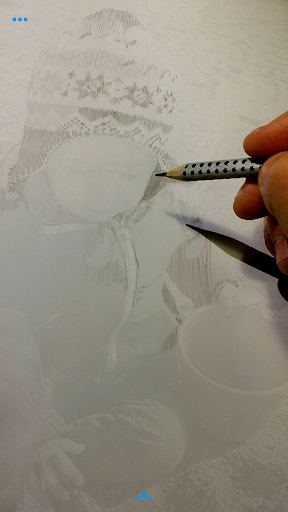
Learn to draw with your photo as a digital drawing template in real time.
Fino is a sketch app for everyone who loves to draw and all upcoming artists.
How to use Fino:
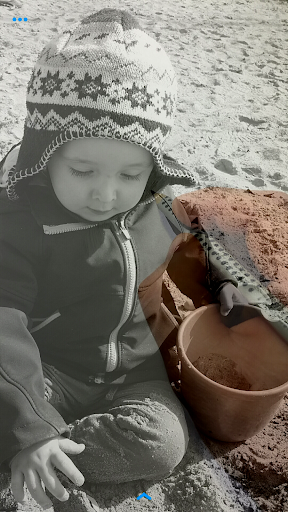
• Choose an photo from your gallery.
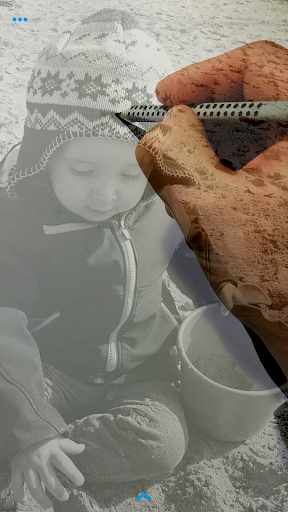
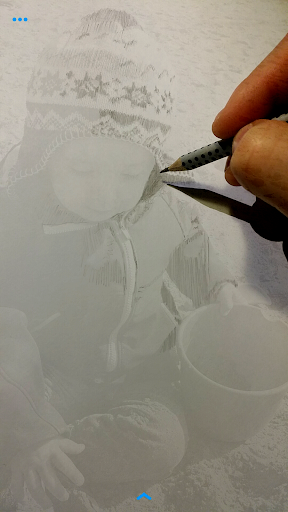
• Change the opacity and focus the camera.
• Skewing or move the photo.
• Mirror or scale or rotate the photo.
• You can use our slice tool or the flicker options.
• Use the drawing grid: More easily and accurately depict perspective to details or overall compositions.
• Draw photo sections, to create a large picture.
• A tripod or applicable stand, to hold your device for more elaborate works, is recommended.
• Save your current setup for future drawings.
If you have any questions or suggestions, contact us:
info.petales@gmail.com

What's New with Fino - Camera Lucida 1.4.5

• Bug fixes, performance improvements and optimizations.

Information

  • Category:
    others
  • Latest Version:
    1.4.5
  • Updated:
    2018-01-12
  • File size:
    3.6MB
  • Requirements:
    Android 4 or later
  • Developer:
    Petales
  • ID:
    com.petales.fino
Reviews
  • avatar
    So it's a very very good app I usually don't review apps much but this is 1 of the best drawing apps I have found so far, 1 it's completely free, 2 it's an ar for drawing, 3 the other options are cool as well, I found many like this but it costs money but THIS is free I can't believe an app like this, is free, it's amazing, keep up the good work! :D
    2020-09-30 06:59
  • avatar
    I just began using the service and it seems like it's very usefulI just begin to use it so I'm going to check it out a little bit more and then I'll update this The more I use it the more discover new ways to utilize all of the features that the developers have provided... My advice...download
    2020-09-17 07:18
  • avatar
    I use it to get the outline for drawings. I downloaded on a whim to see if it was decent and was pleasantly surprised there is plenty of options immediately there is an option change the size of the photo template, other tools include mirroring the template and changing the opacity etc Only issue I have is once you pick a template image there isn't an option to change it to a different photo in the tool bar you have to go to the menu other than that its one of my all time favorite art apps
    2020-06-27 01:08
  • avatar
    This is amazing! Just remember you look THROUGH the image on your device. You see your hand and pencil on the paper. Nothing is projected. Look at the screen, not the paper. Set up your device about 6+ inches above the paper.
    2020-05-20 01:35
  • avatar
    Very nice app, lots of options to adjust everything to my liking for the best set up for me. Took a moment to figure out that the focus worked best when my fingers were not in view and only my pencil tip and paper were in the focus area. Also, sliding the menu side to side for more options took a little getting used to. Overall an excellent find to add to my art tools. Thank you developer(s)! Keep up the good work!
    2020-05-06 03:09
  • avatar
    Loved it once I figured out that it's not meant to project, you draw by looking "through" the phone after adjusting the opacity so that you can see your pencil and paper under the image.
    2020-04-30 06:01