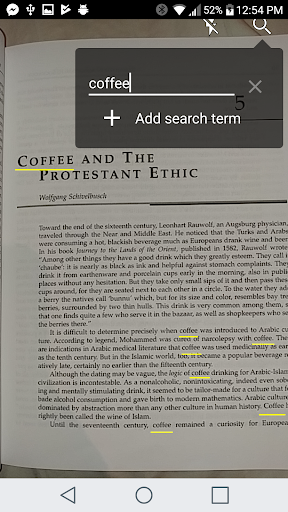
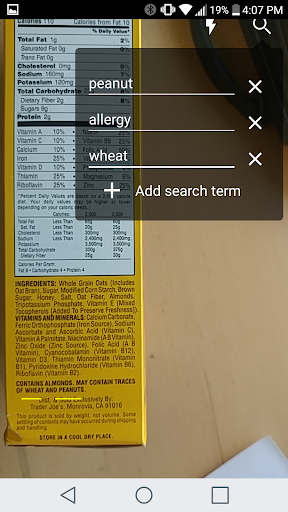
Find It - Real World Document Search combines Optical Character Recognition(OCR) with Augmented Reality, to let you search for words in any physical document. Just enter in the words you need to search for, point your camera at the document, and let Find It do the rest. Find It will scan the document in real time, and highlight the words you searched for using Google's OCR technology. It's just like the CTRL-F or Command-F function on your computer!
Unlike other document scanners and word search applications, Find It works in real time. You don't need to take a picture or wait several seconds for the OCR to process an image. Hold your device steady for a few seconds and enable flash for best results.
For example, search for that one formula you need in a textbook, or look for a certain topic in your car's owners manual.
The app works great on printed documents, including receipts, labels, textbooks, manuals and more. It works well for documents or other text on a computer which may not be searchable. Be sure to disable flash in this case. If it has (non-handwritten) text, Find It can probably search it!
We're using Google's OCR library to ensure that Find It is a fast and accurate text scanner.
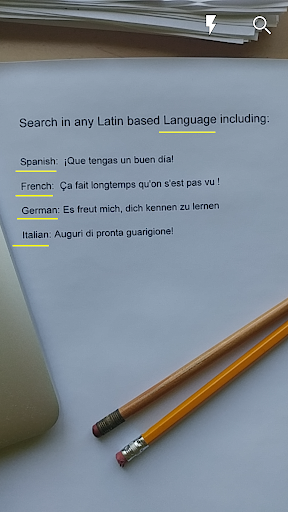
The app supports word search in any Latin based language including English, Spanish, French, German, and many more.
Note: this is not a document scanner like Camscanner or Tiny Scanner! It doesn't save images as PDFs. It's purely a document and word search application.
Icons and promotional graphics were done by Lavanya Kukkemane - https://lavanyak814.wixsite.com/portfolio
Minor UI enhancements and bug fixes








9Apps 4.9