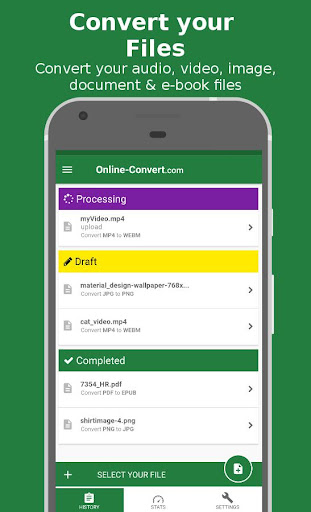
Convert files from many different formats into the most common file formats with this FREE app. You can convert Video, Audio, Document, Ebook, Presentation, Image and even Archive files – easily and for free.
The File Converter app provides you with the same features you already know from the Online-Convert.com website:
• 200 input files are supported
• Convert them into the most popular files from different categories
• Cross-conversion like from video to audio or video to presentation
• Intuitive and easy handling
• Stable & reliable servers and performance
• Conversions with a high success rate
Convert files from many different formats into the most common file formats with this FREE app. You can convert Video, Audio, Document, Ebook, Presentation, Image and even Archive files – easily and for free. All you need is an internet connection.
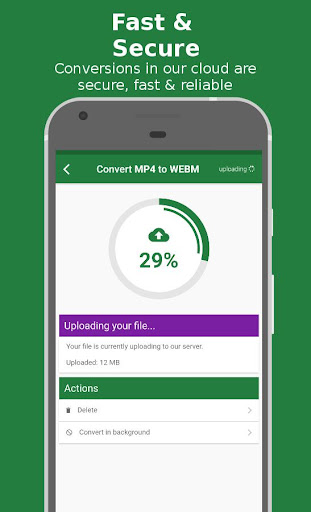
We convert your files online in the cloud. This saves your battery and allows you to keep using your phone while we do the conversion for you. Plus, the conversions are a lot faster!
Some supported file formats:
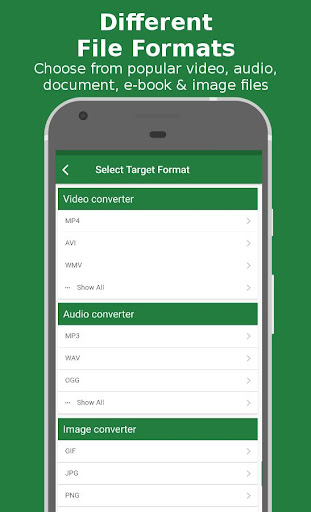
• Video: MP4, WEBM, AVI, MPG, 3GP, FLV, WMV, OGG, OGV, MPEG, ..
• Audio: MP3, WAV, OGG, AAC, FLAC, WMA, MMF, OPUS, AIFF ..
• Document: Microsoft Word documents (DOC & DOCX), HTML, ODT, PDF, PowerPoint Presentations (PPT & PPTX), RTF, TXT, ..
• Ebook: AZW, ePub, FB2, LIT, LRF, MOBI, PDB, PDF, ..
• Presentation: PPT, PPTX, ODP ..
• Image: PNG, JPG, GIF, SVG, WEBP, BMP, TIFF, RAW, ICO, TGA ..
• Archive: 7Z, TAR.BZ2, TAR.GZ, ZIP, ..
Some sample conversions:
• DOC to PDF
• MP4 to WEBM
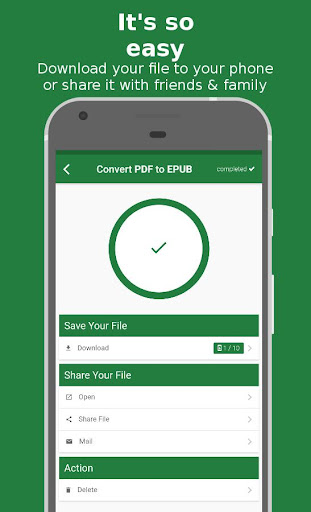
• PDF to EPUB
• WAV to MP3
• JPG to PNG
• password protect your PDF
• compress your PDF
• resize your image
• .. and many more
File Editing Options – There’s More You Can Do
The Online-Convert.com file conversion app can do more than just convert files. Check out these extra features:
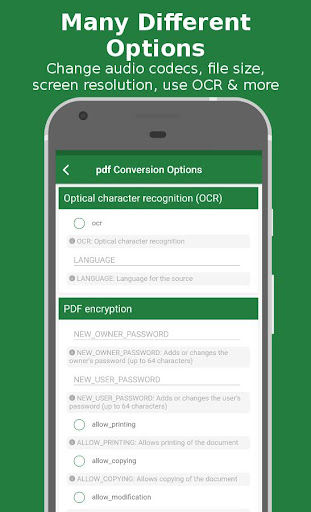
• Extract text from images by using text recognition (OCR) when converting to DOC or TXT
• You can extract text from scanned book pages using OCR as well, just convert to text
• Cut music files to create ring tones
• Cut video files and movies
• Convert your videos optimized for different devices like Android phones, Apple iPhone, iPad, iPod, Blackberry phones, and even gaming consoles like the Nintendo 3DS, PlayStation, PSP or Xbox 360
• In AUDIO Conversion: Change bit rate and sampling rate, audio channels and the audio codec (aac, mp3, opus, vorbis, etc.)
• In VIDEO Conversion: Change the video quality, bit rate, frame rate and screen size as well as audio quality; select video codecs (h.264, mpeg4, xvid, etc.) or audio codecs; rotate or mirror a video
• In IMAGE Conversion: Change size and dpi and add color filters to your images
• In E-BOOK Conversion: Optimize your ebook file for different ebook readers like the Amazon Kindle, Mobipocket Reader, Nook or your iPad; change book title and author as well as the embedded font
Please note that we can not convert password-protected files. Also, files that are protected using DRM can not be converted.
The file size limit is 100 MB. All transfer is SSL encrypted.
Questions? Write us!
We constantly strive to make our online file conversion app better for our users. In order to do so, we need your feedback!
What do you like about the app? What can be improved? Which features would you like to see? How can we make file conversion even easier for you?
Let us know – on social media or via e-mail.
Website: https://www.online-convert.com/
E-Mail: time2help@online-convert.com
Facebook: https://www.facebook.com/onlineconvert
Twitter: https://twitter.com/onlineconvert








9Apps 4.9