
Eradoo : Reset lost phone icon

Eradoo : Reset lost phone

1.10.2 for Android
4.6 | 100,000+ Installs | Reviews

Youssef Ouadban Tech

Description of Eradoo : Reset lost phone

Eradoo protects your data and your privacy when your device is lost or stolen, through erasing all your phone data remotely , and without internet connection.
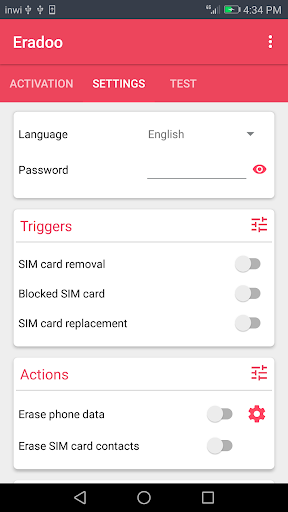
Eradoo provides multiple ways to wipe automatically your phone data :
✓ When removing the SIM card
✓ When replacing the SIM card
✓ When the SIM card is blocked (PUK required)
“Eradoo is a very powerful security app with unique features for privacy protection and anti-theft , and has the only goal of protecting your privacy and personal data from intruders and thieves”
The only one thing worse than losing your phone is the possibility that somebody else can access your secrets and personal data, such as messages, images and videos... But don't worry Eradoo brings an innovative solution with a 99% guarantee.
PERMISSIONS
Device Admin permission : Eradoo requires the device admin permission in order to be able to reset the phone and erase all data.
[ Contact ]
Email : contact@tafayor.com

What's New with Eradoo : Reset lost phone 1.10.2

v1.10.2: Fixed bugs.

Information

  • Category:
    Tools
  • Latest Version:
    1.10.2
  • Updated:
    2020-09-11
  • File size:
    5.7MB
  • Requirements:
    Android 4.4 or later
  • Developer:
    Youssef Ouadban Tech
  • ID:
    com.tafayor.erado
  • Available on:
Reviews
  • avatar
    Dear creator iam missing one option that is experimenting
    2020-10-05 01:18
  • avatar
    Didn't do anything thing.
    2020-09-13 10:33
  • avatar
    How will we erase the data if there is nothing to mention which phone no data to be erased .
    2020-06-02 09:26
  • avatar
    It works only in test mode.... Then why we use this app... No need... Fake app..
    2020-02-23 03:15
  • avatar
    I lost 100rs. Fake app
    2020-01-20 06:44
  • avatar
    If you want to wipe your phone remotely i.e. from an SMS then you need to google Eradoo V1.62 as later versions don't, but don't forget to disable play store auto updates!
    2019-12-10 01:09