
Engineering Keyboard icon

Engineering Keyboard

3.0 for Android
3.5 | 50,000+ Installs | Reviews

5e5

Description of Engineering Keyboard

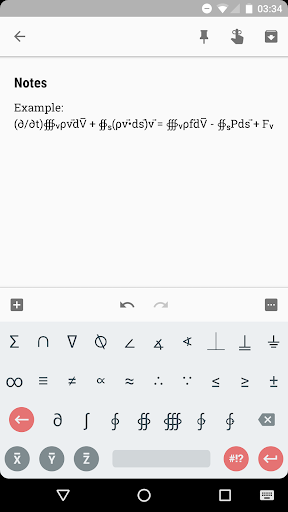
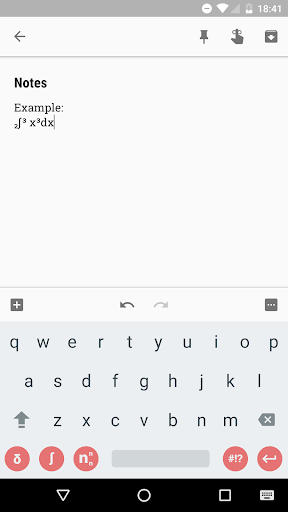
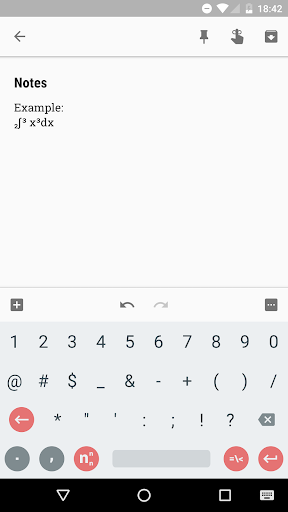
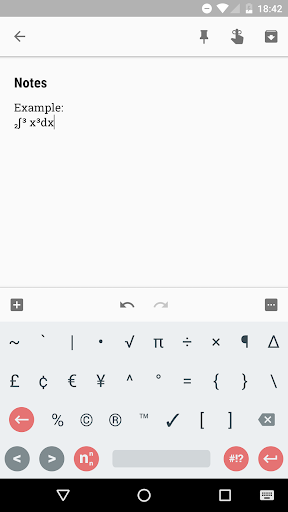
Ever wanted access to engineering symbols and operators on your Android mobile device? Install the Engineering Keyboard and unlock the ability to type anything from superscript exponents to triple line integrals.
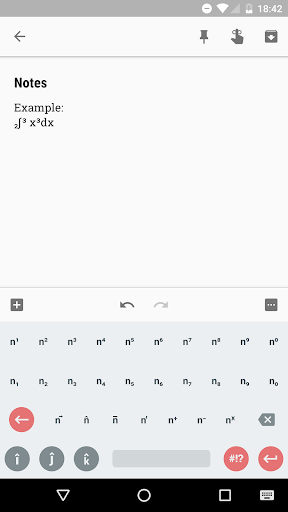
REAL SQUARED VALUES
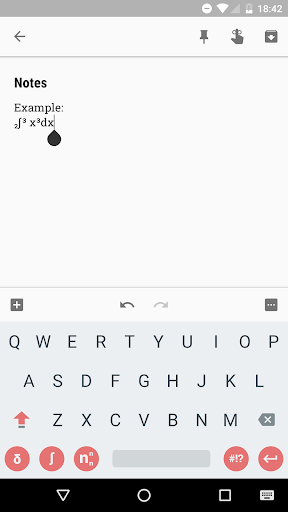
Add real superscripts and subscripts to any variable you want, allowing you to square, cube, and more.
PARTIALS, INTEGRALS, & MORE
Type complex integration symbols, from a standard integral all the way to a triple closed path integral.
VECTORS & SHORTCUT KEYS
'Vectorize' any character you want, with vector arrows and unit vectors. Plus, type i, j, and k unit vector symbols and X, Y, and Z bar characters with shortcut keys.
PLUS MORE!
INSTALLATION
To install the Engineering Keyboard, install the Engineering Keyboard application. Go to your phone settings and select 'Languages & Input'. Choose 'Virtual Keyboard' and tap 'Manage Keyboards'. Turn on 'Engineering Keyboard'; this will cause it to appear in the keyboard list when you open the 'change keyboard' menu while inputting text on your device.

What's New with Engineering Keyboard 3.0

Version 3.0
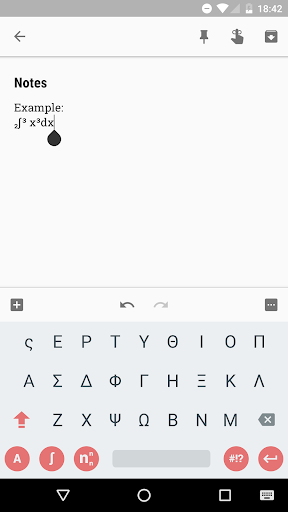
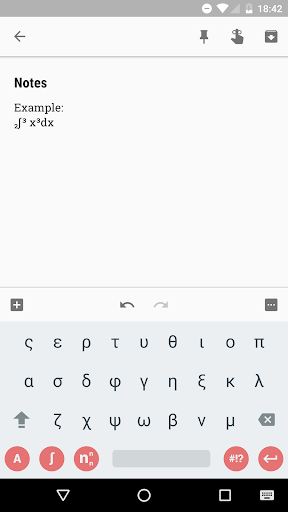
- Added Super/Subscript Alphabet*
*Super/Subscript Alphabet is limited
to available unicode characters. Not
all letters are available. Letters will be
added if/as more unicode characters
are added to Android devices in the future.

Information

  • Category:
    Tools
  • Latest Version:
    3.0
  • Updated:
    2017-09-17
  • File size:
    1.3MB
  • Requirements:
    Android 5.0 or later
  • Developer:
    5e5
  • ID:
    com.fef.engr
  • Available on:
Reviews
  • avatar
    Good but this keyboard is not allowing to write y and z as subscript. One can write Fʸ and Fᶻ, i.e. can use y and z as superscript but not as subscript. Developer must incorporate this feature as it is pretty essential in engineering to write y and z as subscript. For this very reason this keyboard app misses the 5th star in rating.
    2020-09-30 06:30
  • avatar
    Very good app, as I am a science warrior I am well satisfied by it and I suggest all the science students to use it for there online classes 🤗😊☺️
    2020-08-25 06:00
  • avatar
    Excellent app. Very much useful & easy to use. Now I'm editting my review on 01/08/2020 and changing the previous 5* rating to 4*. Here are two issues. 1) The app icon is'nt showing in apps screen. 2) There is no shortcut key to toggled to any other keyboard. The only way, entering into the setting menue, to set the other keyboard as default. Try to solve.
    2020-08-02 11:07
  • avatar
    Very useful & Very nice app. There is no Keyboard change option . Plz add this option.
    2020-07-29 06:12
  • avatar
    almost perfect because it doesn't have an app to make it easy to enable (like gboard for example)
    2020-07-22 09:13
  • avatar
    All things are good except we are able to change keyboard by swiping. Kindly fix this problem.
    2020-07-03 06:54