
Believe it or not! 30,000+ users downloaded Document Scanner PDF JPG latest version on 9Apps for free every week! Therefore, people are willing to accept this latest version. This hot app was released on 2018-04-12. Just use it when absolutely necessary.
Document Scanner PDF_JPG is an app for scanning documents, images, is a scanner of bar codes and QR codes using the camera of the mobile device.
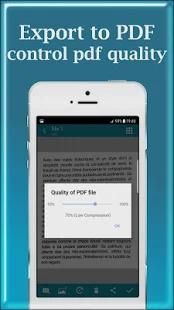
Document Scanner PDF_JPG uses best algorithms to detect documents edge, ***enhance texts, graphics, and easy to manage or share in PDF, JPEG formats.
Document Scanner Pro is tiny scanner app (only ~10 MB download) to make your phone become a amazing scanner ***(or called by other names as CamScanner, Tiny Scanner, PDF Scanner, etc...) to scan photos, PDFs, receipts, reports, or just about anything in everywhere.
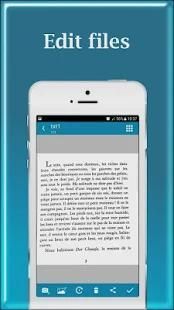
It is like incorporating a scanner with extensive functionality to the mobile to use it at any time and place, file, edit, make lists and share the files obtained in PDF format.**
Scan documents with your smartphone has never been so easy**, with the scanner app you can scan color documents, photos, images and text. The app uses the camera as a device to turn your phone into a portable scanner and convert all the scanned documents into PDF format.
Document Scanner PDF & JPG Features:
★ Mobile scanner ★_________
Turn your device to a scanner, scan everything as photos, reports, receipts,...
★ Optimize scan quality ★ ___________
Enhance texts and graphics look clear and sharp.
★ Scan Automatically ★_____________
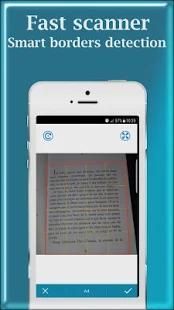
Detect document edge automatically.
★ Speed & quality option ★____________
Scan with higher quality mean that decoding speed is slower (3 options : slow, medium, fast).
★ PDF settings ★___________
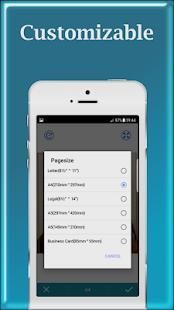
Set page sizes for PDF (Letter, Legal, A3, A4, A5 and more).
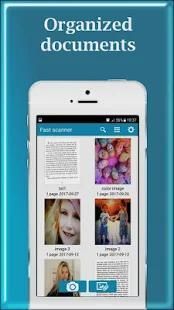
★ Documents Organization ★___________
Name and organize documents in folders and easy to merge, move, copy or delete.
★ Quick search ★__________
Easy to find document with search tool, or sort by modified time, creation time, name.
★ Apply effect ★_________
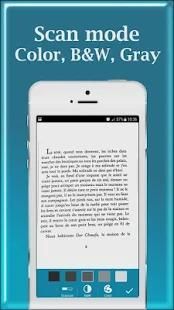
4 modes for scan document : Magic, Original, Grayscale, Black & White.
5 levels for adjust contrast, text bold.
★ User interface ★_________
2 modes to view : GridView or ListView.
★ Share PDF/JPEG files ★_____________
Easy share doc in PDF, JPEG formats via social, email,...
★ Print & Upload ★________
Instantly print out docs in Document Scanner Pro with nearby printer by Cloud Printing Service.
Or upload to Google Drive, Box, Dropbox, Evernote,...
___more features____
-Optimize your PDF into modes like B/W, Lighten, Color and dark.
-Turn scans into clear and and sharp PDF.
- Arrange your doc in folder and sub folders.
- Enhance the scan quality automatically/Manually.
-Enhancement includes smart cropping and many more.
-Share PDF/JPEG files.
- Print and fax the scanned doc directly from the app.
-Upload doc’s to the cloud like Google Drive, Dropbox etc.
If you are still looking to scan documents, I invite you to download our scanner so you can simplify your daily life, either in the office or at work.



9Apps 4.9














