
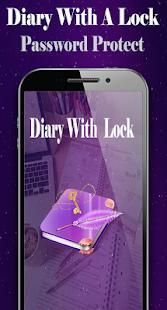
Are you looking for some free apps? 20,000+ users downloaded Diary With A Lock latest version on 9Apps for free every week! The app has do enough to distinguish itself from its predecessor. This hot app was released on 2018-03-26. Enjoy playing with new, amazing features!
Use This "Diary with a Lock" App to Make Your Own Personal Journal of Daily Events, Appointments, Secrets and Feelings.
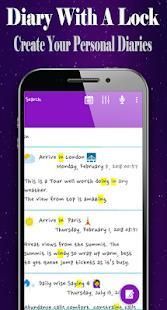
You Can Create Personal Various Diaries Such as Diary, Memo, Summary Note, Etc. According to the Flow of Time. You Can More Search for Diaries Using Keywords. When a Keyword Is Entered, the Matching Diary Is Searched and the Keyword Is Highlighted. and You Can Use the Speech Recognition Feature to Enter Search Keywords Without a Keypad.
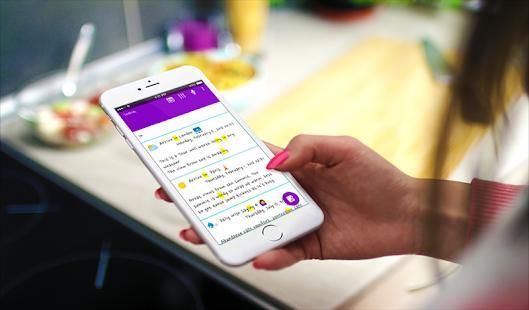
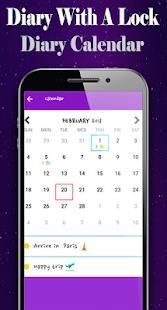
Make It a Habit to Quickly Write One or More Mini-Notes During Your Day. Simply Leave a Few Words About Your Workout Session, What Happened at School or in the Office During Your Day. the Created Diary Can Be Collected by Date Using the Calendar.
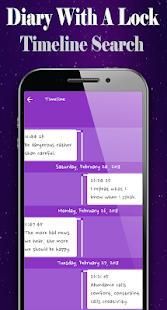
You Can Also View Charts of Diary Entries for the Entire Period. the Created Personal Diary Lock App Is Provided as a Timeline. You Can Use Advanced Settings to Change Fonts, Set Lock Number, Backup and Restore Diary Lock App. and Click the Diary Card in the List to View the Diary Lock App.
Browse the Saved Diary, You Can Modify a Saved Diary Lock or Create Personal Diary Card by Specifying a Custom Color.and Drag the Screen Left or Right to View Diaries Created Before or After.
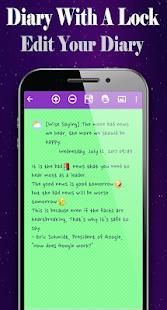
You Can Go to the Diary Editing Screen to Edit the Diary Being Viewed. Also You Can Listen to the Diary Text by Voice Using the Google Tts Feature. Use the Diary Lock App to Create Personal Post Cards and Share Them with Others. and You Can Delete the Current Diary and Go to the Search Screen.
Recover Diary Lock App: Recover All Content Using Data Backed Up to Google Drive. in the Case of an Attached Photo, Only the Link Information Exists.
Backup Diary Lock App: Back Up All Your Content to Google Drive. in the Case of an Attached Photo, Only the Link Information Is Backed Up. Therefore, Only the Contents Except the Attached Photo Will Be Restored on Devices That Do Not Have the Original Photo.
Share Postcard : Postcard Created Can Be Shared with Friends. Share Your Postcard with Email, Mms, Messenger, and More.
Lock Apps : When the Lock Setting Is Enabled, the Application Is Locked with the Set Password.
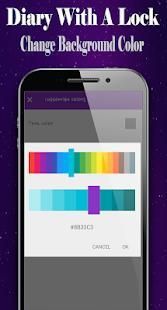
Background Color: Change the Postcard Background Color. You Can Select the Desired Color Using the Color Picker.
===== How to Use "Diary with a Lock" ======
=> Select the Weather for the Diary Creation Time. Weather Selection Is Not Mandatory.
=> Type the Title of the Diary. Entering a Subject Is Not Mandatory.
=> Enter Diaries, Notes, Summary Notes, and More.
=> Attach a Photo to the Diary Lock App.
=> Enlarge the Text Used in the Diary Lock App.
=> Reduce the Font Used in the Diary Lock App.
=> Select the Diary Creation Date. If You Want to Create Personal Diary for the Past Date, You Can Change the Date.
=> Select Diary Creation Time. You Can Change the Time If You Want to Create Personal Diary for the Last Time.
=> Save the Completed Diary Lock.
===== Features of "Diary with a Lock" ======
=> Writing Personal Diary Lock (Voice & Keypad)
=> Diary Backup and Recovery
=> Edit Your Diary Lock App
=> View & List Diary Lock App
=> View Timetable Diary Creation Status Chart
=> Simple User Interface, Easy-To-Use
=> Lock Diary : the Application Is Locked with the Set Password.
=> Password Protect the Whole Application
=> View a List of Diaries in Your Calendar
=> Font Setting : You Can Add Your Own Ttf Fonts to the Easy Diary.
=> Change the Postcard Text Color, Background Color and Theme.
=> Timeline Search, Diary Browsing, Diary Search
=> Create and Share Your Personal Postcard with Email, Mms, Messenger, and More.
=> Advanced Settings, Font Setting, Lock Setting, Theme Setting, Backup and Recovery
Write Your Own Autobiography, This Diary App "Diary with a Lock" Can Easily Fit the Purpose of a Writing Down Your Memoir or Chronicle. Keep a Log or Logbook to Record History. Do Like Famous Anne Frank, Make Daily Records, Document Life in Your Own Day-Book.
Use This "Diary with a Lock" App to Make Your Own Personal Journal of Daily Events, Appointments, Secrets and Feelings.
You Can Create Personal Various Diaries Such as Diary, Memo, Summary Note, Etc. According to the Flow of Time. You Can More Search for Diaries Using Keywords. When a Keyword Is Entered, the Matching Diary Is Searched and the Keyword Is Highlighted. and You Can Use the Speech Recognition Feature to Enter Search Keywords Without a Keypad.
Make It a Habit to Quickly Write One or More Mini-Notes During Your Day. Simply Leave a Few Words About Your Workout Session, What Happened at School or in the Office During Your Day. the Created Diary Can Be Collected by Date Using the Calendar.
You Can Also View Charts of Diary Entries for the Entire Period. the Created Personal Diary Lock App Is Provided as a Timeline. You Can Use Advanced Settings to Change Fonts, Set Lock Number, Backup and Restore Diary Lock App. and Click the Diary Card in the List to View the Diary Lock App.
Browse the Saved Diary, You Can Modify a Saved Diary Lock or Create Personal Diary Card by Specifying a Custom Color.and Drag the Screen Left or Right to View Diaries Created Before or After.
You Can Go to the Diary Editing Screen to Edit the Diary Being Viewed. Also You Can Listen to the Diary Text by Voice Using the Google Tts Feature. Use the Diary Lock App to Create Personal Post Cards and Share Them with Others. and You Can Delete the Current Diary and Go to the Search Screen.
Recover Diary Lock App: Recover All Content Using Data Backed Up to Google Drive. in the Case of an Attached Photo, Only the Link Information Exists.
Backup Diary Lock App: Back Up All Your Content to Google Drive. in the Case of an Attached Photo, Only the Link Information Is Backed Up. Therefore, Only the Contents Except the Attached Photo Will Be Restored on Devices That Do Not Have the Original Photo.
Share Postcard : Postcard Created Can Be Shared with Friends. Share Your Postcard with Email, Mms, Messenger, and More.
Lock Apps : When the Lock Setting Is Enabled, the Application Is Locked with the Set Password.
Background Color: Change the Postcard Background Color. You Can Select the Desired Color Using the Color Picker.
===== How to Use "Diary with a Lock" ======
=> Select the Weather for the Diary Creation Time. Weather Selection Is Not Mandatory.
=> Type the Title of the Diary. Entering a Subject Is Not Mandatory.
=> Enter Diaries, Notes, Summary Notes, and More.
=> Attach a Photo to the Diary Lock App.
=> Enlarge the Text Used in the Diary Lock App.
=> Reduce the Font Used in the Diary Lock App.
=> Select the Diary Creation Date. If You Want to Create Personal Diary for the Past Date, You Can Change the Date.
=> Select Diary Creation Time. You Can Change the Time If You Want to Create Personal Diary for the Last Time.
=> Save the Completed Diary Lock.
===== Features of "Diary with a Lock" ======
=> Writing Personal Diary Lock (Voice & Keypad)
=> Diary Backup and Recovery
=> Edit Your Diary Lock App
=> View & List Diary Lock App
=> View Timetable Diary Creation Status Chart
=> Simple User Interface, Easy-To-Use
=> Lock Diary : the Application Is Locked with the Set Password.
=> Password Protect the Whole Application
=> View a List of Diaries in Your Calendar
=> Font Setting : You Can Add Your Own Ttf Fonts to the Easy Diary.
=> Change the Postcard Text Color, Background Color and Theme.
=> Timeline Search, Diary Browsing, Diary Search
=> Create and Share Your Personal Postcard with Email, Mms, Messenger, and More.
=> Advanced Settings, Font Setting, Lock Setting, Theme Setting, Backup and Recovery
Write Your Own Autobiography, This Diary App "Diary with a Lock" Can Easily Fit the Purpose of a Writing Down Your Memoir or Chronicle. Keep a Log or Logbook to Record History. Do Like Famous Anne Frank, Make Daily Records, Document Life in Your Own Day-Book.



9Apps 4.9














