

DashLinQ
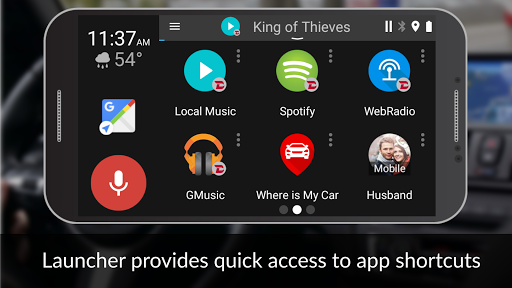
is a car friendly drive mode launcher that makes it easy and safe to use your Smartphone. It offers safe way to use Android smartphone in the car with integrated voice control, beautiful and bold graphics and user-based design creates a unified experience.
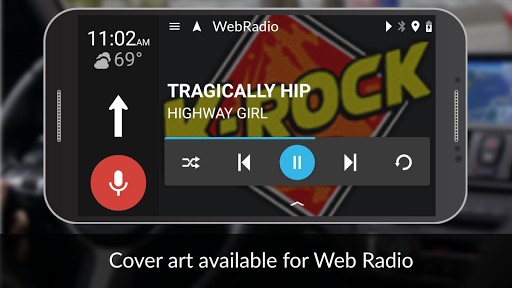
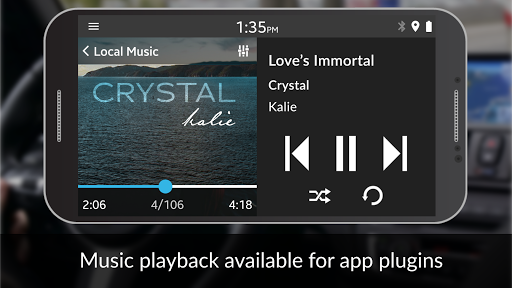
Automatically launch, play and control media apps directly from DashlinQ. The dashboard comes with media plugins to integrate music apps with your car including Spotify, Pandora, Google Music, Web Radio and music stored on the phone.
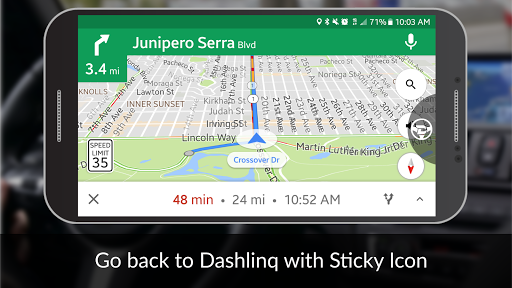
Voice navigation is the most essential feature to have when driving.
Access major navigation apps including Google, Waze, HereWeGo, and Sygic with the ability to set as default when using voice action from DashlinQ.
DashLinQ dashboard app can be activated via Bluetooth or automatically with GROM hardware.
Features
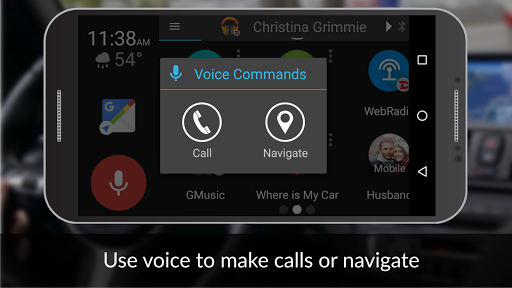
Voice button
to activate phone calls, navigation, search music
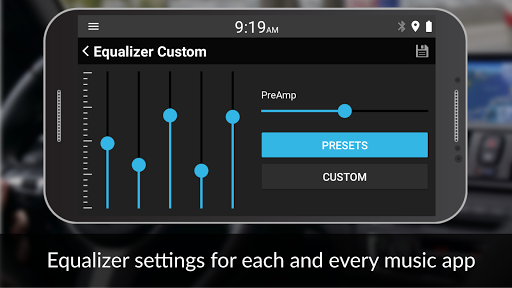
Integrated music plugins
:
Pandora
: Browse by Stations, Сharts, New Releases, Genres and Moods, Your Music. Premium account supports Offline music (Follow your category via Press-Hold. Then Your Music->Playlists->Download).
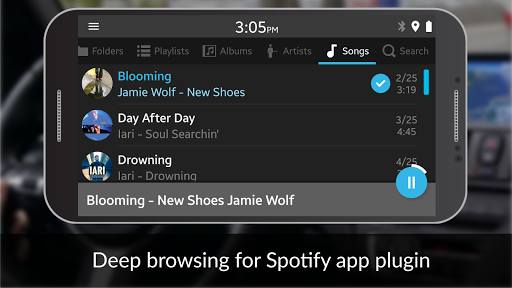
Spotify
(premium account needed): Browse by Stations, charts, New Releases, Genres and Moods, Your Music. Offline music playback (Follow your category via Press-Hold. Then Your Music->Playlists->Download).
Google Music
(only purchased or uploaded via Music Manager!): browse by playlist, album, artist. Offline music playback.
Web Radio:
browse the stations by region, genre, type of music. Add stations to the favorites, record favorites pieces to access them later. Offline music playback (press Record icon while station is playing).
Local Music
: (stored on the smartphone) browse by Folders, Playlists, Artists, Albums, Songs.
Car Optimized Features
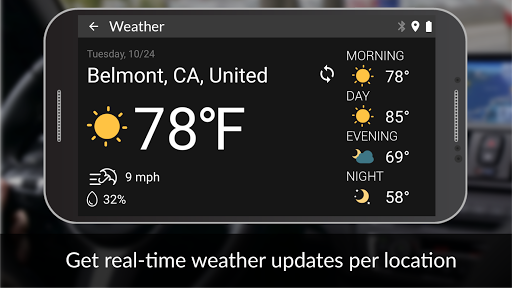
* Weather information for Current or selected location
* Shortcuts to your favorite apps at your fingertips
* Shortcuts and integrated controls to the third party media players
Simple Interface
* Bluetooth activation or directly by GROM units (BT3, USB3, Wirelinq)
* Keep screen on while connected to power
* Status bar showing only essential information
* Set up Playlists (Local, Google Music, Spotify,Pandora)/Favorites (Web Radio) before connecting to GROM modules !
Hardware (not required):
* Play your tunes in any car safely with digital quality: https://gromaudio.com/wirelinq/
Android Pie (9.0 ) users !
External apps are not supported due to Google removing AOAv2 audio streaming. Only built in plugins work ! Ask them to keep the ability to play any music app through USB !
Settings > System > About phone > Send feedback about this device
In the feedback page, please type "AOAv2 USB audio is not working in my car since 9.0. Please fix!!"
https://support.google.com/pixelphone/answer/6398243?hl=en
Permissions
*
LOCATION
- To retrieve local web stations, Weather data and Find My Car. Only enabled at the time of the action. No location data is gathered or enabled at any other time. We do not sell or pass this data to anyone !
*
NOTIFICATIONS
- To get access to external players playing information and allow incoming messages read aloud.
*
MICROPHONE
- For voice search. Only activated by red button press. We do not keep microphone listening at all times like Google Assistant does !
*
CONTACTS
- To initiate a phone call and access your Google accounts for GMusic synchronization.
For more details, please visit http://gromaudio.com/dashlinq/
To report issues, feedback and check tips & tricks, visit our community page:
https://plus.google.com/communities/103737582870472791577
Languages supported:
English
,
Русский
,
Română
,
Deutsch
,
繁體中文
30-day free trial to experience DashLinQ.
After that, you will be given options:
1. Upgrade to premium ad-free version at $4.99
2. Continue with ads
Version reverted to stable



9Apps 4.9

![The Best 'Car Mode' Apps for Android [Rundown] screenshot 1](https://i.ytimg.com/vi/TwVlWYwMgUk/mqdefault.jpg)













