
This is the ONLY app on the play store that improves your GPS ACCURACY using external correction data - and is not just based on your phone sensors.
DDK Nav is a simple and effective application that enhances the accuracy of the GPS measurements from your mobile phone. The application initially uses the mobile phones GPS measurement, and then removes the majority of the errors that are contained in each position fix. This will result in up to 70% increase in your position accuracy.
DDK Nav is a subscription based service. You can try out the service free for the first 14 day.
- It enhances the GPS positioning within your smart phone.
- It works globally in real-time wherever a user has access to a mobile phone data connection and GPS location fix.
DDK Nav requires a valid GPS fix and a mobile data connection or Wi-Fi connection.
DDK Nav will be releasing the following versions of GPS enhancement:
1) Upto 70% improvement – using
the phone generated solutions
2) > 85% improvement – using the RAW GPS measurements
This download is for version 1 only at this time, and we will update you when version 2 is available.
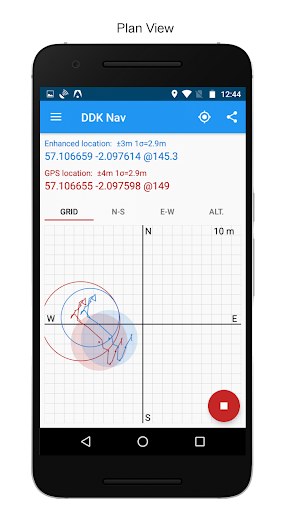
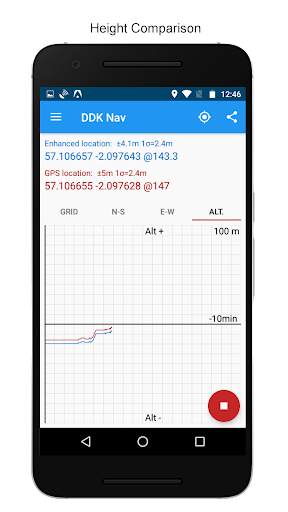
DDK Nav displays:
- Standard GPS Location accuracy
- Enhanced GPS location accuracy
- Standard latitude and longitude in decimal format
- Enhanced latitude and longitude in decimal format
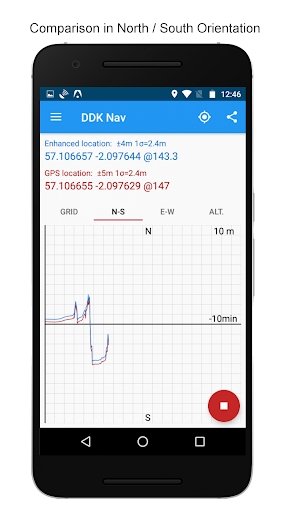
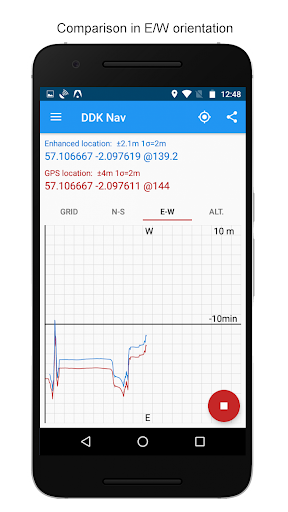
In addition, the application has four plot views available for the user
- Grid view
- North-South view
- East-West view
- Altitude view
Each plot view has three user adjustable scales
- 100 meter
- 10 metre
- 1 meter
Information and guides:
DDK Nav User Guide at: https://ddknav.com/app-user-guide
DDK Nav FAQ
at: https://ddknav.com/app-faq
The enhanced position is shown within the application, and is available to use within other third party applications. See known application's list in the app.
DDK NAV works with both GPS and Glonass enabled smartphones. It will also work with Galileo enabled smart phones as they come on line.
The service will NOT work if your smartphone is using SBAS as part of the GPS calculation.
The service is open to any other phone that uses GPS for location services.
The Enhanced service will be available to users who use the application, and for users of applications that implement the correction API directly. All other applications will continue to use the phone's generated GPS location.
Permissions required:
- Location: Required to correct your GPS location
- Internet / mobile data connection: Used to fetch correction data for use within the app.
- Storage access: Required to Log GPS data
- Billing: Required to purchase the subscription
If you would like to use the enhanced location function in other applications, please contact the relevant application developers and let them know that you wish to use the DDK Nav enhanced services withintheir applications, or contact DDK Positioning through the web site at www.ddkpositioning.com
We can supply an API for third parties to implement within their application.
Uses also raw GNSS measurements (on devices with Android 7 or later) to enhance position accuracy. This feature can be switched off in the settings.








9Apps 4.9













