Contacts Widget Pro icon

Contacts Widget Pro

2.3 for Android
4.0 | 10,000+ Installs | Reviews

2ma

Description of Contacts Widget Pro

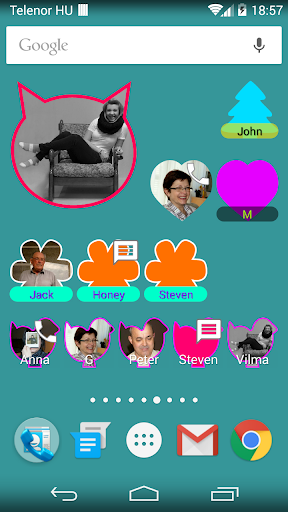
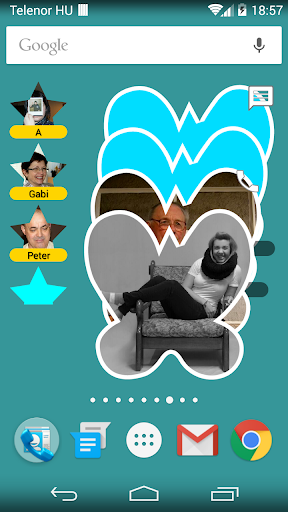
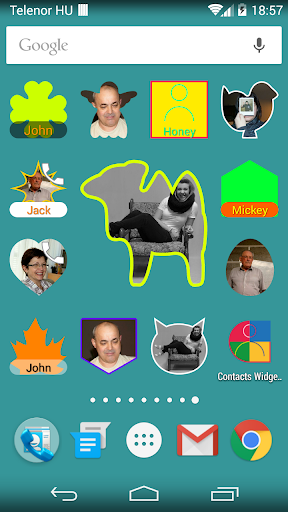
Lots of shapes.
6 different layouts. Resizable!
Easy configuration.
Add contacts, add your favorites or any other group you already had setup.
You can order the contacts as you please.
You can edit the widgets after setup too.
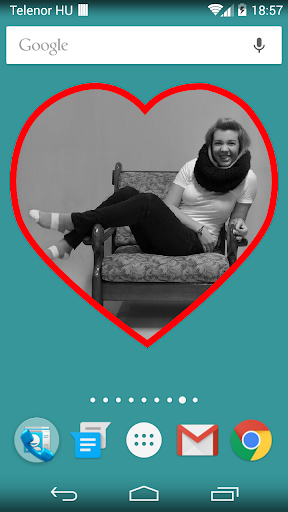
Add a colourful frame to your pictures.
Choose direct dial or message, or show the quick menu.
High resolution images.
Thank you for supporting development!
Please rate the application.

What's New with Contacts Widget Pro 2.3

Small bug fixes, visual enhancements.

Information

  • Category:
    Communication
  • Latest Version:
    2.3
  • Updated:
    2016-05-31
  • File size:
    1.3MB
  • Requirements:
    Android 4.3 or later
  • Developer:
    2ma
  • ID:
    tma.contactswidgetplus
  • Available on:
Reviews
  • avatar
    I like it... But if we can get the Skype call and messages, it will be perfect.
    2020-10-13 07:35
  • avatar
    I just keep getting Google has not allowed this action. I can't even get a refund
    2020-07-04 10:55
  • avatar
    Will update this review once i familiar with this a bit more (won't be fair to review this after 5mins of use, thus 4 stars so far), but the first impression leaves me very optimistic. Will be back in a few days.
    2016-11-26 12:06
  • avatar
    Issue resolved. Great Widget to display all or some (groups) of Contacts
    2016-02-08 06:28
  • avatar
    I have purchased the software. Whenever I want to edit anything, it says buy Pro version. When I click on buy, it goes to play store and open and uninstall options will come. I don't know why it is.
    2016-02-07 04:17
  • avatar
    Love the look and functionality of this app. There are lots are great features no other app has. There IS room for improvement, though. Things I WISH it did, but it DOES NOT do: apply photo filters to the contact photos; (this would be great if you want them all to match on your homescreen); change the size of the widget width-wise after applying, like from 3x1 to 2x1 (right now you have to make a whole new widget to get a new size).
    2016-01-23 01:52