

📫 Have a question or a problem? Get in touch with us at support@pselis.com.
Notifications problems with Oreo or Marshmallow? We can help you fix it.
Write at support@pselis.com stating your device's make and model.
CloudCal is the only free calendar app that consolidates
all your Google and Microsoft calendars
in one monthly view that gives you an instant overview of your availability along with your Evernote, Meetup and Eventbrite events and tasks.
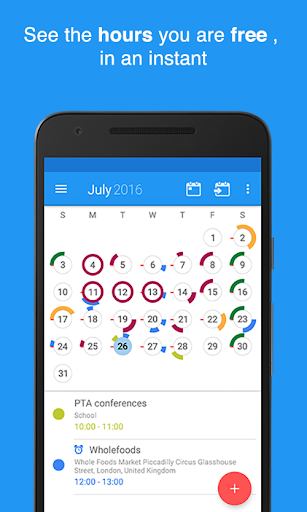
🔹See your availability in an instant
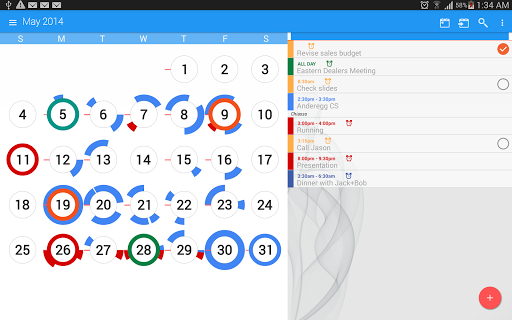
Magic Circles transform days of the month on your calendar into clock faces. With a quick glance, you will be able to see the hours you’re free and busy. It’s perfect for planning and organizing your schedule for the day, week or month.
🔹Always stay in sync
Sharing your calendar with the family? Working on multiple devices? CloudCal syncs with
Google Calendar
,
Microsoft Exchange
and now syncs with
Evernote
,
Eventbrite
and
Meetup
too! (Evernote, Eventbrite and Meetup available only to Pro users).
Please note that in order to protect its users' privacy, Facebook is restricting access to its data to app developers not whitelisted.
We aim to offer the sync to Facebook back ASAP
🔹 Move through your month view fast
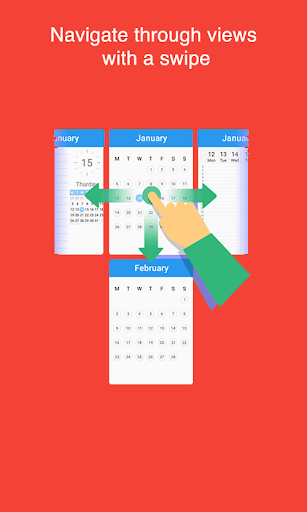
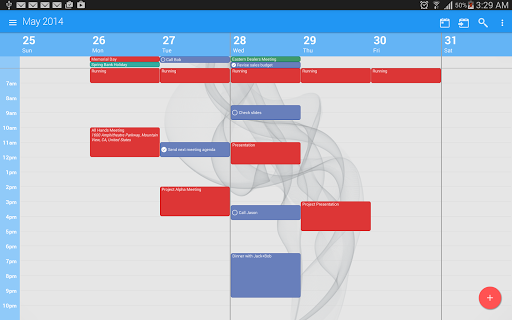
Be quick, save time. Tap and hold on days to create events. Swipe horizontally to change your calendar view to week or day. Swipe vertically to move forward and backward through time, and get a quick look at your schedule for the next months.
🔑 CloudCal productivity calendar features
•
Syncs with Google Calendar, Outlook/Exchange, Evernote,
Eventbrite and Meetup;
(Evernote, Meetup and Eventbrite are Pro features)
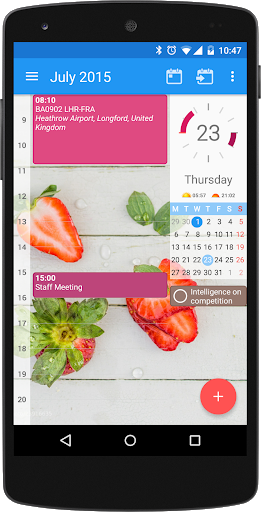
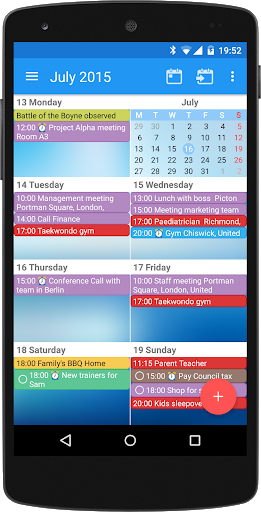
• Multiple views and agendas for day, week and month
•
Flexible reminders yearly, monthly, daily, hourly and minutely
•
Configurable snooze levels
• Recurring events daily, weekly and monthly and yearly
• Invite contacts to meetings and appointments by email
• Localized time and date formats for easier organization
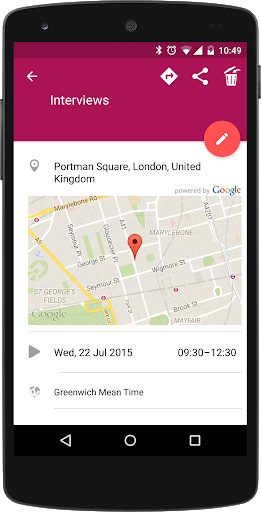
• Location search and maps powered by Google (Pro Feature)
• Import calendars in the iCal format
• Bring your material with you: attach pics, audio, files from
Dropbox/Google Drive
and a removable SD card directly to events (Pro Feature)
• Drag and drop appointments and tasks in day and week view within the day (Pro Feature)
• Open and use Maps, Waze or another map application (Pro Feature)
• Order an Uber in a single tap, right from your agenda. Requires the Uber app to be installed
• “Copy event” feature makes duplicating meetings and appointments as easy as a tap!
• Quick event creation feature lets you create new events in day view with a long tap
• Choose from an array of new solid backgrounds with material colors
• Show your dark side with a new dark theme
• Spot today’s date immediately by assigning your
special color in the month view
•
Available in English, Traditional Chinese, Simplified Chinese, Dutch, French, German, Hindi, Italian, Japanese, Korean, Portuguese (Brazilian), Russian, and Spanish
🔹 Widgets
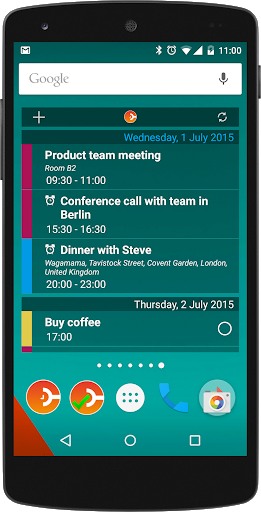
• New 1x1 widget to create a new event
• Resizeable widgets
• Change color, brightness and transparency of all home screen widgets to make it your own
• Think fast: a new month widget is available that supports Magic Circles
🔹 Want to organize your tasks as well as your time? Download CloudTasks, the task and to-do list manager which syncs and improves Google Tasks
• Manage your tasks and to-do lists inside CloudCal
• Create task lists and to-dos inside CloudTasks or CloudCal
• Have due dates appear in your calendar alongside your events
• Share task lists and to-dos with other people and other apps
• Reminders and deadlines for tasks (syncs to CloudTasks)
Our Terms of Use: http://pselis.com/app-terms-conditions/
Our Privacy Policy: http://pselis.com/app-privacy-policy/








9Apps 4.9














