
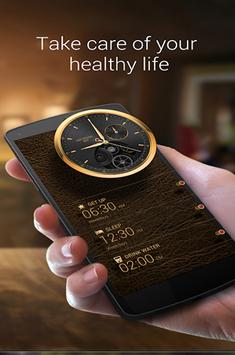
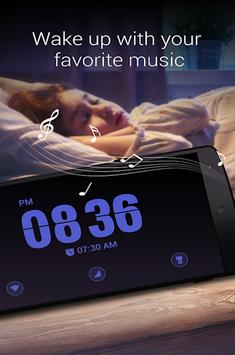
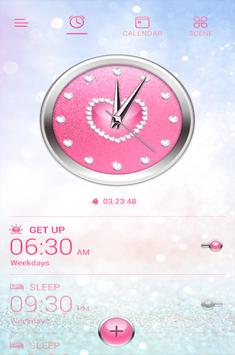
Clock Master is a free clock app prepared for you specially. You can set alarms and see the countdown of every alarm easily and clearly by Clock Master.
Perfectly support Samsung Galaxy S9, S8, S8 edge, S7, S7 edge, HUAWEI P10, LG Nexus 5X etc.
Perfectly support Android 7.1.
Features:
👍 Clock Themes:
With a rich alarm clock theme, you can choose your favorite theme.
👍 Alarm Clock:
Wake up to your favorite music and decorate your home screen with beautiful alarm clock widgets.
👍 Alarm Ringtones:
Has a rich ringtone, while supporting custom ringtones.
👍 Timer:
Perfect application in various scenarios. (games, sports, work.)
👍 Bedside clock:
It's easy to watch the night, and you can quickly turn on the flashlight at night.
👍 Unlimited support:
Set as many alarms you need, and you’ll never oversleep or miss an important event.
👍 StopWatch:
Start and stop the stopwatch which is up to 99 hours by pressing a single button below the large, clear, digital stopwatch.
👍 Calendar Alarm:
Manage your schedules, special days such as birthdays/anniversaries/credit card payment dates and to-dos.
Let us know if you have any problem or suggestion for the Clock Master, please. We will reply you ASAP.
Get the most out of your smartphone as you use your PC instead of letting it lie unused on your desk. Control your computer, games and applications, keep an eye on your feeds, monitor your computer's performance and more - without having to leave the action. Create your own Grids for your favorite games and applications.
-----------------------------------
PLEASE NOTE:
YOU NEED TO DOWNLOAD INSTALL THE application HOST SOFTWARE ON YOUR PC TO ESTABLISH A CONNECTION WITH THE APP.
-----------------------------------
After installing the accompanying PC software.
1. Incoming Center – keep track of Facebook, Twitter, Skype, TeamSpeak & RSS feeds in this communications HQ.
2. System Stats – monitor your vital system information, such as CPU load, memory & hard drive usage and more.
3. Sound Control – operate Windows Media Player and iTunes, as well as your system audio settings. Adjust the master volume, or the volume of each application individually.
PRESET/CUSTOM GRIDS & CONTROLS
- Create your own Grids, with your own graphics, backgrounds & colors
- More than 100 preset buttons & controls; drag & drop function
- More than 1800 icons included – for countless individual designs
- Button customization: add texts, backgrounds, icons, effects & sounds
- Open function: open applications, documents, folders & websites
- Shortcut function: add individual shortcuts to your buttons
- Macro manager: assign complex macro sequences; up to 512 commands
NOTIFICATIONS
- Social feeds for Facebook, Twitter, Skype, e-mail, TeamSpeak & RSS
SOUND/MEDIA
- Media player control: play, stop, pause, artist, title & album display
- Mute function: separately mute your master, mic & music volume
- Volume control for each individual application
SYSTEM
- CPU: show CPU info & usage
- Drives: show drive capacity, open drives
- show network usage
- Power functions: system lock, log off, shut down, sleep
- RAM: show RAM info & usage
TIME
- Analogue clock in 4 sizes
- ROCC’ clock: digital clock with day & date
- Big stopwatch & timer
- Custom timer buttons: create your own timer buttons or choose one of our presets
EXCHANGE
- Import and export Grids/Controls; share with your friends
Five fast and easy steps to create your PC control center:
1) Go to www.power-grid.roccat.org, create an account and download the pc host software. Users who already have a ROCCAT World account can download the software straight away.
2) Install the host software on your PC.
3) Go to the Play-Store on your phone and download the app.
4) Ensure PC and phone are connected to the same WiFi network.
5) Log-in to your host software on the PC and start the app on your phone, then follow the on-screen instructions and voilà, you are good to go.



9Apps 4.9














