ClipKey - Clipboard Keyboard icon

ClipKey - Clipboard Keyboard

1.3.2 for Android
4.0 | 1,000,000+ Installs | Reviews

Coşkun Apps

Description of ClipKey - Clipboard Keyboard

ClipKey is a clipboard manager intended to be used in conjunction with a default or third-party keyboard.
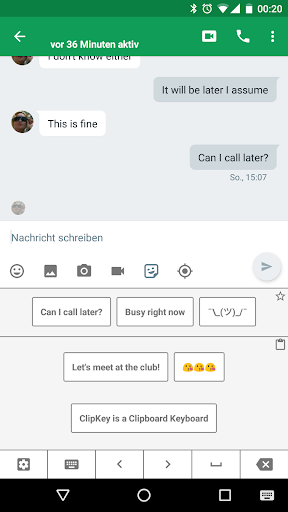
ClipKey keeps track of what you copy into your system's clipboard. Its clipboard history then allows you to easily access what you copied previously and paste it wherever you want.
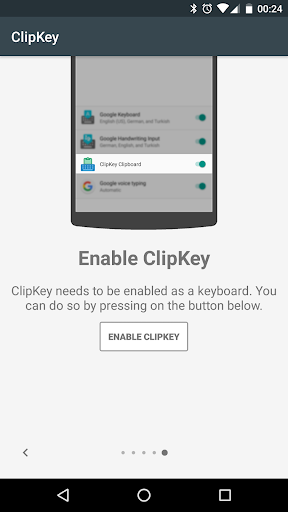
Opening the ClipKey Clipboard is as simple as selecting it from your system's keyboard switching menu.
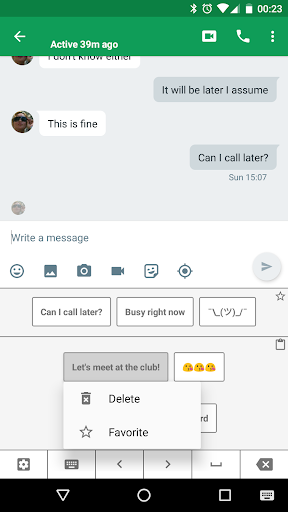
You can further increase accessibility to frequently used clips, by adding them to ClipKey's favorites - recommended for ASCII graphics like ¯\_(ツ)_/¯
Permissions:
*Network access* is required for showing ads in the settings activity. It is not used otherwise.
*Run at startup* is required for detecting changes to the system clipboard in a more robust manner.
Be aware:
There is no special permission required for reading the system's clipboard content. Every app has access to the clipboard, regardless of whether ClipKey is installed. Be cautious to never copy sensitive or private texts to your clipboard.

What's New with ClipKey - Clipboard Keyboard 1.3.2

v1.3.2
* Simplified opening of ClipKey keyboard (globe key support due to popular demand).
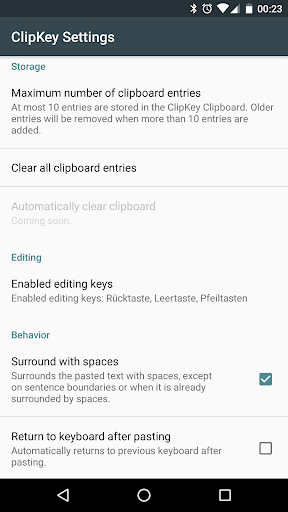
* Increased maximum number of stored clips to 200 (see in-app settings).
Introducing ClipKey Premium!
* enables app-specific favorites feature
* removes in-app advertisement
* more premium features to come soon

Information

  • Category:
    Productivity
  • Latest Version:
    1.3.2
  • Updated:
    2017-05-07
  • File size:
    2.3MB
  • Requirements:
    Android 4.4 or later
  • Developer:
    Coşkun Apps
  • ID:
    com.cotedia.clipkey
  • Available on:
Reviews
  • avatar
    While u on normal keyboard, clipboard wont copy anything
    2020-10-11 07:09
  • avatar
    I love every features already available, but it needs more text editing button like Gb**rd's + a enter + the sliding to left/right to delete the pasted contents on the clipboard instead of pressing long (the Bookmarking by pressing long is still okay tho and not bothers me at all) and it would just be perfect!
    2020-09-14 12:47
  • avatar
    I don't know what to say but this app is really great i always do copy and paste in all my post on social media, thanks you,
    2020-09-13 04:28
  • avatar
    One of the app that are necessary and without them it's so hard. Suggestion:- Please Update it (it's last updates 2017) Addition of row for select all, cut, copy, paste would be great.
    2020-09-13 06:39
  • avatar
    This actually works, Just do this trick: 1. Go on a game/some app where you can talk 2. Open keyboard 3. Scroll up of your device, and find at the top of it the select keyboard 4. Click the pasted word/sentence (You can insert it to keyboard if you copy a word) 5. To fix the no enter button, Click the top of your phone and then find select keyboard while using keyboard. Then, switch to your normal keyboard and hit enter. (Really disapointed without the enter key)
    2020-09-05 12:53
  • avatar
    Used this for few years. But gboard introduced pasting into numeric fields today. Good bye clipkey. Appreciate the service you provided. Thank you.
    2020-08-28 01:31