
Charge Assist icon

Charge Assist

3.0.8 for Android
3.4 | 10,000+ Installs | Reviews

GreenFlux Smart Charging

⚠️ You need 9Apps App to install .XAPK File. How to install XAPK?

Description of Charge Assist

Charge Assist is the perfect assistant for your electric vehicle - making EV charging as simple and quick as possible.
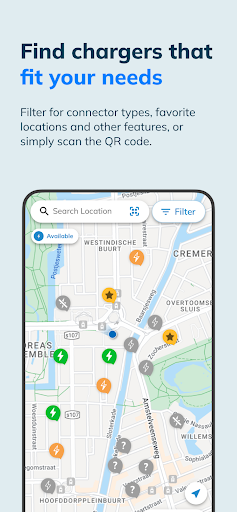
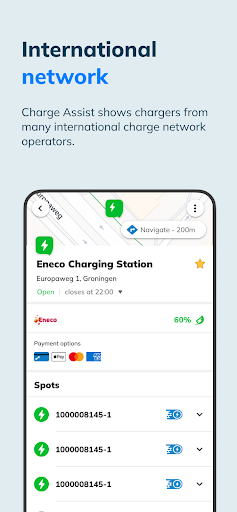
The app helps you to find publicly accessible chargers across the world. Charge Assist offers the fastest growing selection of chargers available in an app, with new chargers being added all the time!
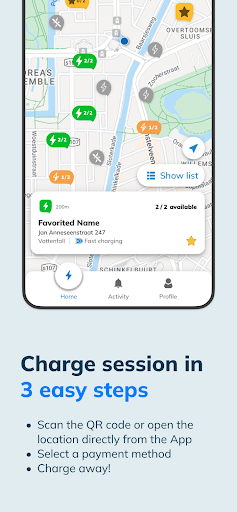
Simply navigate towards a charger of your choice, start charging and pay automatically after your session ends. View a charger’s availability, its tariffs, the progress of your charge session and a host of other relevant information with just a few taps.
With Charge Assist, you can:
• Navigate to EV chargers worldwide
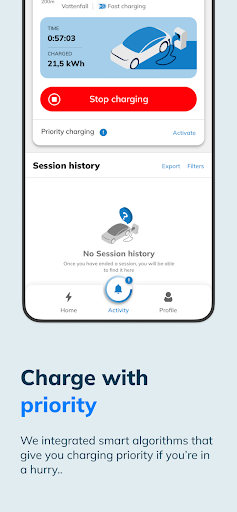
• Start and stop charge sessions
• View charging progress
• Filter based on power type and other features
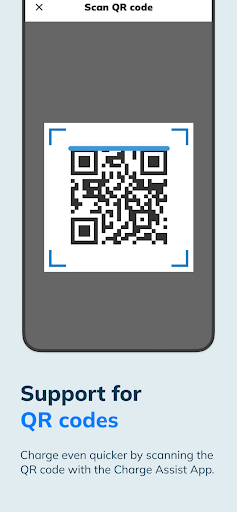
• Scan QR codes to start charging immediately
• See charging tariffs
• See an overview of your previous charge sessions
• Use our Smart Charging technology
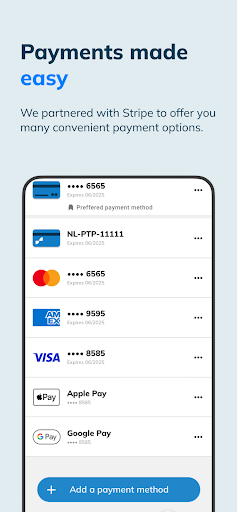
Charge Assist supports any modern payment method you may need, including credit cards, Apple Pay, Google Pay, and conventional EV charge cards.
Have feedback for us? Let us know by sending an email to hello@chargeassist.app!

What's New with Charge Assist 3.0.8

Improved app performance and bug fixes

Information

  • Category:
    Auto & Vehicles
  • Latest Version:
    3.0.8
  • Updated:
    2023-06-06
  • File size:
    37.6MB
  • Requirements:
    Android 5.0 or later
  • Developer:
    GreenFlux Smart Charging
  • ID:
    com.greenflux.charge.assist
  • Available on:
Reviews
  • avatar
    It's a good app when it works. Very handy to have. Especially when you have only pit point/greenflux charge points in the neighbourhood. Right now I don't know why it doesn't work to charge with the app. But when I press start charging if won't but a window keeps reoccuring that says; 'try again' or 'ignore '. you can press it many times and it won't change. I've tried the app on several charge points. but every where the same. So I reinstalledit and now I can't connect the charge pass anymore that I had connected with it. Every time I try to confirm the code of the charge pass it will open the same window 'try again' or 'ignore' . Please tell me what I should do? Thanks for your help.
    2020-10-09 08:55
  • avatar
    When it works it's great, but the app is very buggy, just had to reinstall it because of a stuck error.
    2020-06-14 05:50
  • avatar
    Intuitive and fast. I use it everyday and it's really easy to start charging. Good job!
    2019-01-24 03:55