
PDF scanner by cam with New features:
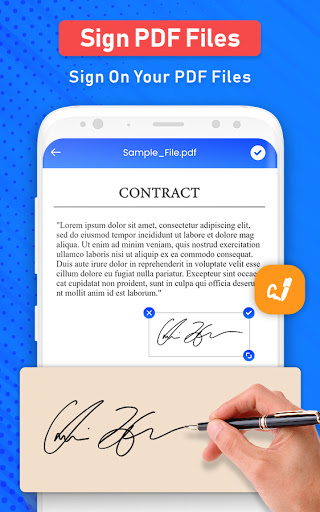
Now sign your PDF documents easily and do your work on the go. Make signature on your PDF documents digitally and do your important deals. PDF scanner gives fine mode to make your signature and place it on your PDF document accordingly
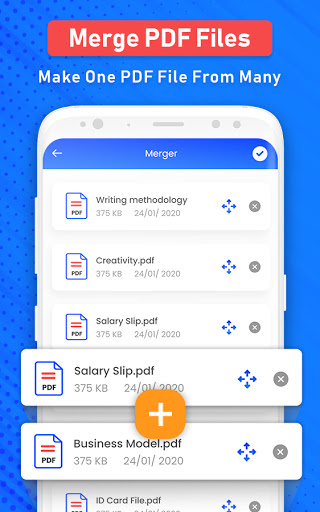
Now you can merge multiple files all together and reorder them accordingly. Create a whole one file with PDF merge feature. Reorder files according to your choice by moving file up and down. Convert any file into PDF form and share easily.
PDF all document scanner app can easily convert all files, docs, photos, images, and all the stuff of your need to PDF within no time. The app is highly efficient, fast, reliable and easy to use. This doc scanner app is so simple to use.
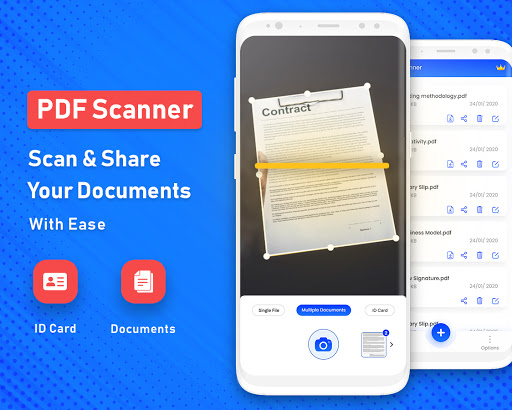
This camera scan app lets you scan all type of documents and converts it to PDF. Later on, you can view or share the converted file from saved files feature. Scan pic to PDF, scan notes, scan albums, scan files. Scan email, scan page or scan any time of document and convert it to PDF. This is possible with this Fast scanner cam to PDF app. Now you can make PDF easily just by scanning any image, notes, page or all documents through smart scanner with cam, with just one tap your PDF file will be ready. Scanners are really expensive in the market but you can use this feature for free and scan any document or picture and make it a PDF document. By using this PDF scanner app, you can share you converted files anywhere from saved files folder. There is a dedicated button to share PDF document easily.
PDF scanner gives you option to make one file from many files. You can easily merge your PDF files to make it one single PDF document. So, with scanner it gives you option to merge files as well. You can easily reorder your files before merging them and can rename your document. With doc scan to PDF you get multiple options where you can scan document with all document scanner and can merge PDF files to make one document.
You can scan pic to PDF with this scanner app as well. Not only documents but you can also convert your JPG images or photos to PDF as well. This is easy scanner app from where you can either select documents from gallery or scan it by using cam and just with easy steps you get your converted PDF file. PDF format is secure format that can’t be edited easily so saving and sharing documents even photos in PDF format is really secure enough. Convert pic to PDF by simple scanning the image or get it from gallery similarly scan any page, document, notes, by using cam and make it PDF document.
Features:
*Quickly Digitize Document
Just use your phone camera to scan and digitize all kinds of paper documents: receipts, notes, invoices, whiteboard discussions, business cards, certificates, etc.
*Optimize Scan Quality
Smart cropping and auto enhancing ensure the texts and graphics in scanned documents are clear and sharp with premium colors and resolutions.
*Signature on PDF
Place signature on your PDF files digitally. Now do your work on mobile even if you are in travel and you have to send contract with signature, you can easily do this with PDF scanner app.
*Merge PDF
Now gather all your PDF documents and make them one complete PDF document by merging two or more PDF.
*Share PDF Files
Easily share documents in PDF format with friends via various ways: post on social media, send attachment or document download link through email
Cam Scan to PDF users can scan and manage
* Bill, Invoice, Contract, Tax Roll, Business Card…
* Whiteboard, Memo, Script, Letter…
* Blackboard, Note, PPT, Book, Article…
* Credential, Certificate, Identity Documents…
Benefits of Cam scan to PDF an overview:
• PDF Scanner
• Add signature
• Merge documents
• Converts to PDF
• Easy converter for all conversions
• With Cam scan to PDF you can also share files to others through different platforms
• In app purchase added for you if you want to use ad free app.
Bug Fixes










9Apps 4.9














