CPU Usage Widget icon

CPU Usage Widget

0.1.9 for Android
3.4 | 10,000+ Installs | Reviews

RT Software Studio

Description of CPU Usage Widget

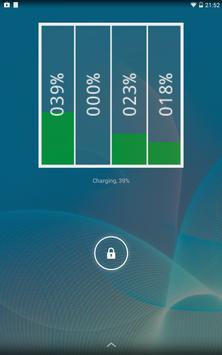
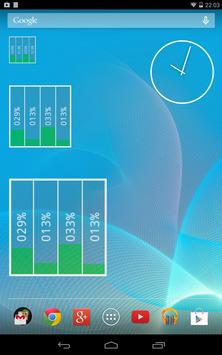
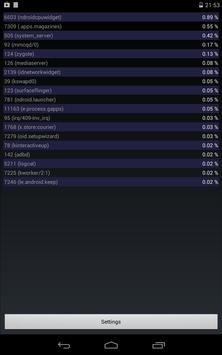
CPU Usage Widget monitors your CPU and displays a real-time visualization per core. Included is also an app to see a "top list" breakdown of processes sorted by CPU usage to find out what is consuming your resources, as well as an app to define the widget settings (colors, update interval).
Instructions:
1. Install the app
2. Select the widget (for example long-pressing in your list of widgets)
3. Place the widget accordingly on your home screen
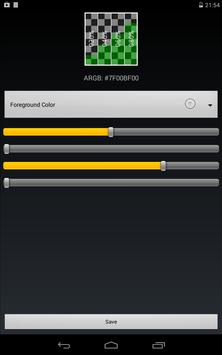
4. The settings are opened; set up your colors and the update interval, then press save
5. The widget should now appear on your home screen
6. Long-press the widget to resize
7. Press the widget to see the process list
Please also check out Network Widget for Android:
http://play.google.com/store/apps/details?id=com.rtsw.androidnetworkwidget

What's New with CPU Usage Widget 0.1.9

Minor bug fixes

Information

  • Category:
    Tools
  • Latest Version:
    0.1.9
  • Updated:
    2015-10-13
  • File size:
    2.4MB
  • Requirements:
    Android 2.3.3 or later
  • Developer:
    RT Software Studio
  • ID:
    com.rtsw.androidcpuwidget
Reviews
  • avatar
    Not working On poco f1
    2019-09-20 07:07
  • avatar
    Doesn't work on Moto G5S plus with 8.1 update
    2018-10-23 03:23
  • avatar
    Good. Nice custom options no adds and works fine. show the 4 cores I have. This App should have a better rating but not many use it. +
    2018-05-06 02:24
  • avatar
    Doesn't work on Samsung S5 at all
    2017-06-28 10:03
  • avatar
    Hard to find app and well worth the time to find. Might I suggest having the MHz next to or under the percentage?¿ Just a thought.
    2016-09-15 11:04
  • avatar
    This app is excellent but widget is not refreshing properly on my Moto E 1st gen after upgrading to lollipop 5.1. It used to work on 5.0.2. Please fix this.
    2015-06-29 08:54