

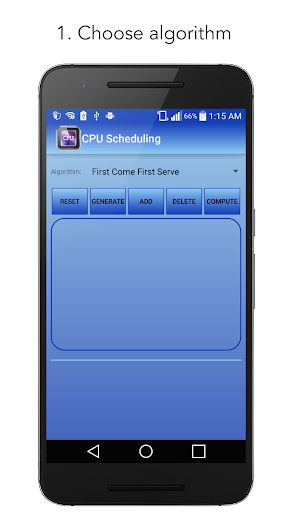
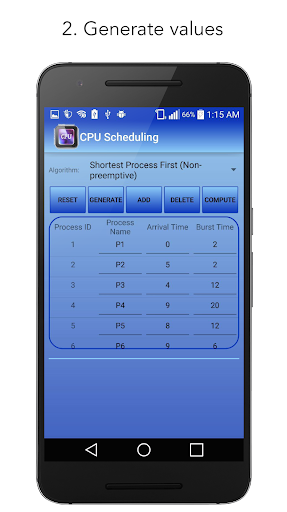
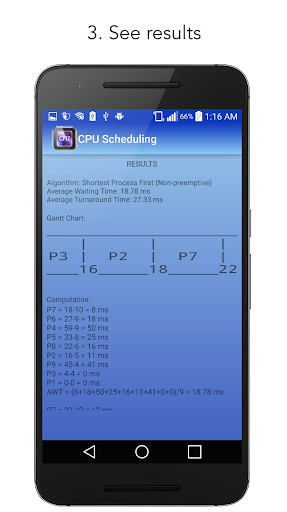
The main function of this app is solving and graphing different CPU Scheduling algorithms. The values plot in a bar graph and it gives you the algorithm that computes the average waiting and turnaround time.
To give you some information, CPU scheduling is a process which allows one process to use the CPU while the execution of another process is on hold(in waiting state) due to unavailability of any resource like I/O etc, thereby making full use of CPU. The aim of CPU scheduling is to make the system efficient, fast and fair.
Just follow these STEPS:
1. Choose a CPU Scheduling algorithm.
2. Populate or generate sample values.
3. Click Compute button.
4. See the graph and the result of the computation.
FEATURES
● Contains 6 CPU Scheduling algorithms:
1. First Come First Serve
2. Shortest Remaining First (Preemptive)
3. Shortest Process First (Non-preemptive)
4. Round Robin
5. Priority (Preemptive)
6. Priority (Non-preemptive)
● Contains "Generate" button to populate sample values to try different algorithms immediately.
● Easy to use: You can try different algorithms in 2 steps (Choose Algorithm and then click "Compute")
● No internet connection needed.
SUPPORT / RECOMMENDATION
Are you having problems? Just email your concern to this email: pinoycomputerengineer@gmail.com and we are happy to serve you and considering your recommendation. :)
- Added Splash, About and Settings pages
- Added feature of modifying the minimum and maximum limit values







9Apps 4.9














