
Have a place to write down your logs when you don't have access to your journal.
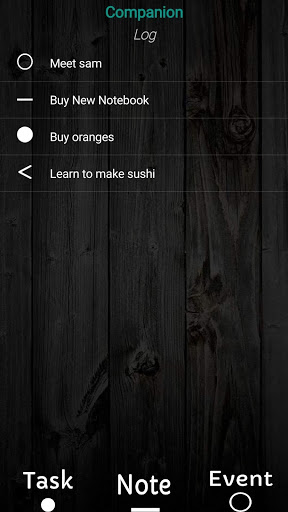
- The Log Companion keeps track of your logs for you.
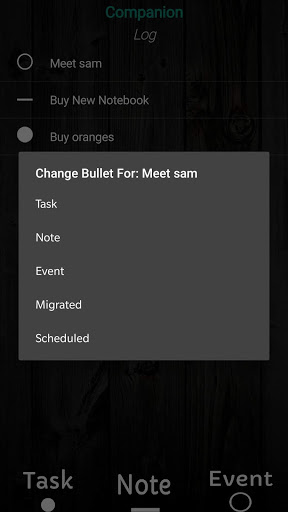
- Uses common bullets/signifiers like Tasks, Notes, and Events Migration (>) and scheduling (
- Features a quick and user-friendly UI.
Instructions:
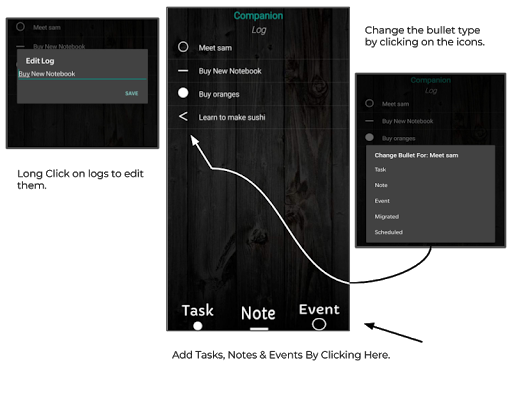
- Add new logs by tapping the buttons at the bottom of the screen.
- Change a log's bullet type/style by tapping on the bullet icon on the log's left side.
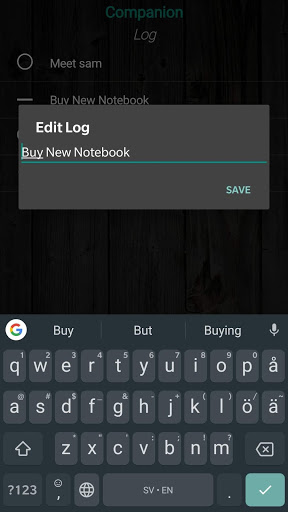
- Edit logs by holding in.
- Open/View logs by tapping on them.
- Delete logs by tapping on the 'x' next to the log.
The Log Companion comes from the developers behind the first Android released Journal Companion app and functions as a more simple alternative with just the log. If you need more functionality, you can download the free Journal Companion app by Gevosoft.
- You can now view log by tapping on them.

9Apps 4.9