
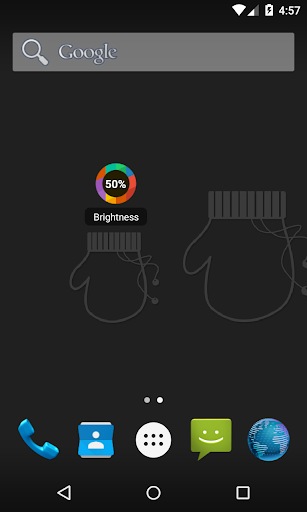
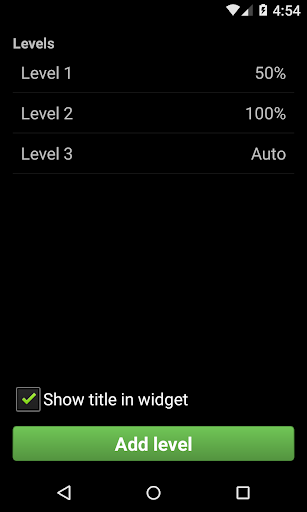
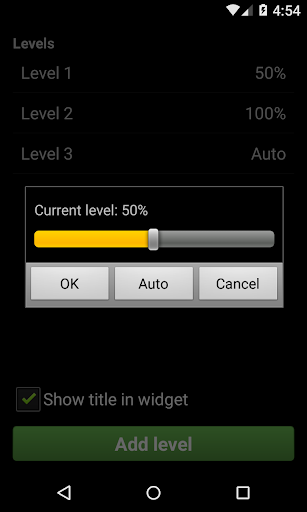
Brightness Switcher icon

Brightness Switcher

1.1 for Android
4.3 | 5,000+ Installs | Reviews

Arreis

Description of Brightness Switcher

This is a widget that allows for simple and fast brightness switching between a number of user-defined levels.
There are two parts to this app:
- The configuration screen, where you can configure up to 10 levels of brightness.
- The widget, which you must add to your homescreen. By pressing it, you will switch to the next level in your list.
This is the perfect app for those who like to have complete control over how much of your battery is dedicated to lighting the screen at all times.

What's New with Brightness Switcher 1.1

- Solved bug where the screen would turn off when changing to 0% brightness.
- Solved bug where the widget would show incorrect brightness level.
- Solved bug where the widget would show incorrectly when using a big font size.
- Added ability to hide the title of the widget.


Information

  • Category:
    Tools
  • Latest Version:
    1.1
  • Updated:
    2015-03-27
  • File size:
    256.6KB
  • Requirements:
    Android 2.2 or later
  • Developer:
    Arreis
  • ID:
    com.arreis.brightnessswitcher
  • Available on:
Reviews
  • avatar
    Good but brightness levels don't correspond with actual brightness. Would also be good if the opacity of the widget could be changed.
    2020-09-19 04:06
  • avatar
    Not worth giving any stars, can only set levels but cannot use the app on android 9
    2020-09-11 03:43
  • avatar
    Simple to use . No adds
    2020-05-30 11:23
  • avatar
    This was what i needed.
    2020-01-08 07:55
  • avatar
    Nice simple one click widget with customizable percentage. Not totally accurate under 100% (@60 is 58, @80 is 79, etc.) but not a deal breaker.
    2019-10-25 03:46
  • avatar
    The perfect Brightness widget! 🙌 1x1 widget size, configurable adjustment increments and includes auto brightness level!! UPDATE - dropped to 3 stars, seems there is a bug for my Pixel 3 (Android 10), where 1% and 100% brightness works fine, but setting anything in-between does not light correctly
    2019-10-21 06:29