
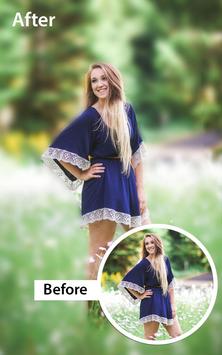
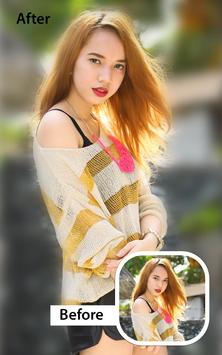
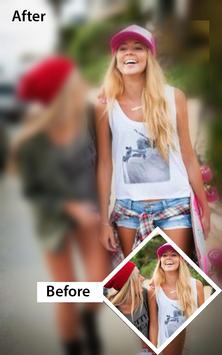
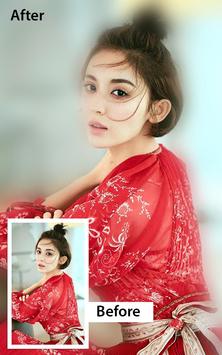
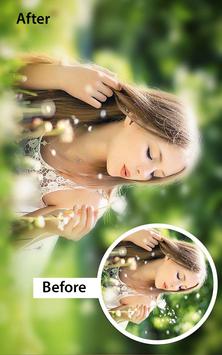
DSLR like blur photo effect make you photo stands out. You don't need be a professional dslr photographer or you don't need a dslr camera to make a dslr like Blur Background effect on your photo .
Dslr blut image backgound app give is free . Its Blur photo editor app used to apply blurry effect on the unwanted part of your picture very fast and easy . Hide unwanted person from your photo by using our amazing app. Make blur unwanted backgrounds or ugly backgrounds.
This dslr editor has auto blur image background and manual point blur filter effects options.
> Choose image from gallery or take picture from camera.
> Blur image editor screen will open. You can use varity of tools to blur or unblur image background.
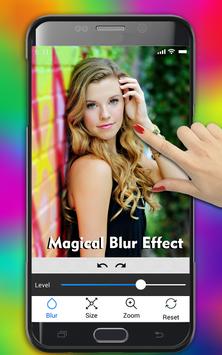
> Adjust blur level with the blurriness seekbar.
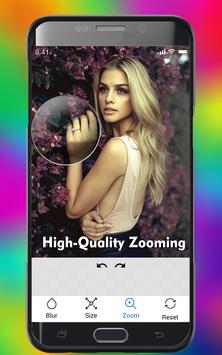
> You can also zoom in/out for blur image sharply and professionaly
> You can also adjust brush size.
> You can also adjust bursh offset to make blurring process easy
> After editing, just click on tick button at top right bottom to save you blurred photo
Key features blur image background
★ Pick image from Gallery or Camera
Select the image from the gallery to be blurred and give it a blurry effect . You can also select image from camera to make the background blurred.
★ Adjust Picture Blur intensity
Image blur intensity tool helps to adjust your image background blurriness from the slide bar which is easy to use. The more you increase slide bar the more image will get blurred
★ Undo and redo option
The effect of blurriness can also be reverted, simply using this undo feature. If you mistakenly undo, you can also redo by using redo feature
★ Brush Size adjustment tool
Adjust the size of bursh for pic blurring, using this blur image editor or blurry editor.
★ Zoom in and Zoom out for image blur
This is very important feature, from which you can zoom in/out to blur complex parts of image easily. Just click on Zoom button to enable zoom mode, adjust zoom and image position and click again on zoom button to enter into blur mode.
★ Attractive & Easy UI.
Blur Image Background app contains very attractive and easy to use user interface. Anyone can use this app without any professional background.
★ Save, share and enjoy
When you are done editing blur background, click on tick at top right to save image & share your artwork with the world by using social media
Let us know you feedback and don't forget to rate us !
* New shape blur editor added
* Design Improvements and changes








9Apps 4.9














