
Blue Point - Auto Clicker (NO ROOT) icon

Blue Point - Auto Clicker (NO ROOT)

2 for Android
4.0 | 500,000+ Installs | Reviews

Gal Epshtein

Description of Blue Point - Auto Clicker (NO ROOT)

How to use video:
https://www.youtube.com/watch?v=_bIz8jZ6sV0&t
How to use:
1.Allow display over other apps
2. Allow Accessibility Service for the app
3. Open the app
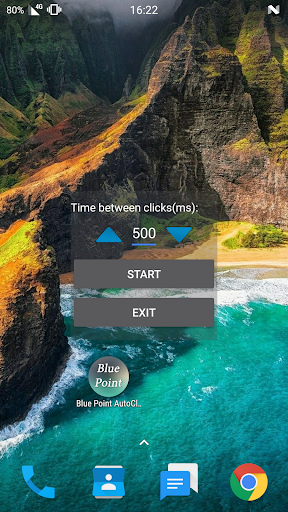
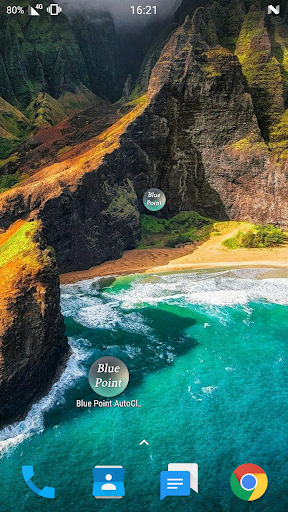
4. Place the Blue Point in the place you want to click
5. Touch the Blue point
6. On the screen opened choose your click rate by long press or short press on the arrows
7. Click Start
(To stop the app click Stop and to close the app click Exit)
*the app is still on Beta
*requires Android 7 or above.

What's New with Blue Point - Auto Clicker (NO ROOT) 2

bug fixes.

Information

  • Category:
    Tools
  • Latest Version:
    2
  • Updated:
    2019-03-01
  • File size:
    2.5MB
  • Requirements:
    Android 2.3 or later
  • Developer:
    Gal Epshtein
  • ID:
    bluepoint.galeps
  • Available on:
Reviews
  • avatar
    If this app only usable on android 7, why'd the dev don't set the app not downloadable for older android because device not support?
    2020-11-02 04:03
  • avatar
    What you need android 7!?!?! Ugh update so can work on other android devices and versions
    2020-08-17 09:05
  • avatar
    Could be better, but is the best app available. Great for AFK Date app swiping
    2020-07-26 05:25
  • avatar
    rouge app takes over your screen with moaning earrapingly loud ads
    2020-04-25 04:52
  • avatar
    Broken does not work at all uninstalling and it throws ads at me every second
    2020-03-30 05:13
  • avatar
    Im not sure if it works but i have 5.1.1 so it dosent work for me
    2019-11-29 04:38