
Bible Memory Helper icon

Bible Memory Helper

1.1 for Android
4.3 | 5,000+ Installs | Reviews

J Klassen

Description of Bible Memory Helper

Bible Memory Helper is an easy to use tool designed to help you memorize Bible verses.
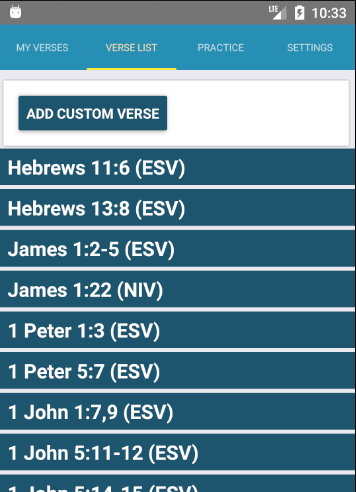
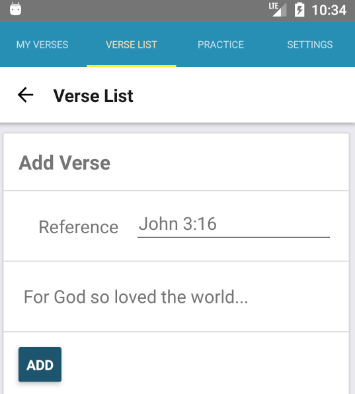
Select one of the pre-loaded verses or add any verse you want to memorize and then get to work memorizing.
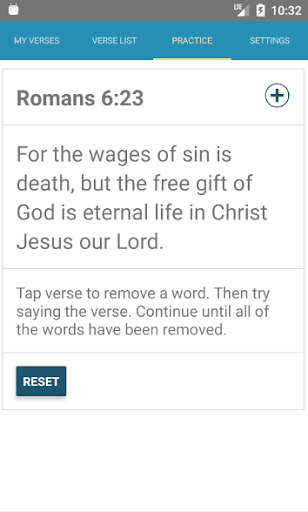
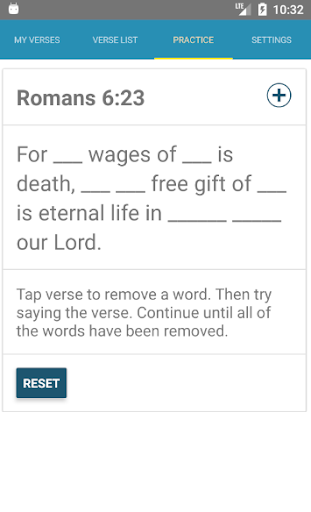
Bible Memory Helper uses a simple method to help you memorize. You'll read through the verse and then tap to remove a word. After removing the word read through the verse and fill in the blank from memory. Keep repeating this process until you have removed all of the words and can still say the verse!
"I know of no other single practice in the Christian life more rewarding, practically speaking, than memorizing Scripture. . . . No other single exercise pays greater spiritual dividends! Your prayer life will be strengthened. Your witnessing will be sharper and much more effective. Your attitudes and outlook will begin to change. Your mind will become alert and observant. Your confidence and assurance will be enhanced. Your faith will be solidified"(Chuck Swindoll, Growing Strong in the Seasons of Life [Grand Rapids: Zondervan, 1994], p. 61).

Information

  • Category:
    Education
  • Latest Version:
    1.1
  • Updated:
    2017-08-19
  • File size:
    8.2MB
  • Requirements:
    Android 4.1 or later
  • Developer:
    J Klassen
  • ID:
    com.jklassen.memory
  • Available on:
Reviews
  • avatar
    This app was more helpful than I thought, cool trick for memorizing these verses.
    2019-09-03 01:16
  • avatar
    Thank you for this! I especially like being able to add my own custom verses, since that means I can do multiple verses or alter the text (such as changing "The LORD" to God's name). I have found a couple small issues, though, and would really appreciate them being addressed. I naturally prefer to copy and paste my custom verses from my regular Bible app, but the function does not work well in Bible Memory Helper. First, the text area for custom verses does not expand, so I cannot see all the text I pasted. Since it also does not allow me to scroll properly, I cannot edit the text, so I have to paste the verse in another app, edit it there, then copy and paste again into BMH. Second, since I cannot edit custom verses at all once I have added them, not even the reference, if I make a mistake, I have to delete it and start over. Third, carriage returns mess up the text for some reason, so I cannot differentiate between verses if I do a multiverse passage. (Edit: I just figured out how to edit my custom verse list order. Very glad for the feature!) If these issues are fixed, I will gladly increase my rating to 5 stars, because this is a really great tool!
    2017-12-30 03:58
  • avatar
    Simple & just what is needed to memorize. Thank you very much.
    2017-12-04 06:46