
Get the best out of your rides by transforming your smartphone into a motorcycle tool using the BMW Motorrad Connected app.
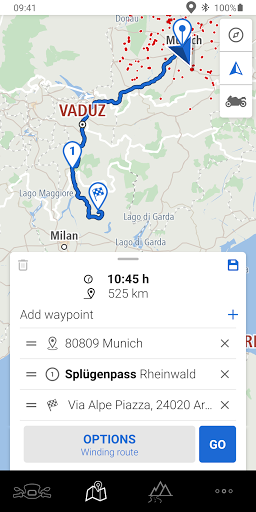
Use our app to build dream routes out of waypoints or import routes as a GPX file. The impressions and data you gather on the way will automatically be saved under your rides.
Simply use Bluetooth to connect with your motorcycle—which is equipped with Connectivity and TFT—and establish a connection to your communication system, if present. No matter whether you select winding or direct routes, verbal announcements and arrow indications that are easily visible in the TFT ensure that our app and your motorcycle will safely get you to your destination. Thanks to operation on the handlebars, you not only have navigation, telephony and music right at hand, but you also get an overview of the most important riding or vehicle data at the same time.
Keep other riders updated on your tours by sharing your routes, riding data and photos in an instant—with friends on social media or Rever.
We are continuously refining our app for you. Stay tuned to discover the latest functions.
Here is an overview of all the features that the BMW Motorrad Connected app currently offers you:
#Route Planning.
• Route planning and storage with waypoints
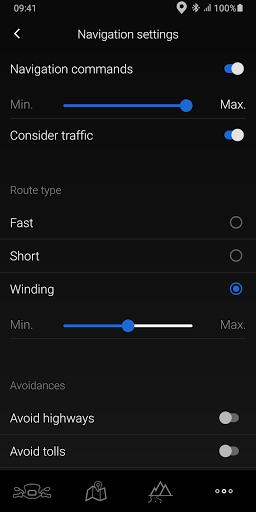
• Motorcycle-specific navigation with "winding route" route criterion
• Weather information for current location
• Route import and export (GPX files)
• Free map download for offline use
#Navigation.
• Motorcycle navigation suitable for everyday use
• Turn indications with arrow navigation in the TFT display (verbal announcements also possible if communication system present)
• Lane recommendations
• Current traffic data
• Speed limit display
• Point-of-Interest search
#Tour Recording.
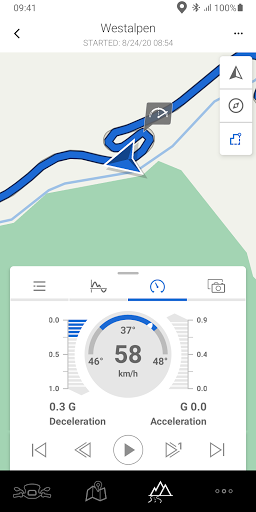
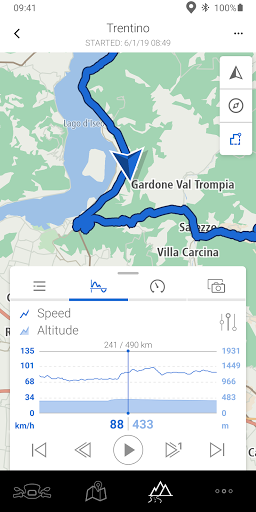
• Recording distances traveled including vehicle data
• Analysis of performance values such as banking angle, acceleration and engine speed
• Route export (GPX files)
• Sharing recorded journeys and photos on social media
#Vehicle Data.
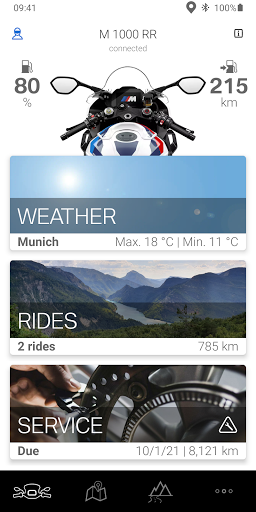
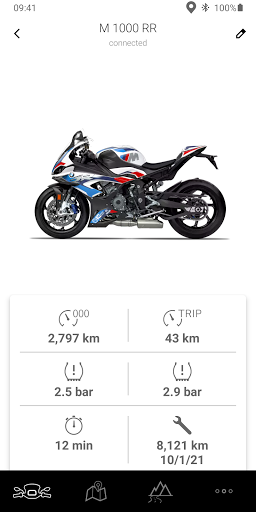
• Current mileage
• Tank capacity and remaining range
• Tire pressure (with RDC optional equipment)
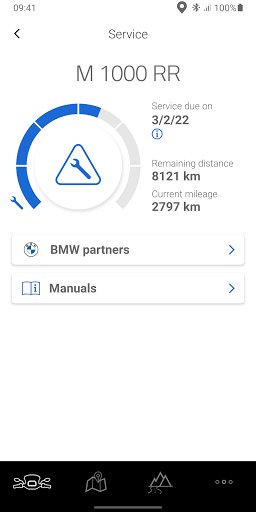
• Service requirement
ApplicationNotices.
• The app is part of BMW Motorrad Connectivity and can only be used actively in combination with vehicles with a TFT display. The connection between smartphone, vehicle and communication system, if present, is established wirelessly via Bluetooth. Operation is possible using the multicontroller on the handlebars. To output music, telephony and navigation information, the use of the BMW Motorrad communication system is recommended.
• A mobile Internet connection is necessary to receive traffic data. This can result in costs in accordance with the contract between the customer and provider (such as roaming charges).
• Be aware that the functionality of your smartphone and the connection to the vehicle also depends on national requirements and conditions, and therefore cannot be guaranteed by BMW Motorrad at any time.
• The BMW Motorrad Connected app is displayed in the language configured in the smartphone. Please note that not all languages are supported.
• Continuous use of GPS localization in the background may lead to a reduced battery life.
Make Life a Ride.
Search for BMW Motorrad partners in your area.
Preferred BMW partners can be saved so you can contact them faster.






9Apps 4.9















