



Get the
Brightness Control app
with user levels to brightness in phone. Easily change your phone display screen brightness or set the custom brightness using auto brightness app. the best brightness adjustment helps you protect eyes and making it possible to use your cell phone in comfort brightness. Reduce the brightness or increase display according to your own controls. Create the custom brightness plan high/low depending on the ease for eyes. The foremost brightness lighting control app to adjust screen brightness with customization options.
Enable brightness control with custom levels including high brightness, normal and low brightness to save your battery and protect eyes. Use the brightness controller tool to instantly control phones brightness. Most facile way to adjust display brightness or create your own custom brightness with name and brightness percentage to apply it anytime anywhere. Make secure your eyes through brightness meter to renders the ultimate brightness settings and control. Decrease in brightness may help reduce eye strain and battery consumption.
App Usage
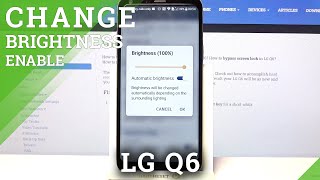
Switch the brightness of display screen between low, normal and high brightness levels or create a custom brightness level to apply. You may enable the auto brightness to adjust brightness depending on the light. Brightness control app renders the custom brightness to create own set of brightness with name and number of percent to set a custom brightness for display screen in mobile. In addition, you can add the custom brightness in a list to enable them with full ease and access.
Key Features
Auto Brightness for display
Manual brightness with multiple levels of brightness
Create custom brightness to adjust and apply
Custom add brightness levels
Quick, easy and fast brightness control







9Apps 4.9














