There you can get the android apps APK installed on your device. 10,000+ users downloaded Advanced Task Cleaner Pro latest version on 9Apps for free every week! All its functions are there and updated. This hot app was released on 2013-04-20. Read the following paragraph to see more information.
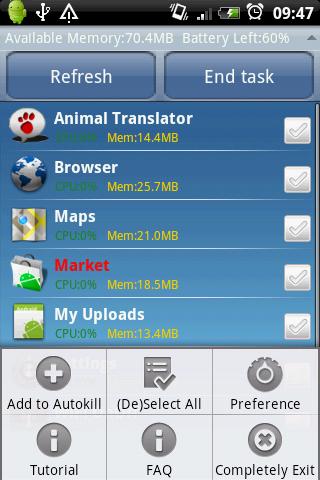
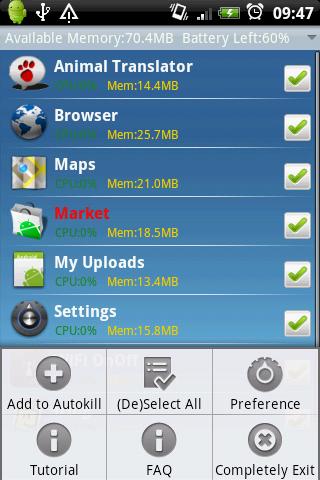
Releasing memory Very easy to useCleaning running applications.Making your android phone speed up and saving batterysupport android 1.5 and up.HOW TO USE It39;s Pretty simple:1.Launch this application and take a look at the running applications list, uncheck some applications you don39;t want to kill Such as some system applications. Tap the button quot;End Taskquot;, it will kill all applications checked.2.Tap app item to killswitchuninstalldetail.3.Long Press app item to addremove ignore list,addremove autokill,manage autokill list.4.Enable the Autokill Setting ,if you want to autokill running apps.5.If force close,send bug report by menugt;prefrencegt;Bug Report.6.Long press to add task clean widget on home screen.NOTICE 1.Make the show ignore app setting checked, the ignore app will be displayed in main view.2.The Startup clean scale is same as Widget39;s kill all apps. Actually it means kill all tasks which exclude ignore list and some system required tasks.3.If Widget Press Action has been changed ,please remove the widget from Home Screen and add it again4.hide the Notification message when the phone screen is from off to on and no task to kill.5.When AutoStart type is Run in Background, means that TaskCleaner will run in background when reboot.6.If you pressed Menugt;Completely Exit, all function will be stop except widget.7.You can add widget to clean task by scale mode or set different apps to be killed at different times using the interval optionsNOTES1.Autokiller only kills tasks in this autokill list.Be careful on what you intend to insert in the autokill list.2.this autokill function runs when the screen goes off or enters sleep mode.3.Interval Autokill Service autokill tasks by interval mode. Set the interval of autokill in autokill list view.4.When first init this app,Message,Gmail,Home will be auto added to the ignore list.5.About widget,You can change Widget Press Action from Menugt;Preferencegt;Widget Setting.6..If Message app is killed,you don39;t show notification any more when new message arrived.Be care of this pleaseKW: taskiller Task killer taskmanager taskpanel process uninstall task process release memory save battery kill app task panel manager panel system app memory ATK.Enable show system app setting to see more running app.

9Apps 4.9