

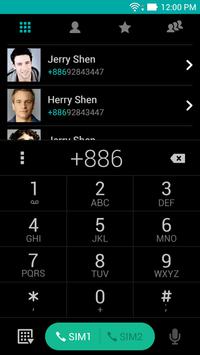
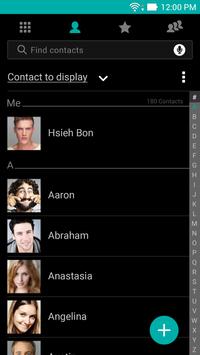
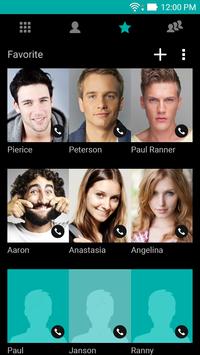
If you install this app, you can apply dark theme in ASUS Dialer & Contacts.
Note: Dark theme only support phone layout.
What's special:
If you apply dark theme in ASUS Dialer & Contacts, the font color will be changed as light grey as well, you may create your own look for ASUS Dialer & Contacts by choosing different background picture and font type!
How to apply:
1. Open "ASUS Dialer & Contacts", open option menu.
2. Choose / Personalized settings / Theme style, and apply "Dark theme." If you haven't downloaded yet, please choose "free" and install it
3.Once download complete, choose / Personalized settings / Theme style, and apply "Dark theme."




9Apps 4.9













