

8bit Art - Color by Number icon

8bit Art - Color by Number

1.1.3 for Android
4.0 | 5,000+ Installs | Reviews

ByPositive Studio

⚠️ You need 9Apps App to install .XAPK File. How to install XAPK?

Description of 8bit Art - Color by Number

Welcome to the official store for application World. 20,000+ users downloaded 8bit Art - Color by Number latest version on 9Apps for free every week! The world's most powerful app is here waiting for you. This hot app was released on 2018-04-26. You can free download it from 9Apps.
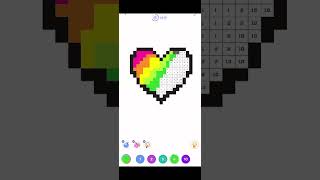
Color the numbers In 8bit Art – Color by Number game and awaken your inner pixel Picasso. 8bit Art is favored by all ages. It’s a perfect game to keep even the youngest players engaged. Everybody can try and become the greatest artist in the world. In the game you will find free pictures to color by numbers. You can also create your own picture in our pixel art sandbox thanks to Photo Pixel.
How to play:
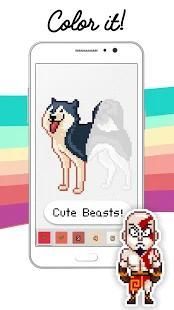
- pick one of many available images to color
- use the color matching the number shown in pixel blocks
- adjust the difficulty level yourself
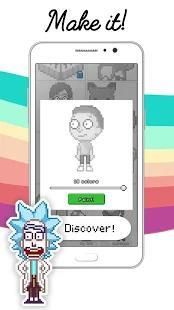
- you can change the number of colours used in every picture freely
- take a selfie or use one of the pics from your camera roll and create your own pixel art
- enjoy your masterpiece
- share your pixel art to your friends and keep on painting!
- make your own pixel art!
8bit ART is free and it is awesome. Don’t wait, download it and start your color pixel adventure.

What's New with 8bit Art - Color by Number 1.1.3

v1.1.3 is here!
Please note:
After this update all pictures will be reset, we're sorry about that :(
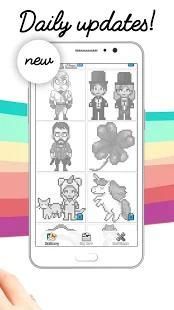
- added new graphics and daily updates!
- new app icon
- fixed a few possible crashes
- optimized zoom and moving control.
Please send any comments, concerns, or bug reports to:
info@bypositivestudio.com
Love,
ByPositive Studio

Information

  • Category:
    Education
  • Latest Version:
    1.1.3
  • Updated:
    2018-05-29
  • File size:
    8.2MB
  • Requirements:
    Android 4.1 or later
  • Developer:
    ByPositive Studio
  • ID:
    com.bypositivestudio.pixelmaker
Reviews
  • avatar
    What a nice concept,the only issue im having is that there is no catagory system and everything is just mixed together.I myself like drawing characters from movies,Tv shows and videogames,but I have to go through the gallery to find them.
    2018-09-15 03:20
  • avatar
    I like this game a lot; I'm really into pixel art coloring apps and this is one of my faves. I haven't seen the pixel art designs in this app in any other app on the market, and for that I give this 5 stars (I'm sick of seeing the same artwork in every single app; this app is rather refreshing for that reason alone). However, my biggest complaint is the controls; it seems there is next to no delay for tap&drag coloring, which means that one often will make mistakes just by panning the screen to a different area of the picture. But luckily, you cannot overwrite correctly colored areas, so you can use this strategically if you want to give yourself a self-imposed challenge. Also, the picture will not always center on the screen when displaying a completed work after finishing it. (it works fine if I exit the illustration and go back in). But, my complaints about the controls are negligible compared to the other features in this app. Ads are minimal and there are usually 1 or 2 new illustrations posted daily. I really appreciate these features.
    2018-07-05 11:14
  • avatar
    It is good but the system is poop when you want to paint it moves all of a sudden is this just me or what?!
    2018-06-15 10:59
  • avatar
    Its a shame this game crashes immediately as i try to open any of the Templates.. The pictures look really good and it seems like it would be fun.
    2018-06-02 04:53