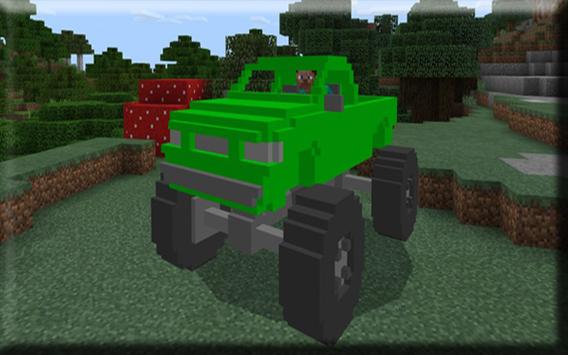
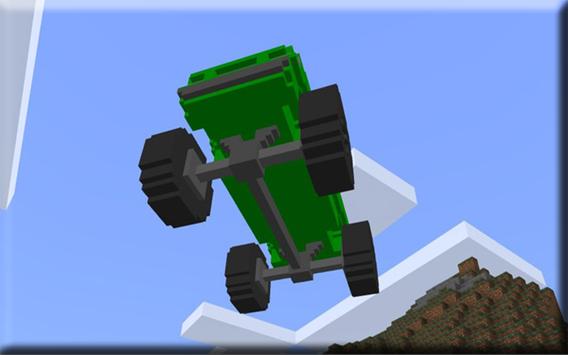
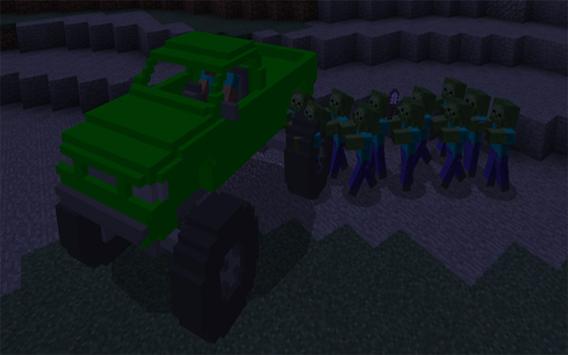
The MonsterTruck is the ultimate vehicle for quickly getting around in Minecraft, especially if your intention is to go off-road (which is mostly the cases anyways since there are no automatically generated roads). Its quite fast, it can jump (not too high) and it can also withstand fall damage. It currently exists in six different colors.
How to drive the monster truck?
The stray is replaced by a monster truck which is a great type of vehicle to use for off-road driving. Its immune to fall damage and its also quite fast.
iOS / Android: Long press on the truck and press Lets move out! to ride it
Windows 10: Right-click on the truck to ride it
You can drive it simply by moving forward in the direction you want to go. A really cool feature is the fact that the wheels are spinning when driving.
The monster truck is one of the most robust vehicles you can find. Any fall height and it will be totally fine (and the player too will be alright).
You can sit completely safe inside your truck during the night. Neither zombies or spiders will be able to get to you.
Installation
Download one of the following addons
Blue Resource & Behavior .McPack
Dark Resource & Behavior .McPack
Green Resource & Behavior .McPack
Light Resource & Behavior .McPack
Red Resource & Behavior .McPack
Yellow Resource & Behavior .McPack
Activate the resource pack and behavior pack for a world in-game
You can get a .ZIP file for all addons here.
!!Please read the following guide if youve downloaded a .ZIP or .RAR file!!
1. To install Minecraft PE maps you need ASTRO File Manager (or any other file manager). Lets start by installing that app on your Android device.
2. Find an app in the maps section of our website. In this example we will show you how to install Skyblock PE. Click the download button to download the map.
install
4. Most of the times you will be redirected to another website, such as Dropbox or MediaFire, where you can download the map. At other times it will be downloaded instantly to your device. Normally the downloaded file is a .RAR or .ZIP.
5. Use ASTRO File Manager to open the .RAR or .ZIP and then copy the world folder to the following path: /storage/emulated/0/games/com.mojang/minecraftWorlds/. It might take a few seconds for it to process.
6. You have now installed the map and can safely close the file manager app.
7. Open Minecraft Pocket Edition (or restart the app if you had it opened during the map installation).
8. Look for the map in your world list. If its an old map its usually in the bottom of the list.
DISCLAIMER: The Application HotRod Race Fire Car MOD for Mcpe is not a game, and does not belong to its creators, all materials are consistent with the principle of fair use of all united states law. if you find a volation of copyright or non-compliance, please contact us immediately.
the name minecraft, the minecraft brand and assets are the property of minecraft mojang AB Company or its owner. all rights reserved. In accordance with http://account.mojang.com/documents/brand_guidelines

9Apps 4.9