
3CX icon

3CX

20.0.0 for Android
2.9 | 1,000,000+ Installs | Reviews

3CX

Description of 3CX

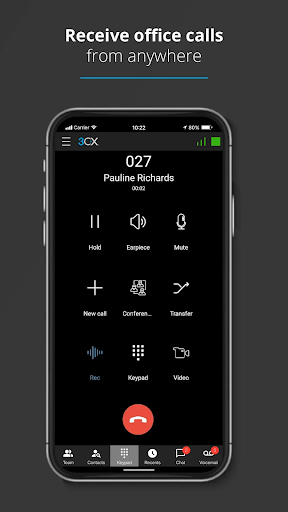
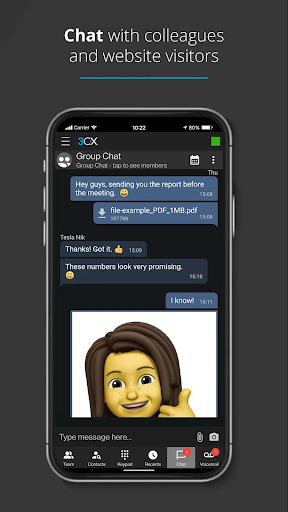
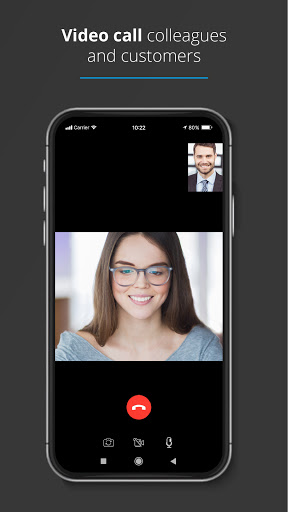
With the 3CX App you can make and receive work calls, schedule conferences, video call and chat from anywhere. The 3CX App is truly your one-stop tool for working remotely - easily and efficiently.
Getting Started:
Once the app is downloaded, open it and:
1. Agree to the license agreement.
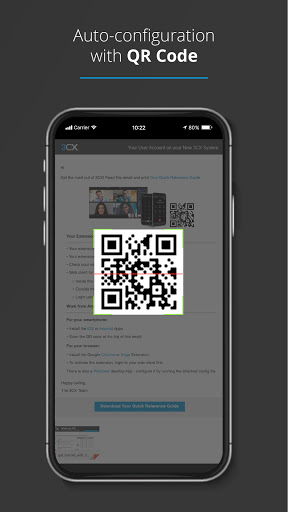
2. Follow the on screen instructions to configure your app with your extension - you need your 3CX Welcome Email email with your credentials, sent from your Administrator.
3. Allow camera access to scan the QR code from your 3CX web client - details in your email.
4. Grant all the necessary permissions in the next screens.
5. Make sure to follow the battery optimization instructions for the app to work efficiently.
And that's all! You can now stay connected on-the-go!
Important read:
This app is only for use with 3CX v18 and is not a standalone app.
More information: https://www.3cx.com/user-manual/installation-android/

What's New with 3CX 20.0.0

Fixed: Call Pickup fails when Smartphone is selected
Fixed: Leave voicemail from extension’s mobile number in recents to extension number

Information

  • Category:
    Communication
  • Latest Version:
    20.0.0
  • Updated:
    2024-04-28
  • File size:
    57.7MB
  • Requirements:
    Android 8.0 or later
  • Developer:
    3CX
  • ID:
    com.tcx.sipphone14
  • Available on:
Reviews
  • avatar
    On wifi not to good I rather use it on land cables only
    2020-10-11 05:44
  • avatar
    It is getting glitchier by the day. Calls come in and when I try to answer them I get a message that says they don't exist. I tried to call back using the app and it will not allow. Please fix these glitches!
    2020-10-08 02:03
  • avatar
    Was working great but since upgrade to Android 11 audio issues. Some calls are fine, other times audio cuts in and out for the entire call. At the same time I have 3cx for windows and deskphone on SBC at home on same 3cx server and they work great. I suspect an issue related to Android 11 as that was the timeframe this started to happen.
    2020-10-02 01:03
  • avatar
    Great phone system, cheap and reliable!
    2020-09-25 06:28
  • avatar
    Works well. Stable. I only use the basic functions so I can't say if there are issues with the upgrade.
    2020-09-18 08:15
  • avatar
    Impossible to use it unless your able to scan QR codes... No way of manually setting it up. So in its current state of development, its usless
    2020-09-13 11:22