
From the reviews:
• "Simply fantastic application that has made my life so easy when I rebuild or upgrade phones. Couldn't live without it." - Dave Krusch
• "The very best app for any watchmaker enthusiast, very useful for backing up and modifying and viewing all your watches." - Jason Leach
• "Excellent app. A must have if your a true Watchmaker enthusiast." - Muhammad-Sa'id Hunafa Qadiri
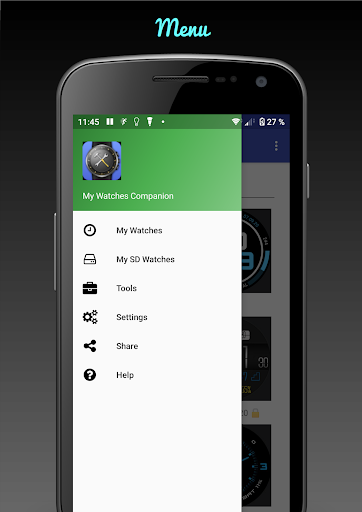
My Watches Companion is an app that helps you manage your watch faces. This app only works for WatchMaker watch faces. Requires WatchMaker Premium or the in-app purchase of the WatchMaker Watch Face Android app.
Features:
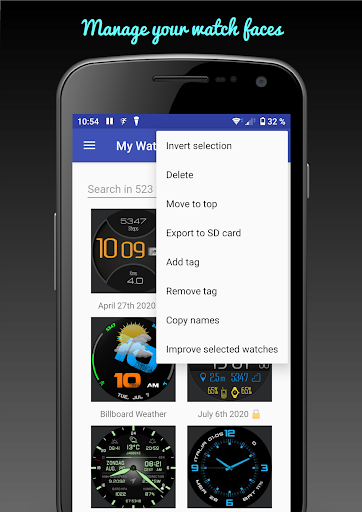
• Multiple selection of watches
• Delete selected watches including their images for not protected watches
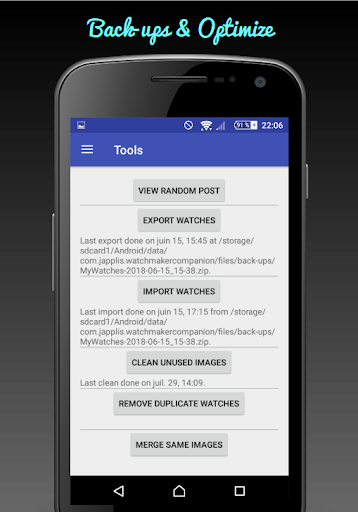
• Delete unused images. Images on the phone that are not used by any installed watch
• Delete duplicate watches. Keeping the last modified/installed.
• Merge same images. Removes duplicated images and set watches to use merged image (instead of the duplicates).
• Add/remove tags to watches, like color, style, theme, top 10, etc... Tags are added to the title so you can easily find them using WatchMaker search
• Export to SD card. Export selected watches to the SD card as .watch file.
• Install .watch files from SD card. Select multiple watches from "My SD watches" and install them for WatchMaker.
• Move to the top of the list. Selected watches will appear on the top of the list as if they were the more recently installed.
• Copy watch names of selected watches to clipboard.
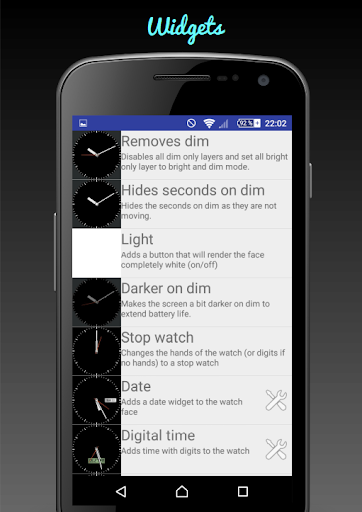
• Remove dim on selected watches. Dim mode = bright mode
• Hide seconds in dim mode.
• Add light* tap action. Tap action that shows/hides white surface.
• Add stopwatch*. Change normal hands to stopwatch on selected watches that don't have a stopwatch.
• Add date*. Add a date (or day date) widget on the watch if the watch doesn't have a date.
• Add digital time*. Add digital time to selected watch faces if for you it's easier to read the time using digits than using hands.
• Add batteries*. Add widgets to show battery levels of the phone and of the watch.
• Add temperature*. Add widgets to show outside temperature.
• Create watch from photo to have for example you family on your wrist
• View random posts of popular watch faces
• Export your watch collection for backup/sharing
• Import your back-up
• Share watches. Share multiple watches
• Share back-up. Share a back-up file, for example to move it to your new phone
• Browse back-up. View watch faces in your back-up file
• Install from back-up. Install from back-up selected watch faces
• Browse Downloaded. View watch faces in the default downloaded directory. Possibility to install or delete watch faces from the downloaded directory.
* Widgets, export to SD card, install from back-up don't work for protected watch faces. Protected watch faces are visible with the lock at the end of the title.
* Widgets are only added on watches that don't contain similar widgets. Make sure that the watch is not open in WatchMaker, as closing a watch in WatchMaker, save (and overwrite) the watch file.
My Watches Companion is not endorsed by WatchMaker. It is created by another company.
If you don't see any watch at the first start-up (Android 6.0 or higher), you need to do the following:
Settings > Apps > My Watches Companion > Storage > Clear Data
Then uninstall the app and reinstall it.
You should see a pop up asking you for permission to read files, you need to accept it.
Back-ups and SD Watches are located in SD Card/Android/data/com.japplis.watchmakercompanion/files. If you don't have a SD card it will be in Internal storage/Android/data/com.japplis.watchmakercompanion/files.
Added support for 3D layers (3d_model, 3d_text, light_dir, camera)
Fixed possible error after install of watch faces
Deleting multiple watch faces is now showing a spinning wheel and no longer freeze the UI.




9Apps 4.9