Feem v4. Share Files Offline icon

Feem v4. Share Files Offline

4.4.2 for Android
3.4 | 1,000,000+ Installs | Reviews

FeePerfect AG

Description of Feem v4. Share Files Offline

At FeePerfect, we believe the greatest sharing is among WiFi buddies -- family, friends, co-workers who are already on the same local network.
No emailing, no fumbling for a special cable, no hunting for a USB stick (won't work for mobile), or impatiently waiting for iTunes to fire up.
And you don't burn up precious wireless bandwidth!
Magic!
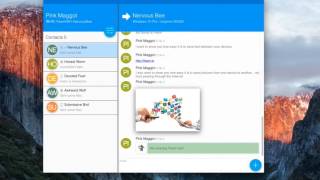
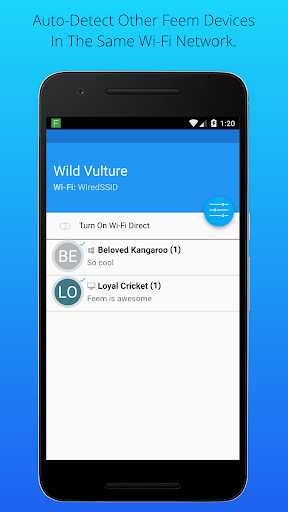
Just run Feem (on sender & receiver), choose files to share, select who gets them, click Upload. Bam!
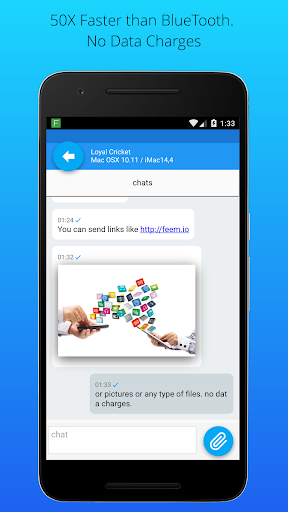
Or choose a chat buddy, and open a session. Simple. Quick. Painless.
Transfer pictures: phone-to-phone, phone-to-computer, or vice versa.
Feem doesn't require an active Internet, but the devices must be connected to the same WiFi router or hotspot.
You can kiss your USB sticks goodbye.
More info at http://feem.io

What's New with Feem v4. Share Files Offline 4.4.2

Bug fixes.

Information

  • Category:
    Tools
  • Latest Version:
    4.4.2
  • Updated:
    2019-12-10
  • File size:
    12.5MB
  • Requirements:
    Android 4.0 or later
  • Developer:
    FeePerfect AG
  • ID:
    com.feeperfect.airsend.android
  • Available on:
Reviews
  • avatar
    It's good alternative of offline file transfer app. Sometimes, it's difficult to connect with the PC but still good.
    2020-10-14 01:25
  • avatar
    Files don't send half the time and arn't received the other half. There is no consistency, and I've never seen an error message. I send a file and it says it is received but I can't click on it. and it won't resend it. Don't waste your time with this one. Which is to say nothing of the obnoxious ads that you have to click on before you can close on mobile.
    2020-10-13 01:51
  • avatar
    Don't use this app. It's just waste of time and data. It gives speed almost as the bluetooth and stuck after certain time. Try to use some other alternative app.
    2020-10-11 02:09
  • avatar
    This app is depressing. It gives negative names to your device. You have to clear the data many times before you can get a posutive one. The database is full of negative adjectives. Not mitivating to use it at all.
    2020-10-10 02:23
  • avatar
    It is the best way to share file between your Android and Windows OS laptop or PC. Also it doesn't require net connection to transfer. Maximum speed I have seen is 6-7 Mbps file transfer.
    2020-10-02 02:33
  • avatar
    Really excellent, with lightening speed, easy connection, and very simple to operate. Well done. Thanks a lot.
    2020-09-28 12:52