

WHY USE THE MY LEARNING HUB APP?
NO REGISTRATION FEES: Get the credentials from your organization’s IT Team and use the app for free.
COMPLETELY SECURE: My Learning Hub App uses OAuth 2.0 authentication for data security.
SAY NO TO USERNAMES, PINS AND PASSWORDS: Why bother having to remember yet another username or PIN? The My Learning Hub App saves your organization’s registered username/email ID and lets you access the training instantly.
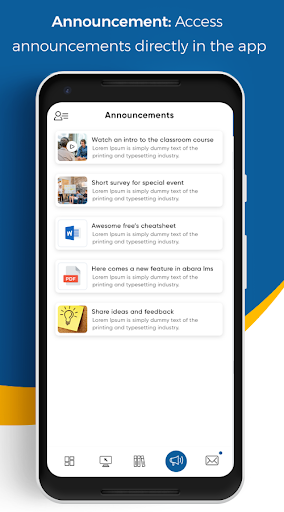
RECEIVE PUSH NOTIFICATIONS: Notifications sent by the administrator can be accessed directly on the My Learning Hub App or via phones pull down notification panel.
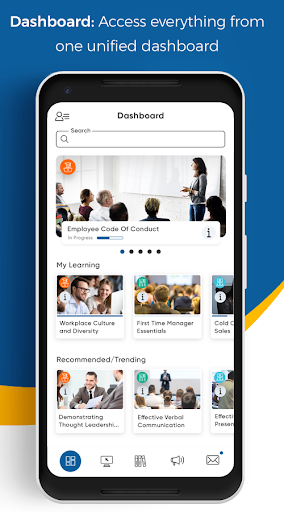
EXPERIENCE DYNAMIC UI: UI reacts to the settings changed by users or the administrators and dynamically changes in your dashboard.
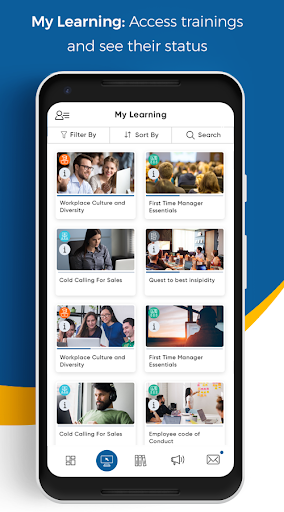
VIEW UPCOMING COURSES: See the assigned upcoming courses and schedule accordingly.
VIEW PROGRESS: See course progress anytime
ACCESS OFFLINE COURSES: Download courses and access them offline.
WIDE RANGE OF CONTENT SUPPORTED: Access SCORM (1.2 and 2004) courses, announcements, messages, videos, documents, and audio files right from the app.
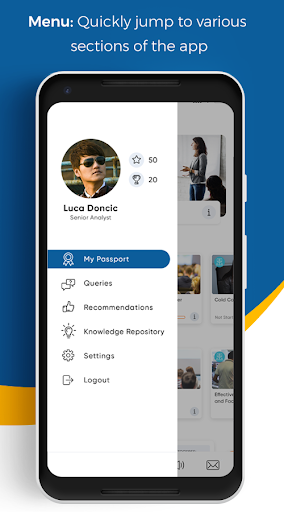
VIEW REAL TIME RANKING: Visit the Leaderboard page to check where you stand with respect to your peers.
AND MUCH MORE: Change branding colours on the fly, sequence Dashboard widgets and much more. Plenty of customizations available to satisfy everyone’s needs.
* Some features of the LMS may not be supported by the mobile App.
* Data charges may apply. Contact your service provider for details.




9Apps 4.9















